You may not realize it, but we do have a Domain Transfer Program at a special offer price for domain renewals! And our Selfie Drone Giveaway Offer is ending soon!
We offer a transfer plan that comes together with a renewal package that lets you SAVE MORE unlike other providers that charge you transfer and renewal costs separately.
We love to build long term relationship; your website and your business are always our priorities.
Our last DRONE for new transfer domains with Exabytes will be given out in July.
The winner for July will be announced in August.
Remember to check out our Facebook page for the Winner Announcement. Here
Monthly/Quarterly Special Domain Renewal Surprise
Oh yes, if your domain is expiring on this current expired month (or maybe 1 or 2 months before your expiry), we will send you our surprise renewal offer through your email!
Stay tuned for our Monthly/Quarterly offer when your domain is going to expire soon.
Exabytes SecondLife Cloud Backup provides a safe, secure and scalable data protection — bare-metal recovery (Clone Backup) and on-site cloud backup — for any data, anywhere, anytime.
The 3 kinds of services it offers support Laptop/Desktop and Virtual Server, enabling physical server backup with quick recovery via an easy to use web console.
In addition, Exabytes Cloud Backup comes with hybrid backup (backup onto local server & cloud server) that allows quick recovery for any disaster that might happen to your PC or server.
Check out the below steps to easily get started with Exabytes SecondLife Backup:
Choose the plan that is suitable for your personal/business use. To know more, visit: Cloud Backup Solution
Once your service has been activated, you will receive an activation email with your account login details.
Login to your web console dashboard.
Choose your subscription backup agent and start installing.
Once the installation is completed, you will see the message below:
(Machine Backup Progress)
You can now start backing up your computer or server.
The backup you are running, including the backup status, are recorded in the “Activities” panel.
Once the backup is successful, you can stay calm and enjoy peace of mind even when disasters/attacks happen.
(Now, your clone PC/Server is ready) Remember, your Computer/Server deserves a second life!
In today’s digital world, data is no longer owned only by tech companies or IT departments. All companies have data that are crucial to their business. And contrary to the common belief among many offline businesses, data is not only for purposes of record-keeping. In fact, they are the core of providing good products and services of a company.
All companies have their assets, don’t they? But do you realize that your data is one of your assets too?
These days, more and more companies are starting to study their company data to improve their products and services, which in turn leads to higher company sales and an increase in customer’s lifetime value.
How much do your company data mean to you? Is data backup needed for your company?
WHY you should backup your personal/company data…
Especially if you have spent so long on creating and accumulating your artwork/data, losing them can be a huge loss, especially if your data consist of highly confidential information that has been kept for a long time.
These data can be music clips, movies files, films, data files, projects, or even photos, especially if you’re in the creative/design industry.
Keeping all of your data in only one place is dangerous, insecure and risky. Computer loss, theft, natural disaster, and accidental deletion (just to name a few) are some of the possibilities where you can lose your important data.
What is a Computer Backup?
Making a computer backup means keeping an extra copy of the data you currently have elsewhere. In this case, we are referring to making additional copies of the original files that you have on your laptop, desktop, or even servers.
[IMPORTANT] It’s important that you do not keep different backup copies in the same device.
Imagine if all backup copies are kept in your laptop – when it crashes/is infected by a virus, you will lose all your copies since they are all similarly affected.
There are a few types of backups which can work perfectly for you.
1: External Thumb Drive/ External Hard Drive
Yes, this is the most common way most people save their data. A thumb drive is easy to use and the size of a thumb drive makes it easy to carry around.
However, the downside is its relatively small storage capacity and the fact that it can get misplaced easily. External Hard Drive, on the other hand, offers larger storage space and better speed during data transfer.
Its downside is that it can be quite fragile when accidentally dropped on the floor. In addition, technical problems are also a potential threat.
2: Bootable Drive Backup (Clone Backup)
Bootable Backup is also called a “clone” backup. Works like a “spare tyre” to a car, it is able to replace your current primary storage (aka Hard Drive) and allows you to continue working.
A clone backup is a complete copy of your computer’s primary hard drive (sometimes also called “boot drive”).
For example, if your primary drive dies, you can connect to the clone, reboot your computer, and have immediate access to not only all of your files but also all of the software you’re using.
And this include the settings and configuration you have made previously.
[Important] A Clone backup will only be useful if it has been updated regularly.
Otherwise important files or updates might be missing. However, backing up every file on your computer takes a while, and it’s best not to use your computer while the cloning process is working.
You may need a nice algorithms software to handle this, as it takes high processing power while handling your current processing task.
3: Cloud Backup
Having multiple copies with Clone Backup is the best practice to secure your data. However, your data must be able to be constantly synchronized with your backup to keep your data safe from for theft, fire, and also other natural/accident disaster.
However, here is a much better solution – cloud backups, which is the easiest way to create and maintain your data integrity with minimal synchronizing problems.
To get started, you simply just need to create an account, download a software agent, run it once to verify your account information, and set your preferences before allowing it to fully function as you wish.
After the initial setup, you can enjoy peace of mind as the software will automatically keep your computer backed up at all times as long as you are connected to the Internet.
As it has been tested by 500,000 business users, cloud backup services are proved to be optimized for processing as it won’t take a big amount of processing power and memory to maintain your backup.
How backup can help you to keep the “Bad Guy” away?
Recently, there are many vulnerability threats or malwares that would harm your computer or servers. A Trojan through a loaded hyperlink can be accidentally opened by a victim through an email, advert on a web page or a Dropbox link, or even a SQL query that would later break your running server application.
Once it has been activated, the program spreads through the computer/servers and locks all the files with encryption codes that demand credit from you to decrypt your data files. One example is WannaCry Ransomware. Find out more about Ransomeware HERE A must-read update for ransomeware: The Era of Ransomware has arrived
is getting more and more notorious. These days almost everyone is aware of it. While the increased awareness level is a good thing, research show most people learn it through these 3 ways: heard of a major outbreak in the news, were hit themselves or personally know someone who was hit.
May 12th and June 28th, 2017 – history will remember the unprecedented ransomware outbreaks that stalled critical infrastructures and disrupted production processes worldwide. But was it for money or was it just to damage the companies and innocent people?
“Am I a target?” Yes, you are.
If you think you are out of danger just because you are not a businessman or billionaire, then you might be one of the victims of Ransomware anytime.
Ransomware not only affect you by asking you to pay but also to steal your personal data. Your occupation, wealth, citizenship, employment status – they don’t care.
As long as you own a computer with personal files stored on it, you’re vulnerable.
WannaCry Ransomware hunts via email, social media and forged website, searching out for users who don’t install the latest updates, and sell your personal info on the black market – ransomware is turning into a deeply criminal underground industry, with its key players extremely hard to track down.
There’s no manual anymore, no top-3 things to look out for.
You have to be paying attention to the links you open and to the addresses you get emails from, you have to install the latest OS updates and patches, you must never open an attachment from an unchecked source, and for the love of sanity, you must do backup.
No, not all of them want your money
True, not all cyber criminals are after your money – some of them just want to cause trouble for your business, which is believed to be the main motive for the most recent Petya ransomware attack.
But if you think you’re out of danger just because you’re not a millionaire or because you haven’t done anything to infuriate anyone…
Remember that according to the latest global stats, an individual is now attacked every 10 seconds, while a business is attacked every 40 seconds. So how long do you think it will take before it reaches you? And are you sure your files are safe when it does?
“Is my information sold?”
Ransomware is turning into a deeply criminal underground industry, users who don’t install the latest updates in their windows system will be the targeted through email, social media and forged websites. Ransomware is nothing new.
Cybersecurity miscreants have been taking advantage of online users for years by requiring payment to “unlock” a victim’s computer. Your personal information might be sold to the back market if you do not pay the ransom. Reference: An Article on How Much Money Did The WannaCry Authors Make?thesslstore.com
How do you defend yourself?
“Not clicking on any suspicious emails and links – will that keep me safe?” No.
Because then you’d still have no mechanism to restore your data in case you do lose it. The main trick here is in protecting your data against ransomware in all its forms, by utilizing the technology that allows not only ransomware detection, but also automated restoration of any ransomware-encrypted data after the attack.
Most anti-ransomware solutions can only detect ransomware. Several of them stop it, though only the very few have the capacity to fully restore your encrypted files from backup (when others do it, the capacity is limited to the available cache size).
But the Acronis backup solutions with built-in Acronis Active Protection™ are designed to do just that — backup and restore data without any limitation.
Backup is always the best security strategies to prevent virus!
According to IT security services company LGMS, the first case in Malaysia involved a director of one of its clients who came across the dreaded ransomware on his personal laptop on Saturday morning.
LGMS founder C.F. Fong said the data in the laptop had to be erased as the person did not intend to pay the US$300 (RM1,300). The same ransomware appeared in the machine of an automotive shop on Sunday morning.
“The company didn’t have any backup and might pay (the ransom),” said Fong
If you need to learn more about how to avoid running into ransomware and backup your data and information while you’re online, give our professional consultants a call. We’ll try our best to keep your computer and information safe. Full Article: WannaCry strikes two Malaysian companies. thestar.com
Does Exabytes provide any backup solution?
Yes, Exabytes Provides the Very Effective 2nd Life Cloud Backup Solution.
Exabytes 2nd Life Cloud Backup is an advanced ransomware protection technology, a key part of Acronis True Image and Acronis Backup 12.5 (currently available as a Windows-only feature, Mac version already under development).
It extends the functionality of backup by actively defending business data and protecting backup copies that ransomware tries to destroy.
It constantly looks for patterns in how data files are being changed on a computer. One set of behaviors may be typical and expected. Another set of behaviors may signal a suspect process taking hostile action against files.
Acronis Active Protection stops the malicious behavior and instantly restores any ransomware-encrypted files, helping businesses to avoid restoring backups and enjoy significantly reduced Recovery Point and Recovery Time Objectives (RPO and RTOs).
Acronis Active Protection is capable of detecting new threats based on already identified patterns as well as learned ones. Results must be adjusted to reduce false positive detection of things that really aren’t ransomware.
Acronis Active Protection maintains a whitelist—programs that are allowed and expected to perform certain actions—to prevent authorized activities from being falsely tagged as unauthorized.
We do provide a few options for our 2nd Life Cloud Backup:
What we have learn from WannaCry and Petya Attacks of 2017?
We learned that traditional data security solutions are incapable of protecting devices against zero-day cyber attacks. Cybercriminals are constantly finding new ways to infect computers, and WannaCry and Petya are clear examples of what is about to come. Backup is the only reliable way to restore affected data, but you need to ensure that backup files are also protected from such attacks.
Use up-to-date software
The WannaCry attack could’ve been prevented had the users installed the latest Microsoft update which fixed the particular vulnerability that those hackers went after. Petya was a far more devious creation, attacking the patched computers as well. Still, always pay extra attention to OS updates.
Regular backup is a MUST
While the updates protect you from a particular rising threat, a regularly performed backup is your defense against anything trifling with your data. Be sure to follow the 3-2-1 rule: have at least 3 copies of your data, 2 of which are local, but on different devices and at least 1 copy offsite.
The sharing session with Esther Zhen from Uniqueens was a great one for us.
Focusing more on shoes in her business, Esther shows a great passion towards her business.
She also shares with us her journey towards creating a fashion e-commerce business during the recent Exabytes eCommerce Conference.
How She Started Her Business?
After her sharing of operating a store at the night market, Esther explained how she first opened her physical fashion store in Autocity, Penang.
It was an offer that she couldn’t turn down as it is a great opportunity for her to grow her business.
But she also admitted that it was from there she experienced the ever growing obstacles and issues that sometimes made her wanting to cry.
To Compete Against the Competitors
There were just too many similar products sold out there by her competitors.
She also needed to find a manufacturer to produce her products in order to compete against the competitors around her.
Things to consider were aplenty before deciding on the manufacturer that was going to produce her products as it was a huge investment that could cost her a lot of money.
Build Up Own Identity and Appearance
It was that time when she decided to concentrate on improving her social media presence.
She started to spread brand awareness around her friends and market her products to her social media followers.
This journey also taught her not to give up on failed sales when selling her products online.
While doing all these, Esther also spent time giving others online fashion tips through her social media, which improved her reputation.
The Smart Facebook Tips Shared by Esther
Using Facebook as the medium for promotion can sometimes be daunting.
There are many aspects that one should look into before deciding to promote your business on Facebook.
1. Fun Promotion
Esther went on to share the techniques she used on social media.
She would normally give promotion to her products along with some of the fun stuffs.
The fun stuffs are usually related to fashion and styles. This is to make sure her followers will not get bored with her posting.
2. Sharing Fashion Tips
Besides, she also shares fashion tips on her Facebook fan page to inspire others who want to keep up with the latest fashion trends.
3. Quality Posts
It all depends on the quality of the posts so if you are sharing valuable things that are worth to be spread around the social network, then you are nailing it successfully.
Next, you must ensure that the images that you are posting are of high quality because a picture speaks a thousand words.
After that, you should ensure the quality of your content so it does not go against your mission in promoting your business.
4. Be Aware
While you are using the social media platform, you have to be aware of the latest updates and the newest tools available that can be very valuable for you in terms of driving your business forward in the right way.
5. Influencers Marketing & Affiliation
Lastly, don’t underestimate the power of online influencers and affiliation because they will reward you in unexpected ways.
Trying out on affiliation with a blogger might help to promote your business to more viewers out there who might be interested in your products.
The same happens when you invest in promoting your products via online influencers, who can help to get the word out more quickly.
Check out more blog posts about Exabytes eCommerce Conference 2017:
Searching for ways to increase click-through rate of your banner ad or affiliate link? Below are a few handful ads placement optimization suggestions that can help you to increase your CTR and conversion rate. Check them out
1. Use content in line placement instead of “default” ads placement
Studies show that the “default” banner ad placement are usually ignored as many web visitors started to become “immune” to ads that are placed this way. In other words, many netizens now experience “Ad Blindness” for ads with this placement; many unconsciously ignore your ads, causing a rather disappointing conversion rate. Let’s look at the recent study by Nielsen.
From the image above, you can see that most actions happen in the content area while the “default” ad placement area (such as the banner under the menu and the right sidebar) barely gets any attention. To overcome ad blindness, try using inline placement that incorporates your banner in between your content just like the example below. This will help to increase your CTR (click-through rate).
2. Hyperlink your text, instead of showing naked affiliate link
Showing naked affiliate link might not be a good choice because naked links are generally complex.
Instead of showing the affiliate link directly, try hyperlink your link into an actionable or related words. Actionable words are words that motivate your visitors to do something. Examples of actionable words are “click here”, “watch here” or “visit here”. Related words are “running shoes” which link to Nike’s website or “build online business” which links to Exabytes, for example.
3. Using Heatmap tools to determine active areas
Yes, heatmap just like Neilson did. You can do a research before copying what Neilson did because your website layout might be different. With a heatmap, you can determine which part of your website appears most engaging to your visitors. Next, you can place your banner or link at the most engaged area to increase your click-through rate. You could use Hotjar, a good and free heatmap tools that help you perform this analysis.
4. Showing the right banner at the right content
Have you noticed what I just did? Did you click on the link? Yes, showing the right affiliate link and banner in the right content will increase the click-through rate. For example, you can show an Adidas banner at your sports blog, or you can show your web hosting banner after the paragraph that talks about internet marketing. Not just content, showing the right banner and link on the related pages will also help to increase the click-through rate.
Last but not least, there are no one size fits all solutions for ad placement. The most effective way to nail it is to do a lot of testings to find out which performs the best.
Join the Exabytes affiliate program
If your audience wants to start an online business, migrate their hosting, server or digital marketing solutions to improve their online presence and business revenue, we recommend that you apply for the Exabytes Affiliate Program.
You do not need to pay any fees to join the program.
Just signup for a member account! You will have a friendly and helpful full-time account manager to guide you through.
Due to its popularity in the internet, WordPress is often targeted by hackers who want steal valuable information from your website.
To make your WordPress websites more secure, here are a few different types of security tips to enhance your websites:
1. Stay Up-To-Date
By constantly updating your WordPress installations, you are already following on of the simplest and must-do security measure to keep your WordPress safe from information leaks and other forms of vulnerability.
2. Using SSL
SSL not only authenticate your organization and protects it from hackers, but it also facilitates a trusting relationship between your organization and your clients.
Contact us to enable HTTPS connection to your WordPress website.
Claim your FREE SSL, if you are using our Linux Small Business Hosting & WordPress Hosting.
*For eCommerce Website, we suggest using Essential SSL.
3. Security Your E-mail Login
The mailbox security of your email should be of high concern.
Every day, businesses often receive emails from customers containing private and confidential information.
Your mailbox password should be secure to prevent it from easily being hacked or guessed.
Since email accounts are frequently used to manage important accounts or transactions, and also as a login to the WordPress panel.
You should make full effort to ensure the security of your emails.
4. Using WordPress Security Theme Plugin
iThemes Security is a WordPress security plugin that protects your WordPress website.
iThemes gives you easy backup, automatic file updates, and even website scanning that comes with high to low-priority scan indications.
In addition, you can also customise your WordPress security setup using the 13 available features in its settings.
5. WordPress Scan
There are a few types of scanning tools, both paid and free, that can be used to check for malicious codes inside your WordPress website.
WordPress Security tests for vulnerabilities in your WordPress installations, such as your WordPress plugins, hosting environment and even your web server.
It is always a good practice to do regular check-ups on your website to ensure for Trojan horse viruses.
6. Secure Hosting Provider
A secure hosting provider is very important when it comes to hosting your WordPress website.
It is very easy to take down your WordPress website when your server is vulnerable to hacks, and your provider does not provide a powerful security mechanism to protect your website.
Exabytes hosting comes with multiple levels of protection; we keep your server protected with firewall and monitoring tools to detect suspicious attack.
In the last blog post, we’ve mentioned about the steps you need to take when submitting your website to us.
If you haven’t read about it, you can go HERE to have a look on those steps.
Today, we would like to share on the judging process, as we often receive questions from the participants, such as “why I can’t see my website on nominees list?”
No worries, we will explain to you later on—for now, keep reading!
Phase 1
After you’ve submitted your website to us, you shall receive an email from us that indicate you that we’ve received your submission.
Take note that it doesn’t indicate that your website is approved and listed in the Nominees List
Do check out the email sample as below:
Phase 2
Our internal judges will proceed to check out the websites and judge based on the criteria, which includes design, SEO, accessibility, performance and content.
Phase 3
After the MWA Internal Judges have done evaluating the websites, our team will proceed to upload nominees’ website screenshots and profiles on the MWA official website.
The team will usually take 2 weeks time of the following month to upload.
Getting confused? No worries, we’re going to give you an example for a clearer picture.
For eg, if you submit your website during March, you will be one of the nominees of March (If you’re selected by the internal judges).
Therefore, your website will be displayed on the MWA official website on earlyApril.
“Why can’t I see my website display on nominees list?”—the explanation earlier should be sufficient to answer this enquiry.
Phase 4
Once the team has uploaded all the website screenshots and profiles, the nominees will receive an email notification on their website’s approval and listing on the “Nomination List”
Take a look at the email notification:
Do take note that the websites will be listed chronologically based on their time of entry.
Phase 5
You can also embed your designated website link (URL) and Share it to your friends to ask for votes!
We hope this blog post gives you a clearer picture on the judging system.
If you still have any question, please do not hesitate to drop us a line at [email protected]
Hey guys! Sorry for the long hiatus and sincerely apologise on our late announcement for MWA 2017 April and May due to some internal issue.
But no worries! We have solved it and been working real hard & closely with the internal judges.
Let’s check out who are the winners of Site of The Month for
April
Site of The Month (Apr) – Commercial
Congratulations to Malaysia Car Service Directory!
Site of The Month (Apr) – Personal
Congratulations to Raihan Jalaludin’s Blog!
Site of The Month (Apr) – E-commerce
Congratulations to Senheng!
May
Site of The Month (May) – Commercial
Congratulations to Red Panda!
Site of The Month (May) – Personal
Congratulations to Celupar Dot Com!
Site of The Month (May) – E-commerce
Congratulations to Khimyan Curry!
Once again, congratulations to all the winners and nominees as well! For the nominees who did not manage to win the SOTM awards, please do not give up as you still have the chance to win the Public Favourite Website Awards!
Do ask your friends and family to vote for you now!
**Disclaimer: Our team will check out and terminate the votes if there are suspicious fake votes found.**
Calling for June Submissions
For those of you who would like to participate for June, please submit your website now!
Currently, we have received more that 17 website submission, so quickly submit yours before June ends.



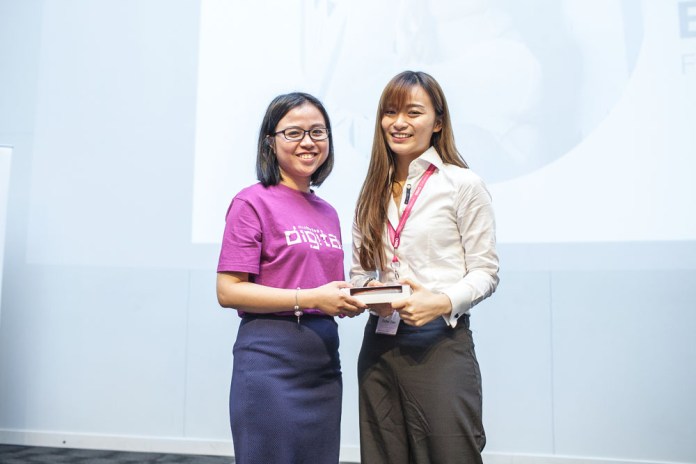
 The sharing session with Esther Zhen from Uniqueens was a great one for us.
 After her sharing of operating a store at the night market, Esther explained how she first opened her physical fashion store in Autocity, Penang.
 There were just too many similar products sold out there by her competitors.


 Site of The Month (May) – Commercial


