Home Blog Page 114

Top 5 Industries Should Switch to Hybrid Workplace Model

0

Google Workspace GWS Connect Anytime Anywhere

Technology has been continuously evolving with newer solutions arriving in the market.

This has brought a tremendous transformation in the world of technology, the use, its adoption, and the way the industries want to stay tuned with what’s happening.

The industrialists and entrepreneurs are in a continuous lookout for innovative technology and working methods like the hybrid workplace model.

As a perfect example to this evolution, Google has recently evolved its G Suite was rebranded to Google Workspace GWS to provide a more integrated experience across communication and collaboration tools.

With the pandemic setting in 2020, most of the industries took on to work from home or remote work to keep their businesses running.

This experience of mandatory work from home has made the industries and the employees realize the positive sides of work from home or WFH model.

Starting 2021 end, most of the countries started easing the lockdown restrictions and slowly begun to adopt a hybrid model.

This meant a hybrid workplace was set where a percentage of employees worked from home and another set worked from office space.

video call using a tablet

Let’s first understand why most companies came up with the hybrid model and the reason behind it.

Why Did Companies Adopt the Hybrid Model?

In 2020, the companies were forced to work from home to keep the businesses running and adopt remote work which continued until restrictions were released.

This made the industrialists, entrepreneurs as well as the employees realized that working from home is not difficult but can be managed with adequate technology support.

However, it was needed that certain departments and the team resume on-site.

This need for working from two different work spaces has given rise to the concept of hybrid workspace or hybrid model.

With the varied technological support that’s present both online and offline, transition to remote work with on-site or work from office has only become smooth.

Useful Tools That Aid Hybrid Workplace

Businesses require tools that support productive work and communication for all staff members irrespective of whether it is remote work or on-site work.

Tools like Google Workspace GWS has only enabled seamless execution of all tasks and functions with utmost coordination.

While the previous technology and tools the business employed may still be in use, transitioning to a hybrid workplace requires one to adopt some new ones.

Here are few tools to have in place

  • Google Workspace (GWS)
  • Reservation software for front desks
  • Tools for project management and HR software
  • Software for screen recording

Top 5 Industries That Should Switch to a Hybrid Model in 2022

With the soaring popularity of remote work and having learnt how to adopt to hybrid model, it is seen that industries other than IT and tech based companies can also switch to hybrid workplace.

1. IT Industry

The IT sector is certainly the one where remote work is most in demand.  Being the tech experts themselves, they are aware of all latest tools and software that aid hybrid workspace.

With Google Workspace GWS and its various tools like Gmail, Calendar, Google drive and so on, collaborative work has become effortless.

With most of the work being on a laptop, remote work is not much of a challenge in IT industry.

With certain departments having to work on-site and rest having the ability to work from home,  hybrid model can come up to enable employees to come to office on specific days as comfortable to them.

Developer working in the office and looking at the monitor

2. Finance

Financial consultants, advisors, remote financial services supply manager, business transfer consultant, corporate finance specialist can work from home and easily adopt remote work as a practice.

Several banking and finance-related activities that don’t demand actual presence could be completed online.

For face-to-face work, video and conference calls are usually sufficient, one could go for hybrid model.

This has been made easier with Google Workspace GWS collaboration tools like Meet, Calendar, Chat Drive, Docs, Sheets, Slides, Forms, etc. which allows one to have seamless meetings with the clients.

3. Wellness and Health

A fresh breath of life has been given to the health and wellness industry with newer age technologies like the fitness applications, live streaming, and video chats.

This has enabled hybrid workplace where one can work from home when needed and visit on-site when there are meetings or customer requirements.

The recent evolution of g suite to Google Workspace has helped in growth of companies, incorporating newer avenues and providing better experience to the end customers.

With remote work, one can work for several websites that encourage employee wellness; launch a niche company website that offers specialized services, or get a following on social media platforms like Instagram and YouTube so one can earn well.

Exabytes is one of the leading supporters of remote work Malaysia and continuously strives to provide the essential product and technical support.

Exercise at home by watching and following online tutorials

4. Pharmacology

Remote work is no challenge for those with a pharmacology degree and working as a toxicologist, principal scientist, manager of quantitative clinical pharmacology, associate in clinical pharmacology, etc.

These professionals are responsible for producing regulatory documentation, designing and reporting drug-disease modelling, performing clinical trial work, conducting meta-analyses of clinical data and related tasks.

These tasks can be performed easily from home with a need to visit only for meetings or conducting any experiments. This allows for creation of hybrid model.

5. Customer Support

Customer facing personnel or the commonly known customer support are of utmost importance in most of the firms, be it product-or service-based.

These customer-facing personnel help address customer concerns, debug technical difficulties, or instruct their clientele on how to use the products or services.

All it requires is essential software support along with good internet allowing for remote work.

providing customer support at home

Summary

Work from home has made it possible for many to stay home, balance work and personal life, and also save the commute time.

With frequent bursts of Covid-19 cases and the recurrent lockdown, hybrid workplace has become a norm and part of the learning curve.

There has been tremendous growth in work from home force, and this has catapulted a steep rise in remote work Malaysia.

To support various industries and businesses going for hybrid workplace, several leading companies have launched both the essential software products and services.

Exabytes Malaysia is one of the leading players in South East Asia with over 16000+ clients offering Google Workspace as one of their services.

If you want to learn more for your business, please feel free to connect with our team to see your success in adopting hybrid model.

Related articles:

What You Should Do When End of G Suite Free Edition

How to Reduce Your Digital Transformation High Cost

Digital Transformation Does Not Require High Costs. Here’s Why

0

Digital Transformation - Google Workspace (GWS) Lower Cost Better Teamwork

The term ‘Digital Transformation’ sounds difficult and expensive, even on the surface level. Today, everyone is talking about digital transformation, but very few are actually doing it.

What exactly is digital transformation?

Digital transformation is, in a nutshell, the act of adopting technological tools to improve a business process.

It can also mean developing a new business process using the power of technology to improve customer service, fosters creativity, and promotes efficiency. 

Digital Transformation 2022

Most SMEs in Malaysia struggle with digital transformation due to high costs. WHY?  

In 2020, around 77% of Malaysia’s SMEs were still in the early stages of digitalization, meaning they just had websites, according to a survey by SME Corp Malaysia. Only 53.9 per cent of businesses has a website in 2019.

Moreover, the World Bank stated that “Malaysian companies, especially SMEs, lag behind their global counterparts in terms of productivity and have slower rates of technology adoption.”

In 2018, a joint survey conducted by Huawei and the Malaysian government found that SMEs were unwilling to transform due to the lack of funding and skills of their workers.   

About half of the respondents said that their main obstacle was lack of capital, while the other half do not know any relevant financing methods.

Another obstacle is the speed and price of the Malaysian Internet, and 44% of SMEs say the high cost of maintaining such high-end services discourages the consideration of cloud services.

In addition, 48% of small business owners stated that their employees lack the skills needed to digitize.  

Why the digital transformation cost is so high?

Digital Transformation or business transformation does come at a price.

This is simply due to the fact that adopting a digital-first approach does not occur with a single service, app, software, or module and instead results in operational reforms, business transformations, and increased productivity. 

A business transformation journey begins with a few apps being used and minor, incremental enhancements.

After making large investments to acquire the digital services and technologies a company needs, the growth can be exponential.

These investments may take the shape of mergers, re-engineering processes, strategic partnerships, and training expenses. Together, these support a business’s digital transformation.

The largest portion of expenses associated with the digital transformation process is spent on license fees or subscriptions for software, services, and apps. 

Despite the fact that business transformation does result in benefits like decreased operating expenses and increased productivity, over time these costs may mount and offset any savings from digital transformation. 

In some extreme circumstances, SMEs have claimed that efforts to adopt digital transformation turned out to be extremely expensive due to unsuccessful implementations, a poor strategy, and a lack of technical skills.

How can businesses reduce the cost of Digital Transformation?

Any business transformation brought about by technological solutions is both economical and highly productive.

Operations, Strategy, and Administration—the three core business processes of any SME—will all be changed by digital transformation. 

SMEs that use an all-inclusive solution can simply manage costs and grow at the same time.

Businesses can rationalise expenses with the use of offerings like Google Workspace (GWS) and the Google Suite of products, which bundle several apps and services into a single product suite.

How can a business achieve Digital Transformation without having to pay a high cost for it?

Any business transformation journey has to focus on three critical but important processes. They are:

  1. Simple access to shared data (with access control) 
  2. Tools for operations management
  3. Seamless employee connectivity 

All three are delivered very well by Google Workspace (GWS).

One of the key advantages of Google Workspace (GWS) is the extensive feature list.

For businesses wishing to undergo a business transformation and digital transformation using Google Workspace, the cost-effective Google Suite pricing makes the G suite products particularly attractive.

Google Workspace Benefits

7 Benefits of Google Workspace as a Digital Transformation Tool

1. Cost reduction – operation and capital expenses

Google Workspace apps can be adopted extremely easily thanks to the Software as a Service (SaaS) nature of the Google Suite.

When a company uses G suite products, they only pay for the users who actually utilise the app. As a result, the cost of company transformation is drastically reduced.

One of the best features of Google Workspace (GWS) is the ability for a business to change the number of users using the app depending on their needs at any stage of their Digital Transformation journey.

Customers do not need to invest in expensive hardware to upgrade or downgrade services, nor do they need to host it on their premises, thanks to the nominal G suite pricing.

For the majority of companies, Google Workspace makes digital transformation highly affordable. 

2. On-demand Upgrade and Downgrade – Digital Transformation at the speed of thought

Google Workspace and its G suite products can be upgraded to several or multiple users whenever required. Moreover, Google Suite allows for a downgrade/upgrade in the number of users as and when required.

In fact, countless new customers have signed up for Google Workspace (GWS) and begun using its tools.

Thanks to Google’s strong infrastructure, this never impacted customers who are already using G suite products.   

3. Easy to Manage – A fundamental business transformation necessity

Ask a Google Suite administrator and he will tell you he has one of the easiest technology administration task lists in the world.

Additionally, since Google Suite products are hosted on the cloud, launching them only requires a number of APIs and a few mouse clicks in the administrator console.

4. The Google Workspace Mobility

In today’s digital world, everyone wants to be mobile. Businesses that want to profit from trendy concepts, ideas and buzzwords like “digital transformation Singapore,” “What is Google Workspace,” “Google Workspace Features,” etc. must provide their teams with a variety of apps available on the web and mobile.

This enables the service team to take care of the customers and offer them the best services.

5. Enhanced Collaboration – A business transformation using Google Suite

One of Google Workspace‘s numerous advantages is that it makes it possible for teams, coworkers, and departments to share data at any time and from any location.

This feature is essential for businesses looking to improve internal cooperation so they can better serve their customers.

With G suite products, sharing and caring can be a simple and easy task.

6. A highly available business transformation solution

Google Workspace and G suite products are among the most dependable business transformation solutions for digital transformation (comes with a service level agreement of 99.9%).

The absence of service degrades or outages and scheduled maintenance windows to carry out routine support tasks are among the features of Google Workspace. 

One of the main advantages of Google Workspace is the guarantee that the service will always be available. 

7. Security of Google Apps – An Aid to Digital Transformation

Although Google Workspace (GWS) is a SaaS product, the Google Suite is one of the most reliable, dependable, and safe applications available worldwide.  

The G Suite products have always been safe and secure, whether in terms of compliance and adherence to governmental regulations and norms or protection from malware and hackers.

This enables businesses to concentrate on providing excellent customer service and innovation, which in turn, boosts sales and revenue.

For RM19.99 per user per month, Exabytes offers Google Workspace in addition to the entire Google Suite products. Along with the plans, a free domain name and reliable local technical support are included.

We offer three different plans that are best suited for all businesses, ranging from solopreneurs to SMEs and large enterprises.

Exabytes Google Workspace Pricing Malaysia

Speak with an Exabytes consultant now to learn more. With Google Workspace and Exabytes’ 24/7/365 professional technical support, your business can reap all digital transformation benefits and grow extensively.  

Related article: End of G Suite Legacy Free Edition? What Should Do

OMO(线上线下融合)的成长模型 Let’s Get Success

0

OMO(线上线下融合)的成长模型

对实体门市品牌来说,有两个很重要的既有资源:门市会员、门市店员。

这两项资源,是纯粹线上购物品牌所没有的。

但是,是资源,还是资源回收,品牌的操作会有很大的差异。

这两大资源,操作的好是资产,操作的不好变负债。

OMO(线上线下融合)是善用这两个资源非常关键的策略。

既有门市会员,是实体门市品牌第一项重要的资源。

“对实体门市来说,推动线上购物不单纯只是为了做线上购物。不是做了一个电商网站,然后操作Facebook广告做转换这么简单。”

对门市品牌来说,会员是品牌的根本。如果要做线上通路,品牌会思考的是「延伸品牌会员服务」。

会员在哪里,品牌服务就延伸到哪里。品牌延伸到哪里,品牌一样要说话像品牌、长得像品牌、服务得像品牌。会员到哪里接触品牌,品牌对会员的承诺就到哪里。

也就是说,在品牌线上通路,也要让既有门市会员享受一样的会员权利。包含会员等级、会员礼(券)、会员红利点数等等。

会员都可以线上线下买、线上线下同步累积、线上线下同步兑换、线上线下同步享有会员权益。

线上线下融合的第一步,就是会员要能线上线下融合。

第二项重要的资源,是许许多多的既有门市店员。

但店员的主要业绩奖金来自于门市的业绩,所以对店员来说,同一家公司但不同的门市都是竞争对手。

虽然大家都在同一个品牌下工作,像是一家人,但说起奖金这种事,常常都不像是一家人。

所以同样的,品牌的线上购物网站对店员来说,就是另一个竞争对手。

所以要让店员推动线上购物、APP下载、或者品牌自己的Line官方帐号(不是店员自己的),都是有可能让业绩流到线上,店员绝对是不愿意配合的。

要让店员也跟著加入品牌的线上线下融合策略,必须要让线上帮助门市,而不是线上跟他们抢业绩。

所以上述的这些推动线上流量的动作,所有可归功于店员的线上业绩,都要让门市店员可以分得到一杯羹。

老板要让线上线下融合发生,要先让店员的奖金线上线下融合融合。线上线下融合的店员是助力,线上线下独立会让店员变阻力。

当会员线上线下融合了(权益一致),店员也线上线下融合了(全通路分润),接下来就可以透过数位广告的力量,加速线上线下融合的转动。

会员、店员、行销的融合才真正把线上与门市的力量连结起来

一般来说,线上广告会带入线上的新会员,带动线上的新业绩。但由于线上线下融合的结果,会员选择习惯的通路购物,广告的效果会贯穿到门市。

因此线上的导流,带动线上的业绩,也会同步带动门市的业绩。最终,门市店员会因此受惠,会更感觉线上(Online)是在帮助实体,而更加愿意协助品牌推动线上流量。

而门市店员推动门市会员创造的线上流量,也可以让线上的再行销广告更有力量,有机会带动进一步的转换。

你来我往,你抛我接,互相协助,有福共享,大家更像一家人。

对零售业来说,业绩的组成其实就是:新客业绩,熟客业绩。

「线上线下融合的成长模型」其实就是:融合线上导流与门市导流带动新客、融合线上线下销售通路来拉高会员的全通路贡献度。

虽然线上线下融合是一个新名词,但本质一样是解决零售业的千古命题:怎么找客人?怎么让客人买多一点?

线上线下的成长模型里面,线上线下的Merge(融合)是关键的核心。因为会员、店员、行销的融合,才真正把线上与门市的力量连结起来,相互引流、川流不息、利润分享、共创双赢。

唯有真正的融合,才会带动真正的线上线下循环。下一期内容,会和大家一同窥探线上线下的操作系统。

尝试91APP

工欲善其事必先利其器,你是否已经准备好启动零售转型了呢?

如果你的答案是肯定的,那我们建议你考虑91APP,其内置的功能有助于鼓励客户进行重复购买,提升客户消费额。

全面的后台数据收集系统与CRM的深度整合,可以帮助您了解客户的消费行为,并在此基础上留住客户,使其成为忠实客户,更有效率地进行线上线下融合。

91APP可以助你的零售生意一臂之力。欲了解更多有关详情,现在就联络我们的新零售顾问团队吧!

Let our specialist provide you the best solution.

Leave your contact, and we will get back to you.


    Unlock Business Growth: 6 Shocking Dedicated Server Benefits

    0

    Benefits of dedicated server for business

    In an internet driven economy, a business has to establish a solid online presence.

    Choosing a web hosting solution which benefits the business is of utmost importance, especially for e commerce businesses, product website, online stores and any other website.

    A website which is coded well, has been designed aesthetically and is hosted using a reliable hosting solution; will always work well and also attract audiences from all over the globe. It instantly makes a local business go global.

    Related article: What is Dedicated Server & Types of Servers

    Why Should I Go for a Dedicated Server?

    virtual private server

    Like the name suggests, when a business opts for dedicated server hosting, it gets 100% ownership of all the resources on the server.

    All the disk space, memory and processing power on a server based on the dedicated server specs bought is at the disposal of the business.

    Be it a Linux dedicated server, a windows dedicated server, an instant dedicated server, a cheap dedicated server, an affordable server hosting plan – a dedicated server resources are never shared between multiple customers.

    While it might be more expensive compared to a virtual server or a private server, in the long run, given the growth a business would achieve, it would actually be worth an investment as a server hosting plan.


    What Are the Major Benefits of a Dedicated Server?

    server data center machine

    1. Improved Operational Performance

    A website is the lifeline of any ecommerce business, an online store, a product website, a highly valued brand, a popular blogger, or any other entity who actually host a website.

    A highly powered dedicated server with dedicated server specs including high memory, disk space and bandwidth is one of the better server hosting solution with a growing consumer need for quick video clips and audio files on a website as information bytes.

     A dedicated server ensures a customer facing website gets all the resources on the servers just for that website.

    It instantly starts performing better, provides a better user experience for visitors and customers.

    Downloading fact sheets and brochures or any such information is instantaneous with a dedicated server solution.

    2. Static IP Address on each server

    A dedicated server specs includes at least one static or dedicated IP with each server hosting plan.

    Without a dedicated IP, installing and configuring SSL certificates for safety and security, setting up payment gateways securely etc. is a big challenge.

    Irrespective of the type of dedicated server and server hosting, static IP also allows a website hosted on it to be accessed just by the IP address, a life saver at times when the server DNS records have a trouble.

    Configuring other services like a dedicated FTP account, email service for business email and configuring other security features also becomes very easy with a dedicated IP.

    Even affordable servers at mid-range, cheap dedicated server plans and instant dedicated server setups offer a minimum of 1 dedicated IP per server.

    3. Enhanced security

    Talking of security – be it server Malaysia or any server hosting, a dedicated server enables webmasters and server administrators to configure and setup some of the most stringent, strict and complex security parameters to protect their business websites.

    A fully managed dedicated server comes with a host of security features including OS hardening, anti threat software firewall, DDoS Protection, proactive server monitoring, remote backup and restore along with several other support functions.

    Each of these help secure the dedicated server and ensure a business website remains protected and secure at all times.

    4. Added Privacy

    As mentioned above, a dedicated server allows a business website to be fully secured and safe. Along with it, comes unmatched privacy too!

    With a dedicated server, there is no risk of any other organization’s website (s) being hosted on your server.

    There is no danger of any data sharing nor is there a chance of someone else’s website spiking up and impacting the performance of your website.

    A dedicated server hosting plan gives root or administrative access to webmasters.

    A dedicated server specs gives freedom to configure many features to uphold data privacy and configure other features to adhere to requirements of regulators and government compliances as required.

    5. Unlimited server hosting customization

    Be it server Malaysia or cheap dedicated server Singapore, be it an affordable server plan or a cheap dedicated server – every server hosting plan allows for unlimited customization.

    From being able to choose how many disks should a server have, to the amount of memory, the actual CPU, choice of multiple OS, control panel – everything is customizable to meet business requirements as necessary.

    A dedicated server can be tweaked to host a single website or multiple websites.

    Unlike shared hosting, a server hosting with dedicated resources allows administrators to allot different levels of memory, space and processing depending on the criticality of the websites and their importance to operations.

    6. Reserve capacity

    A dedicated server may not always be used at 100% resource utilization.

    Experienced server administrators always leave unused memory, space and processing to accommodate sudden spikes.

    A business which has a dedicated server all for itself may rest assured that with proper resource utilization, their server would be able to digest and support unforeseen requirements for additional capacity.

    Why Is a Fully Managed Dedicated Server Better for Business?

    A server hosting solution bought with a server management plan comes with a long list of advantages. 

    Irrespective of how skilled an entrepreneur be, or the team is – the core function of a business is to grow and make more money.

    Time spent in resolving technical issues or routine maintenance work is unproductive for the business.

    A dedicated server with a fully managed server plan unlocks time and energy for a business to focus on their expansion and sales job.

    The list of works undertaken by a server hosting provider under a fully managed server includes server hardening, security configurations, server monitoring, patch upgrades, routine maintenance and other such activities.

    Exabytes offers Linux dedicated server plans and Windows dedicated hosting options, each with multiple add-on choices. Tailored to meet your business needs, we ensure your website and applications run smoothly, even during traffic spikes. Enjoy top-tier security, customizable configurations, and 24/7 expert support.

    Explore Our Dedicated Server Hosting Plans

    Related articles:

    Cloud vs Dedicated Server – Which Suits You Best?

    Virtual Server vs. Physical Server: Difference & Comparison

    Managed VPS vs. Unmanaged VPS: Which is the Best One?

    0

    managed vps vs unmanaged vps: 5 core differences

    What is Managed VPS?

    A managed VPS allows website owners to not worry about the server related tasks like managing and maintaining the server as the web hosting provider takes care of all the functions of the server.

    This helps reduce the burden and efforts put in managing and maintaining the website.

    A business owner can devote the same time and effort in their core competency and grow their business.

    The best managed VPS hosting specialist take over complete responsibility of server resources and monitors the server 24x7x365 for any hurdles and necessary updates and upgrades.

    This specially helps users who hardly have time for server related tasks.

    Advantages of Managed VPS hosting

    • A virtual server with managed VPS hosting is monitored round the clock by the web hosting provider giving you time to focus on the primary objectives.
    • The business owners needn’t stress on the server related operations like setup and configuration of the server as the entire server maintenance is taken care of by the tech-savvy team at the web hosting company. (Exabytes provides server management plans making it the preferred VPS Malaysia provider).
    • A managed VPS has high-tech tools to fix security issues and eliminate threats. The server is constantly monitored for malware and a security audit is performed to identify any vulnerability to prevent any breach.
    • The best managed VPS hosting comes with a control panel that allows you to manage the website with ease. This control panel helps with website management tasks like adding website files on the server, creating databases, monitoring site performance, etc.
    • A Managed VPS server is regularly monitored for traffic spikes to ensure the website can handle increased traffic at peak times without crashing.
    • A fully managed VPS server is cost-effective as compared to hiring a team of experts especially to manage your server.

    What is Unmanaged VPS?

    In unmanaged VPS hosting, a business owner has to to handle the server responsibilities such as management and maintenance of the server while the hosting provider looks into physical servers and its availability.

    An unmanaged VPS necessitates that a business hires a team of experts to manage the server when one opts for unmanaged VPS hosting. 

    For startups, it is not recommended to invest in a full- fledged technical skills teams but focus on developing the business.

    Server management needs a full-time role and a team to handle your server.

    Advantages of Unmanaged VPS hosting

    • The virtual server owner has full control of the server in terms of storage space, software installation, bandwidth, usage, memory, etc.
    • An unmanaged VPS hosting can be fully customized as per your requirement.
    • A virtual server without a server management plan could reduce the cost of the VPS hosting plan.
    • The business owners are responsible for their own server and can make necessary changes to the server anytime.
    • Take advantage of unlimited optimizations on the server to boost the performance of the website or application to gain more traffic.

    Primary differences between managed VPS and unmanaged VPS hosting 

    Managed VPS Unmanaged VPS
    Technical skills not required at business owner end. Good knowledge of servers is a must.
    Server related tasks such as maintenance and up-gradation are taken care of by the hosting provider. The hosting provider only takes care of maintaining the physical server.
    Websites can invest more time in the business as there are no hassles for maintaining the server. Website owners would need to pay equal attention to their business as well as the server because server maintenance will be solely their responsibility.
    Businesses get technical support from the hosting provider anytime. In case of any technical issue, the businesses would have to solve it on your own.
    Little costlier but ideal for a newbie. As the complete server management is managed, the cost of the server is comparatively lower.

    Which One Should You Choose?

    Both managed VPS and unmanaged VPS hosting come with its own benefits. If a website is fully established one, or the business owner is a techie and has time 

    If you are a techie and have hands-on server management and can spare enough time for managing a server then it is advised to go for unmanaged hosting. 

    However, if the business is completely new or a startup that needs to focus on growing the business or doesn’t want to focus on building a tech team, it is ideal to go for managed VPS.

    With managed VPS, the businesses get technical assistance that saves valuable hours, allowing the businesses to focus upon their main objectives like team management, generating revenue, building customer relationships, etc.

    However if it is the expenses that worries you and you have the knowledge of server and its management, then unmanaged VPS hosting will be more suited.

    What is VPS hosting?

    VPS or virtual private server is a private server that offers similar resources as that of a dedicated server by using a virtualization technology.

    Each of these virtual servers’ function as individual servers with dedicated resources.

    This allows them to operate as stand-alone server.

    If you decide to host your site or application on VPS, your website will be the only one using that specific virtual server with your own operating system, dedicated storage, CPU, RAM and bandwidth. 

    Every private server account uses a separate operating system allowing you to install different software packages as required with full access to customize the server.

    A VPS hosting is a reasonable web hosting choice for domains when more system resources are needed.

    A virtual private server is the future of modern hosting as it provides the power and functionality of a high-end dedicated server but at a much lower price.

    A virtual server hosting plan is offered in two varieties – managed VPS or unmanaged VPS hosting.

    About Exabytes

    Exabytes is a VPS Malaysia provider that offers the best managed VPS hosting and unmanaged VPS hosting in Southeast Asia.

    Connect with our team to learn what type of VPS hosting best suits your business.

    With 24x7x365 technical support and several thousand customers’ faith in us, VPS Malaysia means Exabytes Enterprise Malaysia.

    From an affordable VPS, Linux and Windows-based VPS, managed VPS, and unmanaged VPS hosting – all options are available with Exabytes.

    Related articles:

    Is VPS Hosting Worth It in 2022

    What You Can Do With VPS

    How to Select the Right Colocation Data Center Provider (9 Factors)

    0

    Colocation Data Center Provider

    Ever wondered what is a data center? Simply put – a data center is a highly secure building which provides World Class Server Environment. One can host all types of servers in data center.

    An enterprise data center is a certified facility which offers multiple services including data colocation, server co location, dedicated server hosting etc.

    What is co location or data colocation?

    Also known as “colo”, colocation is a service offered by enterprise data center where one can pay to use space, power and high-speed connectivity on rental to house equipment.

    Here are some tips on what to look for in a co location provider?

    1. Power density
    2. Floor space
    3. WAN redundancy
    4. Location
    5. Compliance
    6. Security
    7. Services
    8. Cost and pricing
    9. Hidden fees 

    Power density

    It is essential to know how much power in kilowatts or even megawatts the co location provider can deliver along with the cooling requirements.

    The modern-day server hosting or dedicated server setups are built with multiple CPU and a lot of RAM.

    Such servers need a co location in an enterprise data center which have high power HVAC systems and multiple power distribution units.

    These can only be provided by a colocation data center which has high density power supply.

    Floor space

    Most businesses manage rack power density, cooling and floor weight distribution by reducing spacing out the servers and other racked gear.

    Check for a co location provider that can accommodate the added power and cooling density of full or taller rack to be able to fit more gear into a smaller data center footprint.

    Exabytes runs colocation data center which also doubles up as an enterprise data center with World Class HVAC systems and redundant power supply capabilities.

    WAN redundancy

    A colocation data center should be carrier neutral and include connectivity to varied network carriers at the facility.

    Clients pay additionally for network connectivity, so more the wide variety of network carriers provided, the more the competitive WAN pricing for client businesses. 

    The advantage of working with a specialist colocation data center is that they  have multiple high speed network connections directly from the backbone providers which offers connection redundancy. 

    Another answer to the question “what is a data center” is –

    An enterprise data center setups also offer transitional services to public clouds and extend a part of public cloud infrastructure into the co location facility.

    Connectivity costs may be a part of co location agreement.

    Location

    Ensure the colocation data center is within 100 miles of the main business but far enough away to guard against fire, flood, hurricane or other threats that drive the need for a DR site.

    If you are looking for global presence, go for co location providers who offer facilities to serve the marketplace.

    Compliance

    Verify if the colocation data center complies with the certifications or industry-recognized data center tier levels.

    Exabytes being one of the leading players in South East Asia regularly updates its certifications and follows all the essential protocols to ensure the client data is safe and secure.

    Security 

    Co location providers usually offer stringent physical security which needs to be reviewed when evaluating the firm.

    Services

    Evaluate the services offered by the co location provider. Services can help support clients with vital tasks, such as backup and DR planning/testing.

    Cost and pricing 

    Colocation data center vary in their offerings and pricing. Evaluate the pricing against what’s been offered when deciding a provider.

    Hidden fees 

    There are many colocation data center and enterprise data center setups who may have a number of secondary service charges which may not be upfront.

    Data colocation is a very strategic and operationally important function. Most times, these are mission critical – it is vital to ensure your co location provider does not have hidden charges.

    While looking for a co location service provider – always remember to check for setup and change fees, redundant power or other availability features, backup and data protection services, network bandwidth and connectivity fees.

    It is necessary to have everything clarified with your colocation data center provider including primary service agreement, SLA and uptime guarantees.

    Here are some more factors the businesses need to evaluate before deciding on the provider

    • Onsite support response times
    • Telephone support response times and escalation policies
    • Refund or credit policies for both planned and unplanned downtime
    • Scaling or change policies
    • Reporting and notification — SLA adherence — policies
    • Root cause analysis for any downtime
    • Agreement or relationship termination clauses

    What businesses look forward to when going for colocation data center?

    Exabytes Data Center

    1. Reliability – A colocation data center offer redundant cooling, power and communication systems for constant connection. Companies work with an enterprise data center to reduce capex and space.
    2. Performance – Electronic equipment performs best in a constant cool temperature and a dust-free environment. A co location provider guarantees high quality HVAC and power supply at all times.
    3. Security – When there is a need for protecting the systems from burglars, fires, and other things that can compromise the security of your information.
    4. Speed – When there is a requirement for cost-effective fast connections for top performance and redundancy in the event of connection interruption or overload.
    5. Experience – When there is a need for skilled staff who have experience in handling the servers, and are experts who are hired to build, implement and maintain the best state of the art infrastructures utilizing high-performance equipment.
    6. Cost and Space Savings – When business have to cut capital expenses on space, it is recommended to host the servers at another data centers that provide a clean room, redundant systems and around-the-clock monitoring, while freeing up valuable office space.
    7. Risk Management –   When companies want to mitigate risks, it is recommended to place the mission-critical equipment with a colocation data center, an enterprise data center and opt for data colocation services. This helps have redundancies and security in place to continue operations unaffected.

    Now that you know how to choose colocation data center, and you feel that as a business you need to have co location, connect with us at Exabytes to understand more about the service and how best you can use for your business. 

    Related articles:

    Colocation vs. Dedicated Server Hosting

    What is Data Center?

    7 Reasons Why VPS Hosting Important for an Online Business

    0

    VPS Hosting Important for Online Small Business

    What is VPS – Virtual Private Server

    A virtual server or a virtual private server is a private server running its own software on a high-powered dedicated server, also called as a host machine. This is the first answer to “what is vps”.

    Each private server created as a VPS has a separate allocation of processing power, server memory and disk space.

    The best managed VPS hosting providers configure a virtual server to ensure they remain as secure as a dedicated server.

    Why is VPS interesting to Small Businesses?

    VPS or private servers play an important role in server choice of online small businesses. Before the days of VPS hosting, a business had to choose between a shared hosting service or a dedicated hosting.

    An affordable VPS – be it Linux based VPS or unmanaged VPS hosting; is the golden middle between a cPanel hosting service and dedicated server hosting.

    Most VPS Malaysia, private server or virtual server plans allow businesses to buy more than one VPS due to their low price point.

    This is especially true for system integrators and application developers who need a Linux based VPS and a Windows SSD VPS depending on the app they build.

    Also – it has been observed that after a purchase of a dedicated server, it is often under-utilized.

    A virtual private server helps save costs in such scenarios – especially a free VPS or an affordable VPS.

    VPS hosting has a lot of significant benefits for smaller businesses, and in this article, you’ll learn about the top 7 major benefits that help make the decision whether to go with VPS hosting worth it or not in 2022.

    1. Lower Cost of Ownership

    A virtual private server lets businesses rent the needed servers by spending less. This relieves them of the burden of owning and managing their own servers.

    By renting a VPS server and then customizing it – businesses can derive maximum output at a minimal cost.

    An affordable VPS from the best managed VPS hosting provider ensures the investment in a server is lesser than would be for a dedicated server to maintain and manage.

    2. Server Control is with the Business 

    A private server allows businesses the same benefits as that of a dedicated server. A virtual server gives the business complete control on the server but at lesser price. 

    A shared hosting service might suffer from outages caused by other websites hosted on the same server.

    A VPS Malaysia is setup as a private server with full security and operating system, just like a dedicated server.

    A virtual private server remains unaffected from what happens within the hosting of other external parties.

    3. Security

    Be it an ecommerce business, a product website, an online business idea or a blog – everyone is concerned about security when hosting their data online.

    A VPS or virtual private server allows your source and data files to remain hosted behind a secure partition unavailable to other clients of your service provider, that’s it is also called a private server.

    The security afforded by VPS is comparable to owning your own dedicated physical server minus the investment.

    The best managed VPS hosting plans come with 24x7x365 support and advanced security features.

    4. Dynamically Scale IT with Business

    Owning your own physical server means that you have to provision for growth even before the server is shipped to you.

    With a private server, you can start as small as your business can afford, and grow as your business expands.

    Irrespective of it being a Linux based VPS or a Windows SSD VPS – they are all scalable and can be upgraded or downgraded based on business requirements.

    5. High Availability with VPS

    The best managed VPS hosting providers offer high availability as a service. It means if there is a problem with the host of your private server, the VPS automatically moves to another host and starts functioning.

    This is yet another answer to “what is VPS” i.e. a VPS is a highly available service.

    Hardware can fail sometime or other. Smaller businesses cannot afford the luxury of two physical dedicated servers.

    A virtual private server allows for higher performance and near 100% availability without the investment burden. This is also available with cheap VPS plans.

    6. Outsource Technical Support

    A managed VPS – be it VPS Malaysia or any other setup, comes with 24x7x365 technical support.

    The best managed VPS hosting providers offer a wide array of services with their server management plans.

    Even the most basic managed VPS plan includes OS installation, server monitoring, service monitoring and round the clock ticket support.

    Advance plans come with much more including OS hardening and anti-threat firewall management.

    7. Dynamic Reallocation of Resources

    A virtual private server makes it possible for you to focus on the business. The technologies behind a virtual server are efficient and advanced.

    They ensure control, security, portability, performance, availability and scalability of a private server, this makes it very user friendly.

    Who Should Use VPS (Virtual Private Server)?

    • SaaS providers
    • Game makers
    • Developers or programmers who want to learn more, upload code to the host and ensure security – Does this answer the question ‘As a developer, on what ground do you choose a VPS?’
    • With a virtual server, you can freely install all kinds of programming languages ​​to deploy your application.
    • Companies grown beyond the need of shared hosting. This answers the question – ‘What is the right time to switch to VPS?’
    • Companies that require secure and affordable backup environment
    • Smaller businesses and medium enterprises that need the benefits of dedicated server but can’t afford dedicated server.

    Is VPS Hosting Worth It?

    Yes of course, VPS hosting is certainly worth it.

    It’s essential to use VPS hosting if you have a small or medium-sized website and are looking for increased security, performance, and scalability while still being relatively affordable.

    When it comes to scaling your fast-growing website or app, VPS hosting can be a cost-effective way to go.

    When it comes to VPS Malaysia, Exabytes is one of the best-managed VPS hosting providers with affordable VPS plans starting at RM 25.50/month.

    If you are unsure how much traffic you will get, this provides a good investment. It’s important to choose the right provider before jumping headfirst into something like this!

    About Exabytes Malaysia

    Exabytes is trusted by 16,000 customers all over South Asia. The virtual server plans include Linux based VPS , SSD Windows VPS and other VPS hosting options.

    Exabytes offer VPS Malaysia and virtual server hosting loaded with the following features

    • Lighting-Fast Setup – virtual private server will be ready within a minute
    • High-Performance Hexa Core Intel Xeon Processor
    • 24×7 technical support via email / live chat / remote access help

    Our virtual server can be used across industries and purposes like for application development, eCommerce store and Software as a Service.

    Connect with Exabytes if you wish to learn more about virtual private server for your business.

    Related articles:

    What Is Data Center Redundancy? N, N+1 and 2N+1 Explained

    0
    Data Center Redundancy Explained
    Data Center Redundancy Explained

    What is a Data Center?

    A data center is a modern, hi-tech building which offers multiple services and features.

    These could be co location, disaster recovery services, business continuity, dedicated server hosting etc.

    What is a Data Center Tier Certification?

    A tier certification is a measure of an enterprise data center provider’s standards.

    The most basic parameters inspected are quality of service, redundancy and security.

    There could be more criteria based on which a tier certificate could be issued.

    Fundamental Principles of the Tier System

    The data center tier or rated certification is regulated by the principles of the Uptime Institute – the premier organization which determines the tier rating system and provides a tier certificate to every enterprise data center, colocation data center and data colocation service provider.

    The guiding principles followed by the Uptime Institute in their own words are:

    Elasticity – The performance-based nature of the Tier standards gives organizations flexibility to comply with local statutes, codes, and regulations while enjoying full Tier certification and the business benefits of doing so.

    No technology bias – In an ever-changing technology landscape, Tier classification does not require or rely on any fixed set of technologies. The Standards are able to encompass new and innovative solutions for data center systems and engineering.

    Service and performance centered – Tier Standards have been created based on the expected service levels from a co location provider or an enterprise data center. Any design solution that meets the requirements for availability, redundancy, and fault tolerance is acceptable.

    Any data center – be it a co location service, data colocation offering or an enterprise data center hosting a dedicated server; is classified on their service quality and ability based on their tier or rated certificate.

    What Is Data Center Redundancy?

    An enterprise data center designs their systems and equipment in such a way that every section of its infrastructure (power, cooling and network) has an active backup available to cover failures.

    Redundancy is designed into systems and components to achieve zero downtime or near zero service disruption at all times.

    These are very important to achieve, especially for co location providers.

    What is “N”, “N+1” and “2N+1” in Data Center Redundancy? 

    These three terms are used to measure an enterprise data center’s infrastructure design.

    N Redundancy

    “N” – It is simply a count of the equipment, tools, services and components required for a data center to function.

    If an enterprise data center is designed with only “N” in mind, it means there is no redundancy available in case of a failure.

    A colocation data center should never be in such a state.

    N+1 Redundancy

    “N+1” – Since “N” is the count of all tools and equipment needed to support an enterprise data center at its full load, “N+1” is the presence of an additional setup being available in a colocation data center or data colocation service place.

    An enterprise data center is said to be a “N+1” facility when it has 1 backup unit or equipment for every 4 pieces of the same component in production service.

    For example – if a co location provider uses 8 power supply units for electricity supply on a floor, they should have at least another 2 units in spare.

    2N+1 Redundancy

    “2N+1” – A co location provider is deemed to be at a 2N+1 redundancy when the data center design has two full set of equipment, services and tools which might be needed to run an enterprise data center.

    For example – if a data colocation provider or a server colocation provider run their services with 4 network links, they would have another 4 links which act like a backup if something goes wrong with the first set.

    It means they have a secondary set of equipment and tool ready to take over if something happens to the production units to ensure zero downtime to customers.

    What is the Difference in the Different Ratings of a Data Center?

    All enterprise data centers in the world are rated between Tier 1 to Tier 4 (or Rated 1 to Rated 4).

    Those providing co location service take pride in their data center’s tier ratings as it showcases their redundancy and uptime.

    Tier 1 Data Center (Basic Capacity)

    It is the lowest-rated tier but is above putting a stack of servers in a closet in the office.

    The performance of this tier is at the lowest of all tiers with an uptime of 99.671%.

    This tier lacks IT equipment that supports redundancy. These are not termed as enterprise data center facilities.

    A Tier 1 data center work best for very small businesses looking for an affordable option.

    There can be up to 1729 minutes of annual downtime.

    Tier 2 Data Center (Redundant Capacity Components)

    It is the 2nd lowest-rated tier. These data center facilities offer the capabilities of Tier 1 and offer additional fail-safes for backup that includes UPS modules, chillers, pumps, and energy generators

    A Tier 2 data center is commonly used by small businesses that want a cost-effective option and can live with downtime.

    They offer a marginally higher uptime of 99.741%, which translates to no more than 1361 minutes a year.

    Such a data center cannot offer co location as a service.

    Tier 3 Data Center (Comprehensive Redundancy)

    A Rated 3 or Tier 3 data center can be called a co location facility or data colocation provider.

    These buildings come with an additional redundant path for backup which kicks in in the event of a failure.

    A Tier 3 enterprise data center or a co location provider restricts their annual down time to a maximum of 95 minutes a year.

    Tier 4 Data Center (Fault Tolerant)

    A Rated 4 or Tier 4 data center is the most secure, robust and reliable form of an enterprise data center.

    Be it co location, server colocation or dedicated server plans – any web hosting service can be easily and safely run from such a facility.

    The strictest of all design guidelines ensures an identical replica being available for every component with an enterprise data center.

    When someone asks what is a data center, the answer would be “a facility which is fault tolerant”.

    A Tier 4 enterprise data center comes with an uptime of 99.995%, meaning annual downtime of no more than 26 minutes.

    Exabytes Malaysia is trusted by over 16,000 customers across Southeast Asia.

    Talk to us today about what is server colocation, data center facilities and know what suits your business.

    8 Distinct Benefits of Co Location Data Center

    0

    Co Location Data Center Enterprise

    Colocation or co location is a service rendered by a data center. If one asks what is a data center, there are multiple answers to it.

    The simplest answer is that a data center is a building or a facility which offers high security, world class global server hosting environment, multiple network backbone connections and high-density power supply.

    Sometimes, you may need to figure out the difference between a data center and colocation before you choose.

    Let’s take a look at how to best use them.

    What Is Co Location?

    By dictionary co location or colocation means to be together.

    In the world of web hosting, co location is a service where customers can house or host their own servers or other network equipment in a colocation data center and pay a rent for the space they occupy, the power they consume and the network services they use.

    There are some colocation data center and enterprise data center service providers who also offer managed colocation services i.e. they provide server maintenance as an add-on service.

    What is a Data Center?

    A data center is a modern, hi-tech building which offers multiple services and features. These could be co location, disaster recovery services, business continuity, dedicated server hosting etc.

    This means a data center is a larger feature within which co location is a service.

    Now that we know the difference between what is a data center and co location as a service, let us understand more about the different types of co location services.

    Colocation Data Center As a Service

    At times, there are big enterprises who do not want to have their technical equipment related to servers, databases, storage and core network in their office.

    This is when they could actually rent an entire data center for themselves. This is called a colocation data center as a service.

    The other predominant type of co location service is the renting of server racks in a colocation data center.

    A colocation data center builds out multiple racks within their premises to allow for several different kinds of equipment to be hosted. An example of a rack is as below.

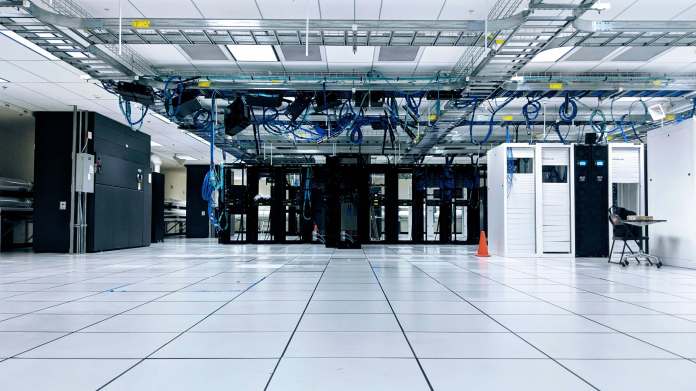
    Exabytes colocation data center

    SMEs, businesses have an option of buying just a handful of racks within a stack or buy an entire rack in a data floor depending on their needs.

    Exabytes offers co location plans where a business can rent as less as 5 racks starting at RM599/month or hire a full rack of 42u space for just RM2799/month.

    Options to buy a quarter rack (12U rack space) and half rack (20U rack space) are also available.

    How Is a Co Location Data Center Useful?

    There are seven distinct advantages of a co location data center, sometimes also interchangeably called as an enterprise data center.

    1. Incomparable Reliability

    A colocation data center is built to offer service redundancy on all elements including power and networks.

    The Uptime Institute defines four different ratings for any data center facility – be it co location or enterprise data center.

    A Rated 3 data center offers more than 1 path for power, cooling and network services.

    The redundancy is built in such a way that repairs and maintenance can be carried out without bringing down the equipment.

    2. Seamless scalability

    A co location data center has the ability to provide additional rack space and the required infrastructure for it within a short span of time.

    Doing this in-house in an office is impossible with the logistical constraints.

    A good enterprise data center offering co location services can stand up a full rack within hours and bring online any equipment needed. It could also be closer to your existing setup.

    3. Choice of geographical location 

    An enterprise data center service provider would have their setups located in different cities and regions.

    This would be done keeping in mind the geographical proximity of the colocation data center or the co location service provider.

    Exabytes provides co location service in multiple data centers to enable customers host their servers as close to their users as possible.

    4. Expense Control

    A co location service can be bought for long periods. Most enterprise data center providers, data colocation providers encourage multi-year contracts to be signed upfront.

    This ensures that the expenses incurred on a co location service are consistent and predictable. There are no surprises in it.

    5. Lower Cost of Ownership 

    Be it data colocation, server co location – an enterprise data center provider would be able to offer services at a much cheaper cost when compared to building a data center and racks in house.

    The cost of hiring staff to perform co location maintenance work like cabling, power and cooling management is also saved as the co location service provider takes care of all this.

    6. Diversified network connectivity

    A co location service provider would have multiple network backbone connections available within their data center premises.

    A network backbone is what brings together different high speed network connections together.

    A carrier neutral co location data center or a network neutral enterprise data center allows interconnections between several different network providers which makes it one of the most attractive features.

    It becomes easy for data colocation as there is an assurance that the website or application will always be up.

    7. Transfer of Risk

    Today’s world is an internet driven, ecommerce powered and electronically powered. However, natural disasters, force majeure, an act of god are still a very real challenges.

    A data colocation or an enterprise data center offers protection from these and also cyber security problems like data breach, backup failures etc.

    When a business purchases a co location service – be it data colocation or server colocation from an enterprise data center, they also get peace of mind along with it.

    This is because, as a co location service provider, enterprise data center owners are responsible to ensure natural calamities cause as less a damage as possible to the equipment housed in their facilities.

    8. Signed Service Level Agreements (SLA)

    A co location service is always supported by a signed Signed Service Level Agreements (SLA) between the provider and the consumer.

    This SLA lists the response time and resolution time for all possible technical issues that might be encountered.

    Be it data colocation, server colocation or co location of any other equipment – an enterprise data center is bound by their SLAs, which are generally very stringent.

    Exabytes is a one of the leading data colocation and server colocation service provider in South East Asia. With plans starting as low as RM599/month, customers can choose from a wide range of offerings.

    Connect with us now to learn how to go about hosting your servers at our colocation data center and stay at ease while we handle all the required tasks for you.

    End of G Suite Legacy Free Edition? Here’s What You Should Do

    0

    Google Workspace (Formerly G Suite)

    What Was G Suite? 

    In 2006, Google introduced Google Suite, allowing businesses to use Google services on their own domains for a monthly subscription fee.  

    G Suite Legacy offers business professional email, shared calendars, online document editing and storage, video meetings, and much more through a cloud-based suite of collaborative productivity apps.

    For an additional cost, one can have email addresses that appear like [email protected], manage users with G Suite Admin, and increase Google Drive capacity.

    With G Suite, businesses can use Google’s suite of cloud-based productivity and collaboration tools as the backend of their business. In other words, it is not compulsory for companies to use their own network storage, email server and other tools.

    Gmail, Google Talk, Google Calendar, and Google Page Creator were among the first products made available.

    It eventually grew to include Google Docs, Sheets, Slides, Forms, Drive, Google Chat, and Meet, but several functions were lacking. 

    Lately, Google has changed the arrangement so that consumers can continue using the G Suite legacy free edition plan for personal usage while paying a set cost for business use. As long as you select the cost-free personal transition plan by June 27, nothing changes.

    [LATEST UPDATES] G Suite legacy free edition accounts were suspended on July 1, 2022 

    According to the latest update from Google, G Suite legacy free edition would no longer be available starting July 1, 2022. 

    For companies using the G Suite legacy free edition for business purposes, their accounts will be automatically upgraded to a Workspace subscription.

    To complete the upgrade, companies must set up Google Workspace billing before August 1, 2022.

    For a hassle-free experience, companies can upgrade to a paid edition of Google Workspace and then transfer their account to a reliable reseller to enjoy great savings and total peace of mind.

    What happens if my account is suspended, and what should I do to reactivate my account?

    During the first 60 days of suspension, your admin can still access the admin console and set up billing to lift the suspension or export your data.

    You won’t be able to get to your Google Workspace core services and data, like Gmail, Calendar, Drive, and Meet.

    Other Google services will still be available, like YouTube, Google Maps, and Google Photos. 

    Your administrator needs to set up Google Workspace billing to bring back your suspended account. Or, your administrator can switch to a subscription that doesn’t cost anything.

    After 60 days of suspension, your subscription will be canceled. Learn about the Cancel Google Workspace process.

    To restore your account, complete this account recovery form.

    If you used your account for non-commercial purposes, you can resubscribe to Google Workspace and then revert to a no-cost subscription.

    What is Google Workspace?

    Originally called “Google Apps for Your Domain”, Google Workspace is the evolution of G Suite or Google business suite.

    The name was later changed to “Google Apps” before being changed back to “G Suite” in 2016. Google’s collection of intelligent apps is called Workspace.

    Google Workspace is not just email; it’s much more than email—it comes with a variety of useful apps and features. 

    Google Workspace Features

    Here are the Features That Come with Google Workspace 

    Gmail

    With around 1.8 billion users and over 26 percent of the market, Gmail is one of the most widely used email clients. Users can get an improved, ad-free version of their preferred online email client with Google Workspace. 

    Employees can have their own Gmail accounts with email addresses of the company domain name (for example, [email protected] or [email protected]) thanks to Google Workspace.

    Google Calendar

    Many people use Google Calendar, a popular Google app to schedule calls with customers, set deadlines, and create reminders for important tasks or projects.

    Google Workspace Calendar makes it easy to create different calendars that are accessible to everyone on your team or company, such as task calendars, holiday calendars, leave calendars, project deadlines, etc.

    Google Drive

    Each employee’s Google Workspace account comes with a minimum of 30GB of storage, allowing you to organise, share, and access all of your information in one safe location.

    Accessible from anywhere, Google Workspace Business, Enterprise, and Teams editions offer unlimited storage.

    Google Drive Search

    The paid version of Google Drive offers advanced reporting, 24×7 support, sharing controls, and twice as much capacity as the free personal drive and Gmail.

    Google Docs and Google Sheets

    Google Docs and Google Sheets are widely used programs that let companies create and update spreadsheets and text documents online without storage.

    Without the need to convert files to Google’s format, Google Workspace enables quick editing of all file types and formats.

    The real-time commenting and unlimited versions of Google Docs and Spreadsheets are two of its strongest features.

    Google Keep

    With Google Keep, you can keep track of frequently asked questions, create to-do lists and notes, and set reminders to stay on track. It syncs with all of your devices.

    Google Workspace Admin Console

    Google Workspace Admin Console

    The Google Workspace admin console, which is far superior to G Suite or Google Business Suite, enables business owners to manage everything from a single location.

    Google Chat

    Google Workspace’s Google Chat is a dedicated group workspace with 1:1 chat and group chat. 

    Google Meet

    Conferencing and video calls are made simple with Google Meet. One can join meetings immediately from a Calendar event or an email invitation with the more recent version of Google Workspace.

    Moreover, with Google Workspace’s enterprise edition, users can dial in when offline or without an internet connection. This is especially useful for those who spend a long time on the road.

    Google Forms

    Many businesses use Google forms to collect the information they want. It is simple to create and intuitive to use.

    Google Slides

    Google Workspace also offers Google Slides, the equivalent of Microsoft PowerPoint. It supports unlimited version history, real-time collaboration, and commenting.

    Google Sites

    This particular feature is useful for hosting websites like WordPress.

    Endpoint Management

    Google Workspace Endpoint Management makes it easy to deactivate Google services on a lost or stolen phone.

    If necessary, the admin can remotely erase Google Workspace data from devices using this feature.

    Cloud Search

    Users can search across all of the company’s content in Google Workspace, including Gmail, Drive, Docs, Sheets, Slides, Calendar, and more, thanks to Cloud Search.

    Vault

    Businesses can manage, store, search for, and export email, Google Drive file content, and recorded chats with Google Workspace Vault. The ability to archive all data and set retention policies.

    Compatibility

    Google Workspace accounts are simple to switch from personal Gmail accounts to Google Workspace accounts and are compatible with a variety of mobile devices.

    Uptime

    High reliability and uptime are also features of Google Workspace. For covered services, Google Workspace provides a 99.9% Service Level Agreement (SLA).

    Since email is a crucial part of every organisation, Google Workspace has no scheduled downtime or maintenance windows. Their entire network of data centres is created with redundancy in mind.

    Secure System

    The world’s leading businesses, like HP, Verizon, Whirlpool, and Salesforce, trust Google Workspace because it is built on the Google Cloud Platform, which offers the highest level of security.

    Each and every one of Google’s products, including Google Workspace, is supported by the company’s industry-leading knowledge and expertise.

    How Does Google Workspace Protect You and Your Data?

    Google Workspace Data Protection

    Google Workspace Admin

    Google Workspace Admin allows the administrator to view reports, manage data protection, and take control of mobile devices. Administrators of Google Workspace can also prevent employees from using less secure apps.

    Encryption (TLS)

    Google Workspace offers email encryption in transit.

    Certs, Audits, and Assessments

    Google Workspace undergoes regular third-party audits.

    Data Retention

    With Google Workspace, you can retain, archive, search, and export your data.

    Privacy

    Google Workspace makes sure that all information on the site is kept private and is never used for marketing.

    Transparency

    To keep customers informed, Google consistently releases transparency reports. 

    How to Move to Google Workspace?

    Step 1Select your preferred Google Workspace plan with Exabytes

    Step 2:  Activate your account by signing into your Google Admin Console. with your Google Workspace email address and password.

    Step 3: Click “Start Setup” in the admin console to launch the setup wizard. Each team member would have their own domain email address to be able to use all Google Workspace services like Gmail, Calendar, Meet.

    Users can be manually added at any time. Additional domains can be added or created as email aliases.

    Step 4: Follow the steps to verify the domain in the Admin console. Add the verification code received to the website or the domain settings.

    Google Workspace has excellent instructions for every DNS registrar and DNS provider on verification of the domain. When creating the domain, add Gmail MX records with a single click.

    Step 5: Follow Google Workspace quick start guides to set up the additional apps, like Google Drive, Google Calendar, Google Contacts, etc. 

    While the G Suite is closed, it is recommended to move to Google Workspace, to enjoy all the privileges of G Suite, but in a much more enhanced manner.

    Connect with Exabytes to learn how to start using Google Workspace for your business.

    If your G Suite legacy free edition account has been suspended, transfer your existing Google Workspace subscription to Exabytes to enjoy greater savings, better local support, and more exclusive perks! Contact our sales consultant for the best price!

    Event & Activities

    Event & Activities