Home Blog Page 137

Instagram Reels: The Next Channel for Business

0

Instagram Reels: The Next Channel for Business

TikTok has grown leaps and bounds in recent years based on the short video concept. This fun app is especially popular among Generation Y & Z.

Instagram, on the other hand, was initially created similarly to Snapchat and has since dominated the market after the introduction of Instagram Stories.

Well aware of the success of TikTok, Instagram realized they needed to offer a similar feature to the users, and this was when Instagram Reels came to life.

Debuted in Brazil in late 2019, Instagram Reels is now available on iOS and Android in over 50 countries, including the United States, United Kingdom, Canada, Australia, Japan, Singapore and Malaysia.

The launch has received positive feedback from influencers and brands. In fact, companies such as Sephora, Walmart, and Beardbrand in Europe are already using Instagram Reels.

So what is Instagram Reels? How does it work? How can we implement it in a digital marketing strategy? Here are my research findings.

Introducing Instagram Reels

Instagram Reels allow you to create and discover small and entertaining videos on Instagram. You can record and edit 15- to 30-second multi-clip videos with audio, effects, and new creative tools.

Reels allow people to express themselves while entertaining others, whether that’s trying out a new dance or delivering messages on something they care about.

Instagram Reels Introduction
You can share Reels in your feed, and Reels from public accounts can be discovered via a new section under the Reels tab.

Sharing to the Reels tab allows a larger audience to see your Reels. Only your followers will be able to see your Reels if your account is set to private.

Other than allowing users to record videos with sound or audio overlays, the Reels camera and editor also includes the amazing features below:

  • More Editing Tools: These tools include augmented reality effects, transitions, and the ability to speed up or slow down videos.
  • Audio Attribution: When a user uploads native audio, other users can use it in their videos, and the app credits the original user’s account.
  • Stitchable Takes: This feature allows users to share a video with a single long take or a series of shorter takes.
  • Shareability on Instagram Feed, Explore, Stories, and your profile: Depending on your privacy settings, you can share Reels with just friends through your Stories or profile or publicly in the Reels area of the Explore page.
  • Mobile Only: Unlike Instagram profiles and Stories, Reels cannot be viewed or uploaded on desktop.

Why You Should Include Instagram Reels in Your Digital Marketing Plan

Reach a Large Audience

Instagram Reels have a significant advantage over regular Instagram posts because you can post them in a variety of locations. They have the potential to reach a broader audience.

When you post a Reel to the Explore page, people who would not normally see your average post will see it, increasing your impressions and reach.

According to NapoleonCat, there were more than 13.6 million Instagram users in Malaysia in February 2021, accounting for 40.7% of the country’s total population. Of those users, 54% were women, and people ages 25–34 were the largest user group (410, 000).

instagram users in malaysia feb 2021

Plan an interesting and fun short video to reach more than 40% of Malaysia with your brand, products, or services through Instagram Reels.

They are highly beneficial for businesses that sell female products such as fashion, cosmetics, and healthcare products.

Access to Generations Y and Z

Napoleon’s data shows that 960,000 people ages 25–34 in Singapore are active on Instagram. These numbers show that business will need to focus on Gen Y and Gen Z soon.

Gen Y and Gen Z gained rapid interest in TikTok in recent years. Many TikTok users are expected to migrate to Instagram to take advantage of the Reels feature, resulting in an increase in Gen Z users on Instagram.

Instagram Reels will be a convenient way for any business targeting these generations to reach them.

Increase Brand Awareness

Instagram Reels help things go viral again as they did on TikTok or DouYin. It makes the old generation’s songs go viral and creates trending dances to get users to engage in this new social media platform.

Brands can showcase their products and service in a creative, fun, and unique way. Instagram Reels has the potential to increase sales and exposure while attracting viewers. People will be able to comment and like your Reels, just like they would on any other post.

Remember…

Make your Reels creative, short and simple to deliver your messages.

Your brand will get more exposure through Reels, and they could go viral if you jump on the trends and patterns.

Showcase your personality. Instagram Reels allows businesses to further exemplify their personalities.

You’ll notice users personalities shine through as you scroll through the many Reels created by personal accounts on the Explore tab. Brands can do the same, creatively expressing not only what they have to offer but also who they are.

Your brand can develop a larger following and gain trust at the same time. People these days prefer to follow brands that express their personalities on social media, and Reels can help brands do that.

Many businesses choose to create Reels to give behind-the-scenes looks at how they run their businesses and the people behind them. It increases the customers’ confidence and trust in your product.

How to Add Instagram Reels to Your Digital Marketing Plan

Product Release or Showcase

Put your product on display in a quick and snappy way that captures users’ attention. Show your product’s versatility, variety, and features in a short video.

Use the 80/20 rule—80% of your posts should be fun or interesting content that informs and educates your audience and engages with the community, and 20% should promote your products or services.

You also can collaborate with famous influencers in Singapore to create Reels to promote your products. If your company plans to commit to Reels in the long term, build an in-house influencer team or work with an agency.

Educational Features

Tell your audience a story and take them on a journey with your expertise. Create a 15–20-second tutorial using one of your products or something similar that solves the audience’s problem.

Educate your audience in a short and simple way so that they can easily remember and recognise your product when they see it again.

Watch out! Don’t use a formal education style in your video. Build your knowledge-based Reels in a creative way to engage with users.

Behind the Scenes

Give your viewers a unique look at your brand and how it operates.

Behind-the-scenes content creates the opportunity to build your followers’ confidence in your brand and give prospects an inside look.

It also builds a personal connection between you and your followers because they want to know more details about your product.

Announce Sales

Announce your sales and exclusive offers via Reels. IT Cosmetics Us, Tarte Cosmetics, and Fenty Beauty offer great examples of how to use Reels in European countries.

They successfully applied this idea, Instagram users gained interest in their products, gaining more inquiries and sales. But make sure you maintain your authenticity and avoid turning your videos into blatant advertisements!

Consider this: many brands found success on TikTok by revealing their human side and letting go of the need to be flawless all of the time. That is what the audience wants to see.

The Bottom Line

Are you ready to try Instagram Reels for your business today? It may be premature to predict that Instagram Reels will be as successful in Malaysia as its predecessor, Stories.

But you won’t go wrong by trying this new way to create compelling content, better understand your followers through interactions, and increase your Instagram reach.

Introducing Exabytes Digital Marketing Services

Unlocking the Potential of VPS: What Can You Do?

0

what can you do with a vps

As early as the 1970s, IBM introduced an operating system called virtual machines or VM.

The VM operating system took the application of shared access of a mainframe to the next level by allowing multiple distinct compute environments to live in the same physical environment.

By leveraging the VM technology thus virtual private server or VPS was born.

The most common use of virtual private server (VPS) is to host a website.

But VPS can do more than just that. So what really can you do with a VPS? 

Here are a few ideas:

  • Media streaming
  • Mail server
  • Virtual Private Network
  • Software testing
  • Collaborative file edit
  • Video teleconference
  • Customer Relationship management

Let’s look at each of it and some examples of implementation.


Media Streaming

Ampache, available from Softaculous, allows you to stream audio and share your music collection instead of curating a YouTube playlist.

Browse and manage your music collection through a simple web interface.

Synchronize local and remote catalogs to an unique consistent collection.

And the best part is, it is free and open source. 

This gives you complete freedom over the stream without worrying about issues from a platform’s terms of services (ToS).

It also mitigates Digital Millennium Copyright Act (DMCA) violation issues.


Mail server

If you are serious about your business, you would have already subscribed to an email hosting for your company email address.

But, here is some cost saving tip, if your company is using a VPS to build a website, you can set up a self-hosted email server at the same VPS. 

For cPanel servers, Horde and Roundcube webmail applications are among the common ones that you may use.

Unmanaged VPS Hosting administrators can install either one separately.

Having an email server on a VPS gives users full control over outgoing emails while letting you set up advanced filters.

Not to mention you can also harden the security for potential spam email.


Virtual Private Network (VPN)

It is getting popular among internet users to mask their location and IP address due to the rising security threats.

It is also very popular VPS is used for setting up a virtual private network.

With VPN, it creates an encrypted tunnel between the location of your computer and a remote server.

All of your Internet traffic is routed through this tunnel, effectively masking your real location since your computer will seem to have the IP address of the VPN server.

If you are looking for a free and secure way to set up your VPN using VPS, OpenVPN might be the one to consider.

Well-supported by its open-source community, regularly updated, highly customizable are some of the benefits of using OpenVPN. 

Although setting up your own VPN using a VPS might be a challenge especially if you are not a tech-savvy, having a more secure browsing and lower cost may be worthwhile in the long run.


Software Testing

If you are a programmer or software developer, you would need to test your application in different environments to know what works and what not.

A VPS is able to let you do that, with a virtualisation environment, you are free to install any OS or any application to test your work. 

VPS allows you to create a sandbox.

A sandbox is a virtual environment that many use to build, test, and deploy software before going to production.

Doing testing in a virtual environment can simulate a real live scenario, that can help to reduce the risk of downtime from misconfiguration errors on your live setup.

When you are done, you can always revert back to default in VPS.


Collaborative File Edit

Both Google Workspace and Microsoft Office 365 are great for work projects collaboration.

However, some may have security concerns for both of those applications that can unwillingly connect users across other third party platforms, especially when projects are deemed confidential.

Instead of working in Google Docs while struggling to maintain privacy, why not install your own collaborative real-time editor?

CryptPad.fr is a privacy-focused cloud office suite for creating documents, presentations, spreadsheets, polls, project management kanbans, and even whiteboards.

All content is encrypted and decrypted by your browser.

This means documents, chats, and files are unreadable outside of the session where you are logged in.

Did we mention it is free to install at VPS? Yes, they are free and open source.


Video Teleconference

Let’s face it, the global pandemic in 2020 has changed many things especially how we meet and greet each other.

One of the most used tools during this period was video teleconference, Zoom dominated the market when mentioning video conference.

But, when Zoom security was being questioned, people started to look for more secure and private video teleconferences for their virtual meeting, that is when Jitsi came into picture.

Jitsi is a free open source video conference web application available for free use online or with desktop software.

They provide installation guides for Debian-based GNU/Linux system, so you can install at your VPS easily and start your own video conferencing.


Customer Relationship Management (CRM)

While project management tools assist you with internal initiatives, customer relationship management applications target external efforts with potential and current clients. 

Every small and medium size business (SMB) owner should try a CRM to see how it can enhance insights and productivity to optimize man hours and organization workflow.

Softaculous provides dedicated applications for CRM, one of it is Vtiger.

You can expect basic use of CRM features are available, but productivity and integration module is only available for paid version. 


Here is the list of 7 things you can do with VPS.

In summary, a VPS offers security and flexibility for your application needs, independence from your neighbors in the server, and full control over your hosting environment.

Which one would like to try for your next VPS project?

What is another application your VPS used for?

Affiliate Marketing Simplified: A Beginner’s Guide

0

What is Affiliate Marketing and How Beginners can get started

Situation 1:

Get up early.

Drive to work, it’s bumper to bumper; the streets are flooded with other half-sleeping commuters.

Sit at your work desk, reply to annoying emails and attend endless meetings until 5 o’clock.

Next day, repeat.

Does it sound boring?

Situation 2:

Wake up in the early morning or maybe a bit late.

You have a choice to glue yourself to bed or wake yourself up.

Open your eyes, check your phone.

Your phone screen shows you have 5 unread emails that say:

“Hey, you just recommended a deal! You have received a commission of RM350.”

In a matter of 5 minutes, you made RM1,750.

Sounds great? Yes, it’s everyone’s dream.

What if you could make money anytime, anywhere (even while sleeping) instead of dealing with boredom and sleepy rat races every day?

That is the concept of affiliate marketing.

What is affiliate marketing?

Affiliate marketing is when you promote the products or services of other companies. When someone buys goods through your affiliate link, you get a commission.

As an affiliate, you are kind of the company’s salesperson. You help make the sale, and the company will reward you. But your job is much simpler.

The best thing about affiliate marketing is that you can do it on a large scale.

A typical salesperson only sells the products of one company.

As an affiliate marketer, you can promote the products or services of many different companies and earn commissions from all the companies.

How does affiliate marketing work?

The merchants provide each affiliate with a unique link so that they can track who is responsible for the sale. Here is a quick look:

1. After affiliate joins the merchant program, they will get a unique tracking code to promote the company’s products.

2. The affiliate includes the link in his blog content and/or through his email marketing campaign, and invites readers to click the link to learn more.

3. When a potential buyer clicks on the link to visit the affiliate’s partner’s website, a cookie identifying the affiliate will be placed on his computer.

Cookies can ensure that the company pay referral sales to affiliates, even if the sales transaction occurs days or even weeks later. Click here to read more about website cookies.

4. Whenever the buyer uses that affiliate link to complete the sales process, the sales will be auto-credited to that affiliate account.

5. Affiliates can track their report (clicks) and sales anytime on their affiliate account portal.

6. Merchants/companies pay the commission to affiliates at the end of each payment period.

Affiliate made simple - Affiliate Process Flow

The affiliate process flow is pretty straightforward. Once you understand the process, it’s very simple. No matter what kind of products or services you want to promote, and regardless of your status/level as an affiliate marketer, the process is the same.

How much can I earn as an affiliate marketer?

The simple answer is that there is no limit. It depends on your niche and the effort you put in.

The most successful affiliate marketers can earn 6 to 7 numbers every month.

For example, in December 2020, one of our affiliate partners earned more than RM12k in affiliate commissions. Another affiliate marketer earned over RM8k in affiliate income from us in Jan 2021. And this amount is exclusive of other commissions he earned from other companies.

Remember, these people have done an excellent job of building their own website/blog to promote affiliate products and services. It took them years of hard work to reach this level.

Advice from our successful affiliate partners: You need to manage your expectations. You won’t make big money right away, but don’t be discouraged by it.

The success of others tells you that as long as you work hard, invest time and master the right knowledge, you too can reach these levels.

cash, calculator, notes, pen

How can Beginners get started with affiliate marketing?

1. Start reviewing products in your niche

Frankly speaking, if you start blogging today, you will face a lot of competition.

In order to increase the chances of success, take tiny steps when working towards your goal.

Choose a topic of a specific category. For example, the topic of “web hosting” is a huge category. Instead of blogging about web hosting, try more specific things, such as shared hosting, VPS, server, website design & development etc.

If you want to become a good content creator, choose the content you are interested in.

Many affiliate sites died due to a lack of consistency. So, at least, if you are passionate about a topic, you will find it easier to press on when things get tough.

If you are not an expert in this field, don’t worry. Recording what you have learned can bring a lot of content and attract people who are interested in your progress.

2. Find affiliate programs to join

When starting out, it is important to find a good affiliate program. Some affiliate programs are better than others, so be sure to do your research.

Whether you work directly with merchants or through the network, you must apply, get approved, and provide certain information in order to be paid.

The basic things you need to provide:

  • Your personal/business contact information for tax and reporting purposes.
  • Your commission will be sent to your bank account or via PayPal

After joining an affiliate program, the merchant will provide you with:

An affiliate link. Whenever you post about the product, you’ll use this trackable link. It will have a long tag at the end of each link that includes your affiliate ID.

The typical affiliate tracking links look like this:

Unique Affiliate Tracking Link

Usually, you will also get some marketing product skills and useful assets (usually found in the welcome guide or member website).

3. Start promoting the affiliate product/service of your choice

If you want your affiliate site to be successful, you need to create high-quality content so that your affiliate links suit you naturally.

Don’t blindly pick products from Amazon bestsellers. Work harder to ensure that your content solves the issues faced by your visitors.

But how? If you want to write a review or write a blog related to the product or service you promote, it’s recommended to actually buy the product/service and test it.

For example, the Exabytes affiliate program offers the affiliates to test the hosting service for free.

This enables the affiliates to illustrate their experience to the readers: how fast the hosting is, are the plans worth the price paid for?

Check out Exabytes Affiliate Program

Use the different techniques discussed in this post that make sense to your blog and audience.

Yes, this is an excellent way to distinguish yourself from other bloggers who represent the same product.

Here are some examples of bonuses you can offer:

  • A step-by-step checklist
  • A quick start guide
  • A video overview or demo
  • Supplementary or discount services

4. Generate customers and earn a certain percentage

The last step is to acquire customers, make sales, and earn passive income.

This means that you need to figure out how to attract website traffic. Of course, this is not always easy.

But after a long period of sustained effort, you will gradually build up your audience and start to get sales.

The Bottom Line

Your dream of earning a passive income and making money while you sleep is not a silly fantasy.

This is a fully achievable reality.

Of course, this is not as easy as hitting a magic button or throwing money on Facebook ads or Google ads to promote your website, but as long as you have a little knowledge and perseverance, you can do it, or even turn it into an online business.

Once you have gained considerable followers, affiliate marketing will be one of the best business models for making money.

The best news is that it is easy to use. In this post, all the steps to start an affiliate marketing business are explained.

Just identify the one big thing that everyone in the audience needs to achieve.

**More tips: In this digital era and amid the pandemic, every business is encouraged to move online and create an online presence. Start from there.

Provide content that offers useful knowledge and guidance that can help and educate your readers, and be careful not to sell hard.

Be frank, honest and transparent. Cultivate reader trust.

Finally, be patient.

All your efforts will be paid back with that sweet “Ka-Ching!” of the affiliate commission into your bank account.

Join the Exabytes affiliate program

Join the Exabytes membership program

If your audience wants to start an online business, migrate their hosting, server or digital marketing solutions to improve their online presence and business revenue, we recommend that you apply for the Exabytes Affiliate Program.

You do not need to pay any fees to join the program.

Just signup for a member account! You will have a friendly and helpful full-time account manager to guide you through.

Check out Exabytes Affiliate Program

Platform e-Dagang Terbaik untuk Peniaga Kecil

0

platform edagang terbaik

e-Dagang atau e-Commerce ialah satu proses jual beli barang secara dalam talian dengan cara elektronik seperti aplikasi mudah alih dan internet.

e-Dagang semakin popular dalam kalangan usahawan kerana platform ini memudahkan urusan harian mereka di samping menjimatkan kos operasi harian mereka.

e-Dagang berjaya mengubah konsep perniagaan tradisional melalui kedai batu bata. 

Berikut merupakan beberapa perkara yang perlu dipertimbangkan sekiranya anda ingin membina e-Dagang anda sendiri.

Reka Bentuk Kedai Ringkas dan Elegan

Reka bentuk kedai memain peranan yang penting dari segi conversion pelanggan anda.

Anda pasti mahukan kedai online yang ringkas, cantik dan cukup dengan maklumat bagi memudahkan perjalanan pelanggan anda.

Berikut merupakan beberapa contoh kedai online yang Exabytes telah bantu untuk bina. 

  1. Coolscarf Malaysia

coolscaft
2. LLORA Bath and Body

LLORA Bath and Body

Konsultasi dari Pereka Laman Web Profesional 

Exabytes menyediakan e-Commerce starter plan untuk peniaga kecil atau sederhana yang ingin mula memiliki kedai online mereka sendiri.

Sekiranya anda memilih plan ini, anda akan mendapat 1 sesi  konsultasi bersama pakar laman web kami. 

Exabytes juga menyediakan khidmat copywriting profesional untuk kedai online anda.

exabytes ecommerce starter

Menerima Semua Kaedah Pembayaran Dalam Talian

Plan e-commerce dari Exabytes menerima semua kaedah pembayaran dalam talian seperti online banking, e-wallet, debit card, credit card dan lain-lain lagi.

Transaksi yang lancar sangat penting bagi sesebuh e-dagang.

Dengan menggunakan plan  e-commerce dari Exabytes, keselamatan transaksi anda juga terjamin kerana Exabytes menawarkan SSL untuk website e-dagang anda.

SSL ini membolehkan maklumat sensitif seperti nombor kad kredit, maklumat akaun bank, dan kata laluan dihantar dengan selamat.

choose payment method
Platform Sehenti untuk Menguruskan Penghantaran 

Melalui e-dagang, urusan penghantaran barang anda menjadi lebih mudah.

Kaedah penghantaran merujuk kepada bagaimana anda menghantar produk anda kepada pelanggan anda dan berapa banyak yang akan anda bayar. Kaedah adalah berbeza  dari segi:

  • Penyedia perkhidmatan kurier (Pos Laju, Skynet, FedEx, dll.)
  • Kaedah pengiraan (mengikut berat, mengikut kuantiti item, dll.)
  • Harga (RM7 per kg, RM5 setiap item, dll.) 

Laman web e-Dagang dari Exabytes telah tersedia dengan sistem kurier. Berikut merupakan kurier yang telah  tersedia:

  • EasyParcel
  • Lalamove Malaysia
  • Ninja Van Malaysia
  • DHL Ecommerce
  • J&T
  • CollectCo

Anda juga dengan mudahnya boleh menyambung perkhidmatan kurier pihak ketiga sekiranya anda mahu melalui integrasi aplikasi penghantaran.

Perkhidmatan kurier tersebut menawarkan:

  • Pengiraan kadar penghantaran secara automatik semasa pembayaran untuk diambil dari pelanggan
  • Membolehkan anda memenuhi pesanan dan menempah perkhidmatan  penghantaran secara terus dari laman web e-Dagang anda
  • Menyokong percetakan airway bill
  • Menyokong pemenuhan pesanan secara pukal dan percetakan airway bill secara pukal

Berikut merupakan beberapa elemen yang Exabytes e-Commerce Starter plan sediakan.

Sekiranya anda ingin memiliki laman e-Dagang anda sendiri, sila klik sini untuk maklumat lanjut.

Congratulations to 42 Award-Winning Web Designers, Developers and Agencies at Malaysia Website Awards 2020

0

Malaysia Website Awards 2020

After all the excitement and showcase of talent, the Malaysia Website Awards 2020 has finally come to an end.

The MWA 2020 presentation ceremony (held on 18 March 2021) has left a unique experience and memory for everyone who joined this event, as the event was conducted virtually via Zoom.

Even though we couldn’t perform a physical ceremony, we could still feel the excitement across the screen. 

MWA 2020 Award Presentation Ceremony – A Marvellous Brand New Experience!

Over the years, MWA has recognized and rewarded the efforts and talents of many web designers, web developers, and web agencies in Malaysia.

The MWA continues to encourage talented web designers and developers to showcase their creativity via this platform.

At the same time, it was also an excellent opportunity to connect with experienced and talented individuals through this event. 

MWA 2020 was co-organized by EasyParcel, EasyStore, EasyWork, Exabytes Digital, and Pgeon.

We would like to thank the enthusiastic response from the participants who chose MWA to showcase their talent.

Vickson Tan, Senior VP of Marketing, Exabytes, was giving the opening remark.

Participants were competing for various awards according to the categories they belong to, ranging from the Site of the Month Award, Favourite Website Award, and the grand prize, Site of the Year Award.

All the submitted websites were rated according to the MWA Rating system with the following judging criteria: Design, SEO, Accessibility, Performance, and Content. 

Exciting Sharing Sessions by our Expert Judges

Besides the winner announcement, one of the most exciting sessions of this ceremony was the sharing session.

Several Expert Judges of MWA 2020 dished out insightful tips on how to design the best websites, including website optimization. 

This made the event even more special as we witnessed the achievements of every winner.

At the same time, we were grateful to have learned more about digital marketing and effective website development.

mwa 2020 finale
‘Building a Content Rich Website’ by Sam Suresh, WordPress Community Leader.
designing the perfect navigation
‘Designing The Perfect Navigation’ by Leong Wai Khong, Head of Multimedia Design Department, The One Academy Penang
5 digital and website trends of 2021
‘5 Digital and Website Trends of 2021’ by Eileen Khor, Head of Creative Innovation, ADA
The Anatomy of a Performance Audit
‘The Anatomy of a Performance Audit’ by Suliya Withana, Founder/CEO, Momentro Sdn Bhd

Site of the Year  

This year, MWA 2020 has received exceptionally high-quality websites.

As a result, the award was highly competitive. 

Even though the winners were announced virtually, everyone in the zoom ceremony was very excited to know the results.

The chatroom was bombed by the audience guessing who the winners were for the Site of the Year Award for the respective category. 

Commercial category - Site Of The Year Award - arkstudio.com.my by Joe Tan Designs
Commercial category – Site Of The Year Award – arkstudio.com.my by Joe Tan Designs
Personal category - Site Of The Year Award - rollinggrace.com by Grace Ng
Personal category – Site Of The Year Award – rollinggrace.com by Grace Ng
E-Commerce category - Site Of The Year Award - colony.work by Bike Bear
E-Commerce category – Site Of The Year Award – colony.work by Bike Bear

Malaysia Website Awards 2020 Official Results

Site of the Month Award 

Commercial Jan Marrybrown.com by 8verstudio – Creative Digital Agency
Feb sarawaktourism.com by Sarawak Tourism Board
Mar whitespacemedia.io by Whitespace Media
Apr arkstudio.com.my by Joe Tan Designs
May rwmffringe.com by KARUNA SARAWAK
Jun upvalue.my by UPVALUE SOLUTIONS
Jul lvpempire.com by Nadzim Al-Rash bin Putit
Aug goodtreegarden.my by Magnus Digital Sdn Bhd
Sep sod.com.my by Kern & Mischievous Studios
Oct nexxcarrental.com by NEXX Car Rental
Nov mountain.com.my by Mountain Digital Agency
Dec webninja.com.my by Web Ninja Studio
Personal Jan Shaleencheah.com by Bike Bear
Feb maisarahsidi.com by Maisarah Binti Sidi
Mar kakijalans.com by Khairul Idzwan & Amira Saryati
Apr giotay.studio by Imagint Information Technology
May dipaligupta.net by Joe Tan Designs
Jun nadzim.com by Nadzim Al-Rash bin Putit
Jul hokokyew.com.my by Bike Bear
Aug joedesigns.com.my by Joe Tan Designs
Sep MatoGlobal.Com by Jazz Wai
Oct fidodesign.net by Fido – fidodesign.net
Nov ummigoeswhere.com by Raja Ummi Nadrah
Dec rollinggrace.com by Grace Ng
E-Commerce Jan BAK-OFF.com by AdorableGeeks
Feb colony.work by Bike Bear
Mar boxku.com.my by AGE SOLUTIONS
Apr acecafekualalumpur.com.my by Bike Bear
May mellow.com.my by Choobub Creatives
Jun d-rytuals.com by Idea Batch Venture
Jul hockmoonhiong.com.my by D*mnfamous
Aug letrianondelights by KARUNA SARAWAK
Sep m2020.my by Fido – fidodesign.net
Oct beautedeluxxo.com by Magnus Digital Sdn Bhd
Nov earthnnature.com by Adstrux Asia Sdn Bhd
Dec thechicinitiative.com by Siow Hui Ling


Favourite Website Award 

Commercial wtech.software by W TECH MARKETING SDN BHD
Personal drselvanvp.com by Ts. Dr. Mathivannan Jaganathan
E-Commerce alpropharmacy.com by Alpro Pharmacy Sdn Bhd

Site of the Year Award 

Commercial arkstudio.com.my by Joe Tan Designs
Personal rollinggrace.com by Grace Ng
E-Commerce colony.work by Bike Bear

Malaysia Website Awards 2021 is Now Open for Submission!

Good News! Malaysia Website Awards 2021 is now open for submission!

Submit your website to MWA 2021 to showcase your talent, gain recognition and be in the running to win the biggest prize of the year!  

Related event: Malaysia Website Awards 2021

Submit Website HERE

Cloud vs Dedicated Server – Which Suits You Best?

0

cloud vs dedicated server which one suits you

Servers play an important part of forming the internet infrastructure, as our technology advances, so do servers.

In the current market there are two major types of servers available: cloud and dedicated servers.

Which one to choose?

Let’s look at each of the features, advantages, disadvantages and some application of it.

What is a Dedicated Server?

Let us start with the basics, and the fundamentals of the technology that cloud is leveraging on.

Dedicated server is a physical server/powerful computer hosted in a remote data center that is only utilized and accessed by a single client.

It’s computing resources or hardware are completely dedicated to only a single client, no other client will share the unit.

A dedicated server can further break down into a managed dedicated server or self managed dedicated server.

A managed dedicated server is renting a server from a server hosting provider by paying a rent to the provider.

It is the repayment for them taking care of the server on behalf of the client.

Self managed server is a client who will be getting their own server hardware and maintaining it themselves.

Advantages of dedicated server

Security: Having your own dedicated server and not sharing with other clients will give you the maximum security and control needed to protect your data.

Performance: Since the dedicated server was built to cater your business needs only, its performance will match whatever processing power is required for your business.

Reliability: Dedicated servers will perform as efficiently as possible with the proper management in place. With your own care, uptime of the server is mainly depending on your management.

Related articles: The Major Benefits of Using Dedicated Servers for Business

Application best suited for dedicated server

Dedicated Servers are ideal for stable applications which are unlikely to see sudden resource spikes or require hardware upgrades in the near future. 

Applications which require a high level of CPU processing, RAM, and disk space that follow the above criteria are also generally better served by a Dedicated Server.

A few dedicated server usage example: Reseller hosting, Game server, Large databases applications


What is a Cloud Server?

The cloud is a technology that allows an infinite number of physical servers to act as a single entity. Each server on the platform connects together and is responsible for a specific task such as processing, storage, memory, etc. When information is stored “in the cloud,” it means that it is being held in a virtual space that can draw resources from different physical servers.

A hypervisor is also installed to handle how different sizes of cloud servers are partitioned. It also manages the allocation of physical resources to each cloud server including processor cores, RAM and storage space.

The result of this setup is that new cloud servers can be instantly created/destroyed, and each cloud server is protected by a redundant and self-healing infrastructure. It does not mean that cloud servers will forever stay online, it simply means that it can quickly route to a redundant server to cover the ones that are down.

Advantages of Cloud Server

  • Flexibility: As cloud servers a form by a collection of virtual servers, you can easily scale up resources as demand spikes.
  • Fast deployment: The physical server hardwares are already in place, only the virtualisation is required, hence the deployment can be instantly.
  • Increase uptime: With redundant components, uptime is much guaranteed.

Application Best Suited for Cloud Server

Any application that requires rapid server deployment, optimal uptime, and instant scalability is a good fit for a cloud server.

Example use of cloud servers: e-commerce site, SaaS application, medium to large business custom applications.

Related article: The Potential of Cloud Servers: Scalability and Flexibility


The similarities of dedicated server and cloud server

The most obvious similarity of both servers is the ability to process large amounts of traffic without lag.

Securing data stored in the server and ensuring the stability of web application are also some of the similarities. 

As you have the ability to take control of the root for both servers, it creates the ability to support any type of application or service required to run.

The differences between dedicated server and cloud server

The differences between cloud hosting and dedicated servers become most apparent when comparing performance, scalability, and pricing.

Dedicated servers are usually the most desired choice for a company that is looking for fast processing and retrieval of information. Since they process data locally, they do not experience a great deal of lag when performing these functions.

Cloud servers on the other hand must go through the Storage Area Network (SAN) to access data, which takes the process through the back end of the infrastructure. This extra processing adds a certain level of latency.

The physical hardware on dedicated servers is limited by the number of Distributed Antenna System (DAS) arrays or drive-bays it has on it. If the open bay is full, upgrades may not be possible.

In contrast, cloud server storage is easily expandable and scale. Because the SAN is off the host, the cloud server does not have to be part of the interaction to provision more storage space. Expanding storage in the cloud environment does not incur any downtime unlike a dedicated server.

Last is the pricing. Cloud servers usually have a lower entry cost than dedicated servers. However, cloud servers tend to lose this advantage as a company scales and requires more resources.

Dedicated servers might have its limitations during upgrades, but the hardware installed is a one time cost and it belongs to the property of the company. Additional points to consider when getting a dedicated server.

On the other hand, cloud servers are charged based on the resources you may need, the more you need, the more you pay.


Dedicated Server or Cloud Server? Which One Should You Choose?

In summary, a dedicated server provides access to raw performance, both processor and data storage.

A cloud server provides cheaper computing power with ability to scale at an instant.

Consider the computing platform in terms of the performance, scalability, and cost-effective.

These variables are critical evaluators when selecting between a cloud or dedicated server solution for your business needs.

Explore Our Server Hosting Plans Now


If you can’t decide on which servers are more suitable for your growing business?

Talk to our expert, they can help.

Let our specialist provide you the best solution.

Leave your contact, and we will get back to you.


    Core Web Vitals: New Algorithm Update Affects SEO Ranking

    0

    core web vitals: how new algorithm update affects seo ranking

    Does your website have what it takes to impress Google and get top rank in the Google search results?

    User experience (UX) has been the talk of the town in the past many years, especially when it comes to websites.

    Now with the announcement of Google on yet another set of metrics that measure the user experience of a web page, it’s OFFICIAL — User experience (UX) is now not only the talk of the town, but it’s also a solid factor that contributes to how your website ranks on Google.

    With this official announcement, we can foresee that in the near future, businesses, website design agencies and digital marketers will soon focus heavily on website user experience to drive web traffic, leads and revenue.

    Read this article and find out how your business can benefit from the latest Google algorithm update.

    What are Core Web Vitals?

    Core Web Vitals are a set of metrics related to Speed, Interactivity and Visual Stability.

    3 elemnents of Google Core Web Vitals Metrics

    Google has defined the following as the Core Web Vitals:

    • Largest Contentful Paint (LCP). The amount of time it takes for a page’s main content to load. The ideal LCP should occur within 2.4 seconds from the moment the page first starts loading.
    • First Input Delay (FID). The amount of time required for a page to become interactive. A perfect measurement is less than 100 milliseconds.
    • Cumulative Layout Shift (CLS). The number of unexpected layout shifts of visual page content. The ideal measurement is less than 0.1.

    This set of metrics was designed to help us to measure the user experience when it comes to the page loading speed, interactivity, and visual stability.

    Site Owners and SEO specialists can focus on these metrics to deliver a better user experience and improve SEO.

    Will it Affect the Rankings in the Google Search Engine?

    Yes. If Google determines that a page provides a high-quality user experience based on its page experience signal, the page will most likely be ranked higher in search engines.

    However, content relevance is still one of the essential factors when it comes to rankings.

    A page with highly relevant content to a query may rank well even if it has a low page experience signal.

    Well, ideally it should achieve both: provide highly relevant content and high page experience signal.

    Fix User Experience with a Core Web Vitals report

    Google has introduced a Core Web Vitals report to show how good your page performance is based on real-world usage data (also known as field data).

    The Core Web vitals report only shows URL performance grouped by status, metric type and URL group (groups of similar web pages).

    Your URLs must be indexed and only appear in this report. The report will be based on three metrics mentioned earlier.

    When a URL reaches a certain amount of data for any metric, the page status is the status of its worst-performing metric.

    Core Web Vitals report in Google Search Console

    Steps to Navigate the Report

    1. Toggle the Poor, Needs Improvement or Good tabs on the overview page chart. You can see how URLs on your site perform based on historical user data.
    2. Click “Open Report”. You are able to see the mobile or desktop summary page, showing page performance numbers for each platform.
    3. Click a row in the table to see details. All about URL groups affected by the selected issues including a set of example URLs.
    4. Click a URL in the Example table of the issues details page. You are able to see more information related to URLs and similar URLs.

    *For more information about Core Web Vitals, visit this page.

    Other User Experience Signals

    SEOs and site owners can also measure the other type of user experience signals:

    search signals for page experience

    1. Mobile Friendliness: Evaluate web performance on mobile devices. Use Google’s mobile-friendly test.
    2. Safe Browsing: Ensure the URLs against Google’s are constantly updated of unsafe web resources. Check the Security Issues report in Search Console for any issues with safe browsing.
    3. HTTPS: An authentication and security protocol implemented in browsers. For pages that load over a secure HTTPS connection, it will display a lock icon in the browser address bar. The URL will begin with HTTPS.
    4. No instructive interstitials: Ensure no blocking or popup ads on almost or all the page as this can lead to a bad user experience for desktop and mobile users alike.

    Workflow to Optimise User Experience with Core Web Vitals

    Web.dev comes as a guideline on the workflow to recommend optimising the user experience with Core web vitals.

    Here are the workflows to optimise for a better user experience:

    Identify the Issues

    • Use the Search Console’s new Core Web Vitals report. Identify the groups of pages that require attention (based on field data).
    • Use PageSpeed Insights once you’ve identified pages that need to work out. Diagnose lab and field issues on a page.
      *PageSpeed Insights (PSI) is available via Search Console or by entering a URL on PSI directly.
    • Use GTMetrix tools to evaluate the overall website performance and web vitals score. It highlights specific elements that are causing the issues.
      (GTMetrix is strongly recommended as it is the best tools to use)

    *Note: There’s no right answer on which tools are the best. Each tool serves different purposes and is ideal based on a case-by-case basis. It’s recommended to try all the tools listed here.

    Optimise the Issues

    • Use Lighthouse and Chrome Devtools. Measure Core Web Vitals and get actionable advice on exactly what to fix. The Web Vitals Chrome extension provides a real-time view of metrics on the desktop.

    Evaluating and Analysis Report

    • Use the updated CrUX Dashboard or new Chrome UX Report AI for field data or PageSpeed Insights API for lab data. Create a custom dashboard for Core Web Vitals.

    Guidance

    Measure your page at web.dev/measure to show you a prioritized set of guides and codelabs for optimization, using PSI data/

    Deploy the change to Production

    • Use Lighthouse CI on a pull request to ensure there are no regressions in Core Web Vitals before you deploy a change to production.

    So there you go, the latest algorithm update, ‘Core Web Vitals’ by Google, which will surely affect how businesses want their website to be in the future.

    Need a website to revamp?  Exabytes offers professional web design services to give you total peace of mind.

    We also offer managed SEO service to help business to improve the search ranking in Google.

    Get in touch with us today. We offer FREE consultation.

    Reference:

    1. Core Web Vitals workflows with Google tools
    2. Core Web Vitals – web.dev

    All You Need To Know About Dedicated Server

    0

    all you need to know about dedicated server

    Did you know servers were created as early as the 1960s?

    And the term server was actually coming from queueing theory.

    From back then a single server serving multiple clients, until now servers are cloud based which are formed by a cluster of servers serving different client needs.

    We will discuss what are the basics of dedicated servers, how a server works, what are the different types of servers, and what are the benefits of using it.

    What is a Dedicated Server?

    A dedicated server is dedicated entirely to your website/application/storage and its needs.

    Unlike a shared hosting server, all of the resources are yours alone and no other client has access to them. This leads to better speed, reliability and security.

    In addition, you have full control over how the server gets set up, including hardware configuration, custom software options and security implementation.

    Imagine having your personal computer all by yourself not sharing it with your siblings or friends, which gives you the complete control of how you want that computer to operate.

    How does a server work?

    In the context of hosting servers, every time you open a new web page or do some online shopping, an array of near-instant processes are taking place in a server somewhere.

    Servers deliver all the elements, widgets, visuals or processes on the website to your browser.

    At the most basic level, a server is a repository for web pages that respond when someone requests a certain website.


    This ‘request’ is simply someone entering the web address into a browser and hitting enter.

    The server monitors these requests via ports, giving their ‘response‘ nearly instantly to deliver the site page requested.

    It gathers the assorted elements that make up a website and communicates this assembled information back to the user’s web browser.


    Different types of servers

    The explanation above is how a hosting server works.

    That is the most common use of dedicated servers for website hosting.

    Here are other types of servers.

    1. Web server: Deliver requested content to web browsers, pulling all the information together that makes up a webpage. eCommerce stores with large traffic are usually on dedicated servers to ensure their online store is able to cater the traffic demand from clients.
    2. Application server: The server is being set up to provide a different environment for testing applications or to deliver any function request from applications.
    3. Database server: Holds data and provides timely retrieval to client or other servers. Store and secure sensitive personal information.

    Related articles: Discover the differences between application server and web server

    Benefits of a dedicated server

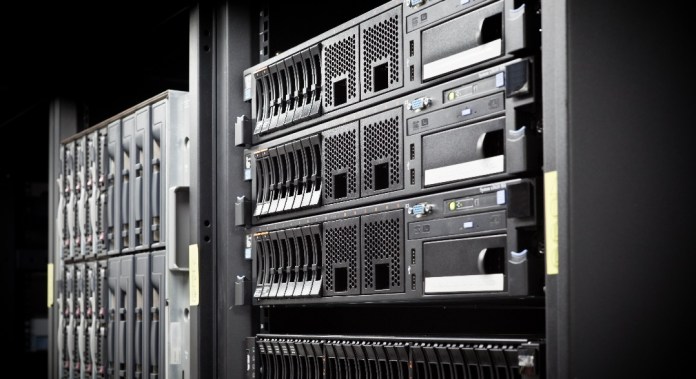
    server rack hard disk

    1. Security and Control:

    The most obvious reason people choose a dedicated server is the security and controls that are presented.

    If you are in a regulated industry and are charged with maintaining the privacy of customer’s data and information, you absolutely cannot share a server with another company or have any security breach due to another tenant’s mistake.

    2. Dedicated resources:

    Unlike shared hosting or vps, there is a certain sharing of resources involved.

    With a dedicated server, you don’t have to share any resources or computing power.

    The full capacity of the server is at your disposal and you won’t have to worry about someone else slowing down your site or hogging the network.

    3. Customisation:

    With the full control of your server, you are allowed to freely customise your server based on your needs and specifications.

    Unless it is a managed dedicated server where the hardware specifications are setup based on the common requirement.

    But it does not mean that there is no room for upgrade, you can still choose to upgrade your dedicated server when your usage is more than provided.


    How to choose a dedicated server provider?

    Before making any decisions, you have to be sure that service providers fit your needs.

    Some factors to consider include:

    1. Server Stability: this is the measure of overall performance, accessibility, and usability. As a general rule, you want to go with a service that offers uptimes of at least 99.95% to minimize the chance of costly outages for your business.
    2. Security: Dedicated servers are inherently much safer than any of the shared options, but that doesn’t mean you’re 100% safe from hackers. Look for a service provider that offers built-in security features such as DDos mitigation, or hardware firewall.
    3. Customer Support: this may be easily overlooked when you are choosing the right provider. Look for a dedicated server provider that offers 24/7 customer support with a variety of contact options such as telephone, email, live chat or even WhatsApp chat. Bear in mind that customer support is only able to be evaluated when you are actually using their services.
    4. Customisation: Does the hosting provider offer both Linux and Windows options? What type of hardware options are available? Can the server be upgraded easily? Prior to getting their service, ask these few questions that are related to your needs to find out what customizations are available.
    5. Data center location: If you would like your online business to better serve the local market, server location is important for loading speed and accessibility. Find out how many data centers this service provider has, is the location suitable for your online business?


    Is it better to buy or rent a dedicated server?

    Another decision to make is whether to buy or rent a dedicated server. We will briefly discuss the advantages of each choice.

    Some organizations choose to buy a server and house it with a colocation provider or in-house.

    Buying your own server will give you ability to have better controls over the hardware and customisation.

    That is assuming that you have a server administration in house to help you with.

    Another advantage of buying your own server is that you own the piece of hardware, it is your asset.

    It can help you to save more in the longer run for your business.


    By renting or leasing a dedicated server, much of the management and maintenance is handled by the hosting provider, and you’ll never be expected to carry out repairs or pay for replacement hardware yourself.

    Additionally, when you lease a server on a month-by-month basis, you’re free to change hosting providers at any time.

    That’s not the case if you decide to buy a server in the beginning. 

    Here you have it, these are all you need to know about dedicated servers.

    If you would like to know more, please let us know what information is missing or what kind of topics you are looking for.


    Related articles:

    Server Security Tips for Safeguarding Your Dedicated Server

    Virtual Server vs. Physical Server: Difference & Comparison

    🚀 Empower Your Business with Exabytes Dedicated Servers

    Unlock unparalleled performance, security, and control with our robust dedicated servers! Tailored for your business needs, Exabytes ensures your website operates smoothly, even during traffic spikes.

    Enjoy top-tier security, customizable configurations, and 24/7 expert support.

    👉 Explore Our Dedicated Server Solutions 👈

    Let our specialist provide you with the best solution.

    Leave your contact, and we will get back to you.


      6 Free Network Monitor & Security Tools For Server

      0

      Owning and managing a dedicated server is a challenging task and not to mention a costly one. There are a lot of paid network monitor & security applications out there that can keep your server safe. However, if you want to save some cost while getting the job done, you can consider these free tools that we have compiled for you.

      6 free network monitor and security tools for server

      Here are the list of free network monitor & security for dedicated server:

      • Monit
      • Argus
      • Observium
      • Snort
      • Zeek
      • Nikto2
      1. Monit

      The first on our list is Monit, a small Open Source utility for managing and monitoring Unix systems. It not only monitors your server, but also attempts to remedy problems by taking predefined actions for certain situations. Example, if your Apache server stops running for some reason, you can preset Monit to tell which service to restart and Monit will do it for you.

      Monit is able to monitor a wide range of server systems, processes, host, files, directories, disks. There’s also an iPhone app available to help you conveniently check on your network without carrying around a laptop.


      1. Argus

      An open source system and network monitoring software, Argus has a clean and intuitive web interface that is easy to understand. It has an alert escalation procedure, after sending out an alert and if the problem still isn’t resolved within a fixed amount of time, another alert will be sent out to someone else. It can also support redundant multi-server configurations.


      1. Observium

      In our opinion, Observium is better built in terms of user interface, maybe due to their network monitoring software having both open source and paid version. Observium is geared towards Linux, BSD and Cisco networks, Windows, Juniper operating systems. It supports integration with a number of third party applications and the ability to write your own custom application modules to collect and report data from your applications. Supplied application collectors include Apache, BIND, DRBD, Memcached, MySQL, NFS.


      1. Snort

      An enterprise-grade open-source IDS is compatible with any OS and hardware. Snort Intrusion Prevention System (IPS) uses a series of rules that help define malicious network activity and uses those rules to find packets that match against them and generates alerts for users. The system performs protocol analysis, content searching/matching, and detection of various network security attacks.

      Although it is an open source program, they do have options for a paid ruleset (Snort subscribers ruleset) and free ruleset (community ruleset). The paid rulesets are developed, tested, and approved by Cisco Talos. While the free rulesets are from the Snort community and QAed by Cisco Talos.


      1. Zeek

      Zeek is an open source software platform that provides compact, high-fidelity transaction logs, file content, and fully customized output to analysts, fastest research and commercial networks. Zeek is not an active security device, like a firewall or intrusion prevention system. Rather, this tool decodes protocols and looks for anomalies within the traffic.

      With its network optimized programming language, vibrant open source community, and global footprint, Zeek is able to provide the data and insights needed to tackle today’s toughest network challenges.


      1. Nikto2

      A web server testing tool that is able find known vulnerable scripts, configuration mistakes and related security problems. Nikto is not designed as a stealthy tool. It will test a web server in the quickest time possible, and is obvious in log files or to an IPS/IDS.

      One of the great features that we like is the false positive reduction via multiple methods: headers, page content, and content hashing. 


      As you may already know, open source softwares and free softwares usually provide limited features or they are able to solve one problem only. When you are on a budget, or believe in the power of community contribution, then you should give this list of network and security tools a try. We hope that you find this resourceful.

      BaaS vs DRaaS: What are the Differences?

      0

      BaaS vs DRaaS what are the differences

      Cloud technology has become far more accessible in recent years as private and enterprise clouds have become cheaper and easier to configure and manage than ever.

      The popularity of IT recovery solutions has seen a similar increase due to advancements in modern hardware and infrastructure needed to provide reliable backup services either on-site or remotely, with an enterprise private cloud.

      Backup as a Service (BaaS) and Disaster Recovery as a Service (DRaaS) are the most common cloud service models used by organizations looking for managed off-site IT recovery solutions.

      The two are commonly conflated; however, there are some significant differences between these two cloud computing models.

      What is BaaS?

      BaaS is a fully-managed enterprise cloud backup service. Most providers offer off-site data storage allowing organizations to backup critical data over the internet.

      The primary purpose of a data recovery tool is to facilitate the recovery of data as soon as possible in the case of a full or partial data loss in a business’s production systems.

      BaaS solutions are designed for cost-efficient long term storage of large amounts of data; due to this, they tend to be slower in recovering data when compared to a typical disaster recovery solution.

      One of the renowned backup solution brand is Veeam. It allows you to get to your physical and virtual backups offsite to a remote, dedicated cloud repository through a secure SSL connection.

      What is DRaaS?

      DRaaS cloud offerings are designed with the singular aim to quickly pull an organisation out of the worst possible situations. Disaster recovery is heavily focused on the speed of recovery and the minimization or total prevention of data loss.

      It is possible because DRaaS creates a copy of the stored data and the whole operating system, including applications, servers, and everything in it.

      In the case of a data disaster, a private cloud using DRaaS will able to provide a cloud-based virtual copy of the entire system that can be accessed immediately.

      Differences between BaaS & DRaaS

      The following are the primary differences between BaaS and DRaaS in terms of functionality:

      1. Data Protection

      Data is perhaps the most essential component of any modern business, and most organizations rely heavily on data to provide even core services.

      With the adoption of AI, machine learning, and heavy reliance on analytics across many different industries, data security and the minimization or prevention of data loss has also become hugely important.

      The purpose of both BaaS and DRaaS is to retain as much data as possible when an emergency happens.

      However, the primary difference between these two cloud services models is that BaaS is mainly focused on long-term data retention.

      In contrast, DRaaS is commonly used for quick and short-term data retention and leans on replication technology to ensure backups are as in-sync with production data as possible.

      In addition, DRaaS’ are designed to quickly recover the entire state of a system from a snapshot, including its settings, and all data and application states.

      2. Cost

      Since DRaaS is focused on the rapid recovery of the data and business-critical applications, it is usually a more expensive option than BaaS.

      This is primarily due to the necessary tradeoff between cost-efficiency and the recovery speed offered by the high-availability data storage and rapid data transfer, backed by complex security models.

      BaaS is the perfect low-cost solution for small companies where some data loss or downtime is acceptable, such as startups that are looking for a cost-effective recovery option.

      However, if an organization has a sufficient budget, and the cost of downtime, either financially or in reputation, outweighs the investment cost, DRaaS quickly becomes an obvious choice.

      3. Method of Data Backup & Recovery

      Both DRaaS and BaaS are very different from previous disaster recovery and back up methods like disks or tape drives.

      Instead, these modern methods are cloud-based services offered and managed by efficient and renowned enterprise cloud services providers.

      In BaaS, the data is often backed up to a local appliance, which can then be moved to a remote location for safe storage, or backups can be done over the internet using an encrypted private network.

      In case of a data disaster, the user can choose the relevant datasets and copy them to the original environment.

      This restoration can be a lengthy process from a BaaS backup because it focuses on reducing the cost of storing data rather than data availability.

      On the other hand, DRaaS’ primarily focuses on ensuring that data is accessible and up-to-date by using replication technology.

      A third-party private cloud services provider automatically synchronizes snapshots of the client’s system to their cloud storage environment.

      In the case of the data loss, the latest copy of the complete system, including the latest settings, applications, data, and security protocols can be rapidly and sometimes automatically restored.

      The Bottom Line

      DRaaS and BaaS have their own set of advantages and disadvantages that make them suitable for different kinds of data across different kinds of organizations.

      Generally, BaaS is suitable for a business’s long-term cloud backup strategy, while DRaaS is suitable for quick recovery of small amounts of data in case of a disaster.

      Some companies also choose to use a combination of both of these enterprise and private-cloud-based solutions to establish a balanced data recovery strategy, implementing multi-tiered data recovery solutions based on the criticality of the data in question.

      Ultimately such a decision depends on the specific requirements and budget of an organization.

      Allow Our Specialists to Offer You the Optimal Solution

      Leave your contact, and we will get back to you.


        Event & Activities

        Event & Activities