Home Blog Page 117

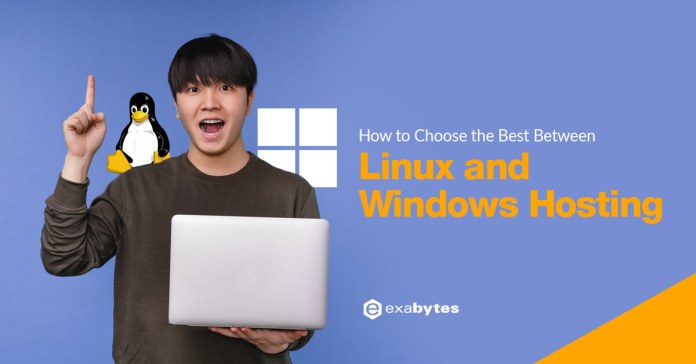
Difference between Linux and Windows Web Hosting

0
difference between linux and windows hosting

In order to maximize your business potential and for security purposes, you may have heard about Linux hosting and Windows hosting.

However, the distinction between both hosting is something that you should know before you even begin to consider web hosting services.

This article will break down the essential differences between Windows and Linux hosting in simple explanation.

What is Linux Hosting

Linux is an open-source platform where webhosting is done with the help of Linux based server. In Linux platforms, the source code can be edited, altered and redistributed.

Linux based webhosting is reputed for being reliable with high stability, flexibility. It is also a secure system being an open-source platform and comes at a relatively lower cost. It also allows for customization for users and server capability. 

Advantages of Linux Hosting

  1. Linux hosting service is one of the most reasonable and affordable options.
  2. Linux hosting is highly stable, safe and secure system that allows for flexibility with the use of open source technologies like Apache, PHP, and MySQL.
  3. Linux systems are highly versatile and allows for dynamic changes at any given time, considering its compatibility with various databases.

Disadvantages of Linux Hosting

  1. Linux web hosting is not compatible with several primary Windows-based scripting applications and technology, programming languages like ASP and its extensions.
  2. Linux servers do not support porting of websites that have been scripted or designed for a Windows environment or background.

Web hosting with Linux should be completely planned activity with proper research and a thoughtful consideration to various aspects like bandwidth, domain, and affordability. 

What is Windows Hosting

Windows hosting refers to web hosting server that runs on the Windows OS. This allows the website pages to have access to web development features of Windows. 

Advantages of Windows Web Hosting

  1. This is a Microsoft-Friendly Option that allows various products and tools of Microsoft like FrontPage and ASP to function properly. Usage of Microsoft Exchange for efficient management of emails and Microsoft SharePoint also becomes possible for better collaboration between team members.
  2. Windows Hosting offer excellent quality and makes it much easier to use ASP.
  3. This is a powerful and simple web hosting tool that allows you to manage the server and scale it without any security concerns. The usage of user- friendly Plesk control panel make it easier to update the website as needed. 
  4. This system is highly compatible with various content management systems like WordPress and Joomla, open-source tools like MySQL and PHP. 
  5. Windows webhosting is a reasonable solution considering the various features it has.
  6.  Windows hosting business offers a 99.9% uptime guarantee

Exabytes as a competent web hosting company can help overcome the stability issues in Windows Webhosting with proper maintenance and planning.

Disadvantages of Windows Hosting

  1. Windows webhosting is not very secure as a system considering that they are more vulnerable to various ransomware attacks.
  2. Windows hosting is a relatively expensive web hosting system. However with all the features and given all the benefits and features it comes with. 
  3. It is relatively less stable system, less dependable and often is restarted when multiple programs and process are run together and can lead to systems crash. However, Windows servers have improved over time and can only improve with technology developments as time passes. 

Linux and Windows Web Hosting can be used on any systems.  Windows Hosting account can be run ona MacBook, similarly a Linux Hosting account on a Windows laptop. Popular web apps like WordPress can be run well on both Linux or Windows Hosting.

One of the most important aspects of purchasing web hosting is to decide if one should opt for a server with Linux operating systems or a Windows based operating system. Exabytes as a hosting provider offers both plans for customers to choose from.

What is the difference between Linux and Windows web hosting?

Here are the key differences between Linux hosting and Windows hosting to help you decide which one is best for you:

The Cost 

Linux as an operating system does not have a license cost. It is open source unless some specific enterprise editions are used. Windows on the other hand is a licensed operating system (OS) – Microsoft charges for the OS to be used.

If one is looking for a cheap website hosting solution, Linux would be the first choice.

Acceptance & Popularity 

As of 2020, 70% of all websites on the internet are hosted on a Unix based operating system. Linux, which is an open-source version of UNIX, hosts approximately 42% of all websites that are UNIX based. Windows is used by 28% of all websites.

Server-Side Applications

The coding language used for developing an application or a service has the biggest impact in choosing the hosting platform of your choice. Some programming languages work on Linux only, some run on Windows while there are a few which works on both.

Linux Specific list – Python, Perl, CGI, WordPress, WYSIWYG

Windows Specific list – ASP, .NET, ASP.NET, MS-SQL, MS, Access, Visual Basic

Common List – PHP, MySQL

Hosting Control Panels

Linux has a wide variety of popular hosting control panels which it works with. This includes WHM / cPanel, Plesk, Webmin, OpenPanel, Kloxo, VHCS etc.

Windows hosting, compared to Linux plans, have a limited number of control panels one could choose. These include Plesk, Website Panel, MSP among others.

File Names

On a Linux server, file names are case sensitive. For example – exabytes.home and Exabytes.Home are two different files.

A windows server does not distinguish between cases of names. Exabytes.MY and exabytes.my are both same names.

How to Decide Which Hosting Package Should Be Bought?

It all boils down to individual needs. While the above factors and aspects should be considered, the decision to buy should be purely based on the product being sold or the service being provided.

If the website must be coded using ASP.NET and with MS-SQL as the database of choice, then a windows plan works best. For services which can be written up using PHP or with a CMS like WordPress – Linux hosting with cPanel works like a charm! 

Related topic: What is ASP.NET framework?

Exabytes provides Linux hosting with cPanel control panel as well as windows hosting with Plesk control panel. The webhosting programs from Exabytes allows our esteemed customers enjoy premium features at an affordable rate along with a high-level of customer support and service, 

Connect with us now to learn more about our hosting programs, and decide what is the best for your business from our top notch industry experts. 

Related topic: Linux Web Hosting with cPanel Control Panel

Business Email: How Professional Email Hosting Benefits You

0

Professional Business Email Hosting

Business email is a basic necessity of most modern and online businesses. Free email providers do give you an email, but they cannot be relied on for professional services and company mail unless you buy a paid plan.

An email server is also named mail server. We explained this application or computer system as your virtual post office. The server handles incoming mail from sender to recipient and delivers outgoing messages.

Email hosting or Business Emails as a Service (BEaaS) offers specially curated plans focused on emails. It is particularly beneficial for businesses that primarily rely on email as their mode of communication.

Email domain is that part of an email address that comes after @ symbol and represents the website it’s associated with. For all business purposes, companies most probably look for domain.

What is an example of business email address?

You can make use of your own domain name to create email ID in a professional manner. If you own a website name, for example your company domain name is @yourcompany.com.

You will own a email address like [email protected] or [email protected], which looks more trustworthy than [email protected].

How to get an email domain?

To get your own a desired email domain, one needs to have three things: A domain name, website and a hosting subscription.

Most web hosting providers bundle email hosting as a part of the package but plans and features may vary.

You can get the best business email hosting services in Malaysia if you aim to target localized customer audiences.

What features should be offered in business email by email providers?

The ability to sync emails across multiple devices (hand phone, tablet, laptop), shared contacts and calendars, shared work space and audio visual chats would be some of the advantages of a business email service compared to a typical shared hosting service.

The Five Most Powerful Advantages of Business Email Hosting

Email Hosting

1. More Space and Regular Backups

Business email needs more space than regular email boxes. This is simply to accommodate the large exchange of emails between customers and the online business.

At Exabytes, we offer 25GB storage space per business email user.

2. On Demand Anywhere Email Access

Be it in office, or travelling for work; business emails should be available to be accessed from anywhere in the world across platforms i.e. a web browser or an email app.

Professional business email service offer this as a basic feature for premium business users.

3. Advanced Security

For businesses dependent on email communications, security and protection of their messages is a high priority.

Business email hosting almost always comes with a list of security features including SSL certificates, email spam filtering and instant back-ups.

4. More uptime and dedicated email service

Hosting servers which only run emails as a service on them have lesser load and stress because of which they perform better.

To give an example – Exabytes host 40 or lesser domains on a server. This automatically ensures optimal or high level output, greater speeds and uptime.

5. Improved brand image

Sending out emails from same professional email address enables one to appear professional and maintain a brand consistency and be recognized.

If your target audience are unable to connect with you, then you may lose out on certain sale leads.

What Should You Be Cautious of When Using Business Email Account?

Getting started with an email domain isn’t tough but often mistakes may creep in when setting up email accounts.

Some of the most common errors committed include:

  1. It is ideal to sign-up for a paid, reliable business email hosting services to make it more formal, and have minimal chances of technical issues.
  2. Set a formal, proper name to the email accounts that you create in the business email id. This improves the brand identity, brand recognition and helps shape the brand’s professional image.
  3. Avoid signing up to social networks and hobby websites using the business email id. This will lead to spamming of business email account and leakage of confidential information.
  4. Avoid skipping aliases and relying on staff email addresses only. It’s at times good creating specific function based email ids like creating a sales@ alias for your website-driven enquiries instead of posting the sales manager’s name. This allows for work to be picked up instantly by anyone who is online than wait for the specific person. Aliases are free and unlimited and are a great way for new businesses to look a bit bigger and protect themselves against miscommunication due to staff turnover.
  5. It is a good idea to avoid relying on the ISP’s email solution like [email protected] or [email protected]. Never link your business email to a specific provider else when one tries to relocate the business to an area where the specific ISP doesn’t serve, errors can crop up.
  6. Avoid changing email domain too often as the business contacts are maintained and retained for long. If you keep changing the email domain and not update all the contacts, you may perhaps lose some possible prospects and conversations.
  7. Do not forget to specify sender names and profile pictures.  Most of the desktop email clients and webmail interfaces display the sender’s name in the inbox. It is important to display your business and brand name to the recipient.
  8. Keep your email domain and names short so most people can remember the business email address. Try keeping the domain in sync with what you do so it is easy to recall. Be considerate to your correspondents and avoid typos by choosing a short domain and email ids for your business email. Make sure to keep the email domain same as the business domain.

Here’s Why Professional Email Address Is Essential for Your Business

  • A business email address gives a professional image.
  • Business email accounts are easy to remember and is short.
  • Legitimacy is attained by the business with a professional business email address. It also helps you earn customer’s trust.
  • Brand promotion is easy due to brand recall when you send emails with the same domain name as the business.

Why Exabytes Email Hosting?

Exabytes is one of the most reliable email hosting service providers in Malaysia. Our email hosting Malaysia is built to scale and adapt with your business needs.

Their cheap custom email deals ensures that you get a professional communication interface with your customers, friends and family.

It works perfectly across all devices and allows for maximum flexibility.

Custom email addresses can be created. Team collaboration and team workspaces for internal and external collaboration is feasible for professional communications and conduct.

Look up our EBIZ Mail Pro plans which start as low as RM 16.19 per month!

Related articles:

Complete Beginner’s Guide – Web Hosting Introduction

0

What is Web Hosting for Beginners

What is web hosting?” is a common question in today’s electronic world. Simply put, a service that helps you publish a website on the internet is termed web hosting.

A follow-up to that is “do I need hosting for my website?” – an easy and fast answer to it is “yes”. You do need hosting platforms to power your web site’s presence on a large scale.

Exabytes Malaysia has been in the business of managed hosting for twenty years and has helped thousands of entities create and host a business website.

Whether you’re a young entrepreneur or an established business, a jimat hosting plan from us can ensure your website is secure and promoted.

What Is Hosting and Domain?

Every website needs space on a web server along with some internet bandwidth and data transfer for it to be available on the internet – this is called “hosting”.

Like we acquire a shop and then give it name, starting an online business also needs a name which can be used on the internet i.e. a website name. This is called a “domain” in technical language.

Do I Need Hosting for My Website?

Yes! Choosing to host a website with one of the best web service providers is essential for your website to be easily viewed over the internet without any glitches.

A dependable hosting platform would have a robust infrastructure like superfast connectivity, reliable servers, and excellent technical support.

Buying an entire server, paying for its maintenance and support it, purchasing a data center like internet connection – all of this is prohibitively expensive.

Additionally – server support, maintenance, upgrades, security updates etc. are highly complex and technical in nature. It is a full-time job of trained professionals with certified credentials.

Exabytes provides 24 x 7 x 365 technical support to ensure customers are always taken care of.

What Are the 4 Types of Web Hosting

  • Shared hosting
  • Dedicated web hosting
  • Managed web hosting
  • Business web hosting

Shared hosting

Shared hosting is the type of hosting where a website shares its space on the web server with other domains.

The cost of the server is shared by multiple users making it the most affordable and popular solution for personal users and small businesses as companies to set up blog, e-commerce, and other advanced applications.

However, the website performance is dependent on the activities of other websites too that’s present on the server.

Dedicated web hosting

Dedicated hosting is the type of hosting where only one website is hosted on a given server.

This allows for all benefits like speed, disk space, FTP, and performance being dependent only on the performance of one’s own website.

Related topic: What is Dedicated Server Hosting

Managed web hosting

Managed hosting is preferred as the type of hosting when the website requires dedicated server but has no advanced technical expertise of servers and requires assistance.

The hosting service provider looks into all technical aspects of server support enabling the website owners to focus on other areas of the business.

Business web hosting

Business hosting acts as the perfect balance between shared hosting (an inexpensive way) and Virtual Private Server (powerful yet very expensive).

Business hosting combines the power of a VPS with the ease of shared hosting. It allows individuals and organizations to make their websites accessible online with proper hosting to maintain and protect it.

What Type of Web Hosting to Choose?

There are some options for free web hosting available. However, one must bear in mind that such providers impose several limitations on the website design, and web hosting capacity.

One can at the most put up a basic online store and some very simple website pages only.

Some free web hosting platforms offer a free domain to attract people who have online business ideas but are not fully aware of how to start business website hosting.

Creation of multiple email addresses, e-commerce websites with online payment options etc. just cannot work with free web hosting. There is very little or no control on the hosting.

Websites that are bigger and have larger hosting needs can go for dedicated servers.

And if incase the website technical team has lesser knowledge of advanced aspects of servers or is short on time, it is ideal to go for managed web hosting support.

Factors to Consider When Choosing Web Hosting Provider

Disk space refers to storage space allocated to a given website to store the web site files, text, images, audio, etc. files that’s essential for the website.

Bandwidth refers to the amount of traffic that is permitted to access and leave the website.

Access refers to each time a visitor types the website name in their browser and leave stands for every time a visitor receives something from the website, be it seeing a photo, listening to an audio clip or downloading a file.

FTP refers to File Transfer Protocol that helps you transfer website files from the computer to a web hosting server, or vice versa.

This allows to upload finished website files (including images and other multimedia files) from the computer to service provider’s server and download the files from web hosting server back to computer.

FTP access should be unrestricted and available 24×7.

Email hosting support is often provided as a part of the web hosting services.  With webmail access, POP3 and SMTP access also must be provided to enable using emails using the mobile devices.

Webhosting providers essentially provide telephone and email support.

Most providers guarantee 99% uptime, and if there are any issues, technical support must be available to instantly resolve the issue with the downtime being minimal.

Some support measures that may help include 24/7 server and network monitoring, redundant hardware and network configurations, and onsite backup power supply.

Good web hosting services come at a price, however choosing the web hosting provider that effectively manages all your web hosting requirements is essential.

It is important to check for all the services provided with the technical support.

Follow the Step-by-step Guide for Creating a Business Website

  1. Frame the primary purpose of website, your offerings and how you want to be found.
  2. Choose the domain name relevant to the business offerings. Avoid typos in the domain name and make it easy for brand recall.
  3. Choose a web hosting platform
  4. Build your pages with relevant content, keywords, links and images.
  5. Set up the payment gateway with all feasible options.
  6. Run a test drive for the website, if successful, make the website live
  7. Regularly maintain the site, check for dead-links. Your site is your online storefront, and it needs to be in good shape. Once a month, check on what pages are doing well—driving sales, getting email list sign ups, etc.—and which are causing people to bounce.

Exabytes offers a wide array of hosting plans and options to suit every pocket, unlimited email addresses, customizable website designs, infinite choices of features, add-ons and many more.

In a nutshell – free hosting may work for those who are doing something for fun and as a hobby. Serious business and professional with goals and targets need business hosting services.

If you are wondering how to start a small business in Malaysia, Exabytes is the place to be at. That’s why we will be glad if you trust us with handling your web presence.

With a broad range of hosting platforms including a free domain name with certain jimat hosting plans. Contact us today for more details.

Related articles:

How Do Spam Filters Work? Email Spam Filtering Solution

0

How do email spam filtering work

An email spam filter is a program or tool used to protect our email inboxes from dangers like viruses, and malware and sort out those emails which are unsolicited and junk.

Spam filters look for certain criteria and filter rules set to define an incoming mail as non-spam or spam.

Most business enterprises focus on protecting inbound mail; however, an effective spam filter works on mails coming into an email ID and also on mails going out.

Internet service providers (ISPs), free online email services and businesses use email spam filtering tools to minimize the risk of distributing spam and any unwarranted emails.

Most spam filters identify spam messages by recognizing suspicious word patterns or word frequency, spam URLs and suspicious attachments.

Incorporating an email spam filter not only helps to protect against advanced cyber-attacks but will prevent inboxes from filling up with unproductive junk mail.

Along with this, a user’s inbox preferences based on the emails marked as spam is studied and an algorithm is created for the omission of spam emails.

These spam filters are applied to both inbound and outbound emails with the most commonly used spam filters being for inbound emails.

What is Inbound Spam Filters?

Mails that are sent to the inbox are known as inbound mails.

Inbound spam filtering is the act of filtering email that is sent to your inbox to ensure it is not spam.

When spam is sent to the inbox, email service providers block it with an inbound spam filter.

What is Outbound Spam Filters?

Mails that leave the system are known as outbound mails and it is highly essential to ensure that spams don’t leave the email system too.

If left unchecked, outbound spam will cause the service provider’s network to be blocked by the rest of the internet — effectively stopping legitimate email traffic for all network customers.

Reputation systems have been established to track the amount of spam coming from each IP address on the internet.

These systems block IP addresses that send too much spam and blacklist them.

What are the Different Types of Spam Filters?

Blacklist filters block spam emails from senders list added to a list of spammers.

These filters are regularly updated with spammers email ids that change relatively quickly.

Content filter verify the contents of each email to determine if an email is a spam or not.

These filters tend to work by checking the spam email content which is often predictable like the deals, or sales content, promoting explicit content or targeting basic human feelings, such as desire and fear.

Header filters analyze email headers to determine if they originated from a legitimate source.

This includes IP addresses recognized as often used by spammers and data indicating that an email was part of multiple emails sent at once to preselected recipients.

Language filters – Spammer send mails in different languages too. Often mails are sent in languages which differ from the recipient’s native language. Language filters help block those messages,

Rule-based filters. Rule-based filters enable users to establish specific rules and apply them to all incoming emails.

Whenever content matches one of the rules, it automatically forwards the email to a spam folder.

Filter rules can be specific words or phrases in the message or header.

This type of filter is often popular with users who receive unwanted emails associated with memberships because rule-based filters can also target particular senders.

Why is Spam Filtering Important?

Spam filters are not a 100% accurate solution.

However, an email system without spam filters can be highly vulnerable, if not unusable.

It is essential to minimise spam mails in order to protect your network from many possible risks like viruses, phishing attacks, compromised web links and other malicious content.

Spam filters also prevent the servers from being overloaded with non-essential emails or getting infected with spam software that may turn them into spam servers themselves.

Why Do We Need Spam Filter?

Spam filters are essential to protect email recipients from potential threats.

These are mostly in the huge number of unsolicited emails which come in on a daily basis.

They help in blocking viruses, phishing attacks, and segregating safe emails from the potentially dangerous and threating messages.

In an increasingly electronic world, cybercrimes and cyber mischief has caused significant harm to entrepreneurs, businesses and corporations.

Email filtering is a fundamental protection to have in the cyber space.

There’s also a cost implication to not having an effective email spam filtering mechanism.

These costs include wasted email capacity, human time spent in dealing with unsolicited mail, server and bandwidth usage etc.

How Do Spam Filters Work?

Spam filters helps segregate mails as spam and non-spam emails and identify spam emails.

This identification of spam mails is done with combination of inputs from variety of machines and human-crafted logic to classify messages.

As the name suggests, ‘email filtering’ is at the core of the email security process. The Email spam filtering works on the mail exchange records (MX) of a domain.

It is a gateway solution which works as soon as the MX record of a domain is re-directed to the spam filter.

Any mail which goes into the filtering tool is analysed to detect any trojans, malware, virus, phishing, hidden dangerous links etc and then helped on its way to the recipient’s inbox.

The analysis is performed on the content (email body), address, header, attachments and language of the mail.

Inbound spam filtering typically identifies the sender by the IP address from which the message originated.

Managing and tracking sender identity in an inbound spam control system is relatively easy, because IP addresses are nearly impossible to falsify (in the context of SMTP email).

Exabytes SpamExperts is a highly effective, accurate and affordable anti-spam solution.

Small, medium and large businesses would find it an easy solution to work with given the increased mail continuity and friendly control panel to work with the tool.

Connect with the Exabytes team to experience an improved and highly efficient email system which is secure. There are some exciting promotions on offer too!

Related article: What is Phishing Email?

8 Essential Tips to Use Email Marketing the Best Way

0

Email Marketing Campaign and Strategy

Email marketing refers to the activity of sending business messages to a group of recipients, using email.

Such recipients can be existing or potential clients.

It involves sending email to send advertisements, request business, or solicit sales or donations.

Do you want to build your contact list instead of working for it?

Learn the power of email marketing campaigns and strategies that will help you to grow your business by increasing leads and sales.

Related topic: Transactional Email vs Marketing Email


Advantages of using Email Marketing

  1. Allows being in touch with your customers on a consistent basis.
  2. Send customized messages or greetings messages
  3. Send emails with sender ID that you can relate with the brand
  4. Build credibility and brand recognition
  5. Helps boost sales and build better customer relationship
  6. Easily run marketing campaigns and series of emails one after the other
  7. Helps increase website traffic
  8. Send marketing emails with call to action
  9. Helps strengthen relationships, loyalty & trust
  10. Sending well-written and engaging newsletters emails allows to introduce the company better to the clients.
  11. Helps increase brand awareness & stay top of mind
  12. Helps send segmented campaigns to marketing lists based on demographics, interest, past behavior, etc. to enable one send marketing message as suited for the audience.
  13. Email marketing is a low-cost marketing campaign channel, but with relatively good ROI.
  14. Email marketing campaign channel is easy to set up and easy to use with minimal training.


Email Marketing Can Be Used When

  • You want to build relationships: Helps use personalized engagement to build connections with the end recipients.
  • Want to boost brand awareness: Make sure to keep your small business company and services on top-of-mind for all your recipients the moment they feel they are ready to engage.
  • Need to promote your content: Share relevant blog content or useful assets with all your clients and prospects with help of email.
  • Feel the need to generate leads: Entice subscribers to provide their personal information in exchange for an asset that they find valuable.
  • Want to market your products: Promote your products and services with regular emails. Also use emails to promote any specific launch or discounts.
  • Need to nurture leads: Delight your customers with content that can help them succeed in their goals.

Related topic: More about Email Newsletter Templates for Every Occasion


8 Tips to Run a Successful Email Marketing Campaign

1. Use good, short, crisp email subject lines to ensure the recipients are persuaded to open the email seeing the subject line.

Subject 1: Grab 50% OFF For Our ABC Package!

Subject 2: How to Pay RM500 LESS for ABC Package!

Creating such curious subject lines help grab he visitor’s attention/readers’ attention.

2. Spam words in subject line

Avoid use of spam email line like using certain words like Free, too much mention of discount etc.

3. Punctuation

While punctuations are needed in the subject lines, use of too many question marks or exclamations can change the tone of the subject line and make it sound as a spam email.

It is essential to make use of the right punctuations in the subject line to instill some curiosity in the readers!

4. Use Capital Letters

Make use of capital letters only where essential else it may appear to show anger which is open to be misunderstood recipients may not take appropriately!

For example, this is ideal

“What is Email Marketing?” instead of “What is email marketing?”

5. Use short subject lines

With almost every single person using mobile to check their emails, it is ideal to keep the subject lines short to less than 60 characters.

This makes the subject readable in the small screen and does not appear to be as spam.

6. Quality Relevant Content

Ensure that the email content always matches the subject line of the email.

The subject line and content of your email should be in sync with the immediate goal of the email.

For example, if the primary goal is to give information, ensure that the email content only gives information and is not about sales pitches.

This is not only good for credibility but will also prevent the email from going to “Junk” or “Spam” folder!

7. Always End with a Call-to-Action Phrase

Each email you send should have a specific goal or desired outcome, whether you want the end recipients to buy something, opt-in to register for a webinar, or simply read a blog post?

This call to action is essential in the email which will help give the necessary direction to the recipients of the email.

It’s therefore essential to make it clear to your readers before you end your email!

8. Colors

Orange and red are popular call-to-action phrase/button colors.

Also, standard text with a blue underlined hyperlink or fancier graphical based images could also be used for call-to-action phrase.


How to Create an Email Marketing Strategy

Make email marketing strategy a well-planned strategy to derive the most of it.

  1. Define your audience – It is essential to define the target audience and then create customized email campaigns for the audience. Whether it is to sell something or to educate people. Tailor your email campaign to your audience’s needs.
  2. Establish your goals – Create a good thought context and plan your campaign goals. This may also be of help in case you want to perhaps create series of emails for campaigns.
  3. Build your email list – An email lists a group of users who have given you permission to send them relevant content. Several ways must be planned and thought to have the prospects to opt-in to receive your emails.
  4. Choose an email campaign type – Email campaigns type range from promotions, transactions, information, email newsletters and many more. It is essential to plan well the goal of your email marketing campaign, the objective and then plan the email campaign type to suit the campaign needs.
  5. Specific lists for specific type of campaigns – Set up different lists for different types of emails, so customers and prospects can sign up for only the emails that are relevant to them.
  6. Make a schedule- Decide the frequency of contacting a specific list to avoid spamming your recipients by sending them every email.
  7. Measure your results – Email marketing campaigns comes with its dashboard for metrics, reports on the campaign performance. Keep track of all the campaigns sent, and the variant results across each campaign to study the campaign performance and the response of the recipients.

Now that you understand email marketing tool, the benefits, how to use the tool to best benefits, you may want to perhaps try our Email marketing tool.

Connect with our team to purchase an email marketing software for yourself.

Related articles:

How To Adopt A Cloud-first Approach For IR4.0 in Manufacturing

0

How To Adopt A Cloud-first Approach For IR4.0 in Manufacturing

A cloud-first manufacturing transformation for future growth and gain competitive advantages!

As we progress out from the pandemic, adapting to the new norms has become fundamental. For the manufacturing industry, now is the opportunity for them to showcase themselves as one of the best out there in this competitive world.

Malaysia, as a manufacturing hub and significant producer of automobile parts, has recently experienced supply shortages as well as capacity constraints.

Manufacturers must look at vital measures to rebuild production processes to expand swiftly and boost operations efficiency while balancing cost optimisation measures now that manufacturing capacity in Malaysia has been restored.

As such it is important for manufacturers to know the latest techniques and solutions, and equip themselves with the latest technology available. Manufacturers must transform themselves for the betterment of their future growth.

Here is an opportunity for manufacturers who wish to upgrade their manufacturing businesses.

We at Exabytes in collaboration with Amazon Web Services (AWS) are organising the Digital Manufacturing Blueprint – A Cloud-First Approach for IR4.0 Adoption.

Through this event we bring you the most effective ways to cloud-first transformation in manufacturing for your future growth and to adapt with the new technologies.

This event will provide manufacturing businesses digitalisation and automation solutions to modernise manufacturing in order to obtain a competitive advantage.

This event will take place in two locations; namely Kuala Lumpur and in Penang. It is a one-day session where manufacturers will hear from experts of the subject matter and from the experienced in the manufacturing industry.

The session will share about how issues were addressed and how challenges were faced and overcome.

Moreover, this event will benefit all manufacturers as the IR 4.0 technologies, particularly in the manufacturing industry, will present key insights for future innovation and business growth.

The session will also cover topics on technologies like Artificial Intelligence (AI), Internet of Things (IoT), Big data, Machine Learning (ML), and other advanced upcoming technologies that are being used to implement Industry 4.0.

To learn more about this event, below are some details for your information.

Event Details:

1. Date: 25 May 2022
Time: 8.00AM-3.15PM
Venue: Hilton Kuala Lumpur
Click here to register

2. Date: 27 May 2022
Time: 8.00AM-3.15PM
Venue: SPICE Arena, Penang
Click here to register 

Key Speakers:

  • Joey Tan, AWS ASEAN Pursuits Lead Digital Native Business
  • Victor Marz, Sales Specialist for SAP, AWS
  • Whye Loong, Solution Architect for SAP, AWS
  • Tim Dickson, Analytics Sales Specialist, AWS
  • Fabian Tan, Snr Manager, Solution Architect, AWS

Key Topics:

  1. Manufacturing Key Note: How successful manufacturing and logistic companies used AWS to break limitations in their supply chain by transforming business models and operational structures.
  2. ERP: Gain Visibility Over Your Production Processes and Manage Resources Effectively.
  3. IOT: Usage of IOT for Process automation including reducing cost, planning of machinery, workforce and material mobilisation and managing risk by reducing supply chain disruptions.
  4. Analytics Real Time Business Insights: Deliver continuous close and real-time planning using timely, actionable business insights to drive shareholder value.

Agenda:

Time Topic
08:00 – 09:00am Registration & Networking Breakfast
09:00 – 09:10am AWS Welcome Speech
Laurence Si
GM, AWS Malaysia
09:10 – 09:20am Exabytes Welcome Speech
Mr. Chan Kee Siak
Founder and CEO, Exabytes
09:20 – 09:50am State of Manufacturing/Logistic/Supply Chain in Malaysia in the context of IR4.
Guest Speaker
09:50 – 10:20am Reinventing Your Supply Chain
Joey Tan
AWS ASEAN Pursuits Lead Digital Native Business
10:20 – 10:45am Break
10:45 – 11:15am Why 5000+ SAP customers choose AWS
Future Proofing your SAP investment on AWS
Victor Marz
Sales Specialist for SAP, AWS
Whye Loong
Solution Architect for SAP, AWS
11:15 – 11:45 CRM Manufacturing
TBC
11:45 – 12:30 Panel Session 1:
– What’s Broken or Not Broken? Why the need to Digital Transform ?
– Business Continuity– Do you have a Backup Strategy ?
– Discussion on IR4.0– Why? And How?
12:30 – 13:30 Lunch
13:30 – 14:00 Journey to data-driven operations with Analytics and Ai/ML|
Tim Dickson
Analytics Sales Specialist, AWS
14:00 – 14:30 Intelligent Monitoring with IOT
Fabian Tan
Snr Manager, Solution Architect, AWS
14:30 – 15:15 Panel Session 2:
– Ransomware– A discussion on Security and Data Residency
– IOT

By participating in this event, you will learn from innovative manufacturing organisations who have witnessed increased industry productivity by starting early to improve value chain performance.

Also get exclusive tips and insights from professional experts to understand better about the manufacturing industry in this current situation.

Join us to explore how Industry 4.0 technologies will help you to create a sustainable environment in manufacturing industries.

This event is by-invitation to Exabytes’ clients. Click here to register your spot now for FREE. You will not want to miss this golden opportunity.

Alibaba.com Physical Event on Global Trade B2B Success

0

As the country gradually reopened its international border after two years of battling the COVID-19 pandemic, Exabytes is also pleased to carry out our first exclusive physical offline event for Alibaba.com, one of the largest B2B Marketplace Platform in the world. The event named “Global Trade CEO Networking Session – Exclusive chat with Alibaba Expert” was a closed-door event held on 26 April, 2 pm – 4 pm at the Exabytes’ Event Hall at Setiawalk, Puchong.

Alibaba Physical Event

Mr Nordin shared his strategy on how to sell successfully at Alibaba.com.

The objective of this event was to connect the local businesses who are interested in exploring B2B opportunities overseas with our all-star Alibaba.com exporter, Mr Nordin, the Managing Director of Kugpis Sdn Bhd who has successfully exported more than 100 products via Alibaba.com for more than 7 years. In this event, he shared tips on his export business success and addressed the real challenge of exporting local goods to the overseas market.  

Customer Buying Behavior on Alibaba.com Shifts after Pandemic

The event kickstarted with market insights that there’s been a massive shift in consumer behaviour over the past two years since the global pandemic hit, hence local businesses need to show their online presence to the overseas market. The pandemic has in turn created more opportunities for local companies to transform their business online too. 

Online export has become an indispensable strategy for many manufacturers to find new business opportunities in the overseas market.  As the pandemic discourages physical interaction, it forces businesses to digitalise to sustain, and seek business opportunities around the world digitally too.

Alibaba.com was then being introduced as a worldwide recognized No.1 largest online marketplace which has millions of potential buyers on a daily basis, which is a good platform to receive massive global exposure online. Sellers can enjoy a hassle-free experience with its one-stop solution, one can basically sell anywhere anytime at Alibaba.com.  

Sell with Integrity via Alibaba.com

During the Q&A session, one of the participants who is running a stationery business raised his concerns about the integrity of the Alibaba.com platform, as there are a lot of scammers in the market that could be fake buyers. Mr Nordin confidently answered that there are a few ways that we can identify scams on the platform, including checking with Alibaba.com personnel before proceeding with the orders. He also mentioned that one good thing about Alibaba.com is all the conversations with the buyers can be done within the chat on the platform.

Mr Nordin has also emphasized that Alibaba.com has encouraged the local manufacturers and traders to expand their market globally by reaching their potential buyers in over 190+ countries. “You will never imagine I sell these at Alibaba.com, but they are real cases. Everything is possible.” Mr Nordin added that his company, Kugpis Sdn Bhd has listed more than 100 products including milk powder, Beans Petai, Muruku and even Fighting Fish – the live fish via Alibaba.com. 

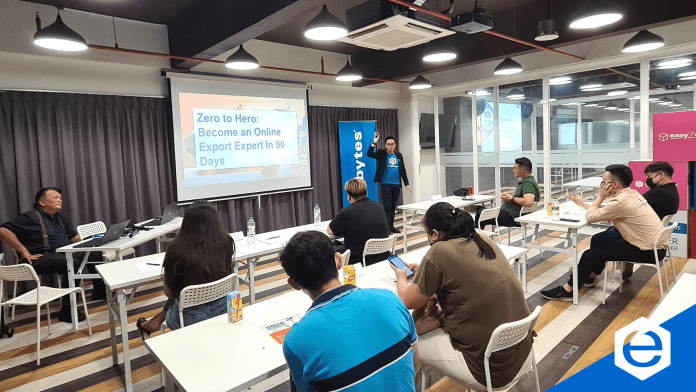
At the event, Alibaba.com Global Star Lecturer, Mr Keith Leong has also shared the know-how of Alibaba.com success secrets in his sharing “Zero to Hero: Become an Online Export Expert in 90 days”, including what to take note of when it comes to customizing your company minisite at Alibaba.com, how to enhance the product listings appearance and so on.

Physical Event Interaction

Zero to Hero – everyone can be an export expert in 90 days.

Participants seek advice from Mr Nordin on the export business.

Group photo at the end of the event.

The event ended with some takeaway messages by Mr Nordin on his experience and his utmost sincere advice to all participants who are ready to sell on Alibaba.com. 

If you are interested to know how Alibaba.com benefits your business expansion overseas and wish to be an excellent exporter too, book a free consultation with us by filling the form below. Our Alibaba.com consultants are ready to assist you along your export journey! 

To know more about Alibaba.com, feel free to visit us. 
For reference on tips of selling on Alibaba.com, check this out.

Let our specialist provide you with the best solution.

Leave your contact, and we will get back to you.


    The Best Strategy for a Successful Business

    0

    The Best Strategy for A Successful Business

    Customer Centric Strategy or Product Centric Strategy

    In a world that has many competitors in the business industry, you need to be outstanding to run a business successfully. In order to manage a business smoothly it is important for you to learn the needs and wants of a successful business.

    The most important thing needed in your business is to have the correct business strategy. There are two types of business strategies, customer centric strategy and product centric strategy.

    It cannot be said that one strategy is better than the other but today, we will be focusing more towards customer centric strategy in which many businesses take in moving forward.

    Due to the changes in the behaviours of customers from 2022 onwards, businesses should be more dynamic, be more personal and remember that customers are the king.

    Not only that, with the current increases in the number of customers, when a business does not feel relatable or does not identify with the customers, businesses have the tendency of losing out in seconds.

    The main cause of this is because businesses lack rapport with their customers.

    To better understand how to handle your business while putting your customers at the utmost priority, a sharing session by a mumpreneur from Marketing On Point marketing expert, Ms Yasmin, had given some in-depth insights on the essential elements businesses should acquire to be successful.

    The Best Strategy for A Successful Business

    What Every Business Have and Needs webinar has provided an eye-opening direction towards business strategies and delivered exclusive tips that help businesses to grow bigger.

    The webinar mainly focuses on the customer centric strategy and why it is vital for businesses to have a great customer centric strategy to maintain their business flourishly.

    Below are the hot topics that were discussed by Ms Yasmin to help you plan the perfect strategy for your business.

    What is Customer Centric Strategy?

    Customer-centricity is a business approach that focuses on placing the customer first and at the centre of your operations in order to create a great experience and establish long-term partnerships.

    A customer centric strategy is one in which the customer’s needs, wants, and communication preferences are prioritised during the purchasing process.

    All sales activity and communication should be geared at assisting the customer in achieving immediate and long-term success throughout the customer journey.

    The difference between a customer centric strategy and a product centric strategy

    In customer centric strategy, the main priority is always given to the customers and this in return increases loyalty and retention in a successful business.

    In customer centric strategy, it focuses on the customers at the heart of every decision made and any plans or meeting always starts with the mindset of what the customers want and how it helps customers.

    The customer centric strategy is beyond customer service. Although some claim customer services and chat boxes are customer centric strategies, it is only one part of it. Customer centric strategy is more of a macro view of how you are planning things for your business.

    An example of customer centric companies such as Starbucks developing an on-the-go app that allows customers who are busy, to order and pick up their purchases without queuing up in lines or Netflix providing recommendations to their users for latest shows that matches the user’s preference.

    Product centric strategy focuses on the products first unlike customer centric strategy that focuses on customers first. This strategy focuses on developing new versions and product lines.

    It concentrates on finding customers for their products and have the mindset of who I should sell this to.

    Examples of companies are Apple, always coming up with many versions and new products and having their own community that buys their products or Dyson who comes up with new versions of their products and increases their products range.

    The Best Strategy for A Successful Business

    Why Customer Centric Business Strategy best for a successful business?

    In research done by Deloitte, it was found that customer centric businesses are 60% more profitable. It is advisable for businesses to include customer centric strategy as a part of their business strategy especially for a product centric business to improve their business.

    Although it brings 60% profit to businesses, only 14% of marketers have incorporated this strategy in their business. This is because presently businesses only have a few seconds to grab the attention of the customers and that requires a lot of effort.

    Nevertheless, when effort is put in to gain customers attention, a business will be able to run successfully.

    Besides, customers are the heroes and business owners are the guides that help them buy the products they wish.

    So, the thought process that businesses should have is, there are many guides out there, how should I make customers choose my business as the guide to buy the product they want.

    Thus, it is vital for businesses to produce the product in a way with the customers in the mind. Including your customers in your brand story makes your businesses more inclusive with your customer.

    To get the best outcome from this strategy, having a detailed target audience personas is important.

    Tips for Customer Centric Business Strategy

    1. Backed up with latest marketing data through testimonials, google analytics and customer service
    2. Having a customer journey map allows you to learn customer’s experience with your company and improves buying and after sales process
    3. Develop a detailed target audience. Begin with 2 groups and expand according to your resources.
    4. Your biggest priority must be your customers experience
    5. Be easily accessible for customers to contact you
    6. Develop products based on customers’ needs
    7. Create an onboarding process that introduces your products and services that explains your customers how to use them to fulfil their specific needs
    8. Reward loyal customers to get customers to purchase your product or service again

    Now is the right time for you to decide on which pathway you would like to carry on your business forward. Customer centric strategy might be the best option you have to make your business successful.

    Join us on our FREE upcoming workshop, How to Build A Website In Two Days to learn the importance of having an online presence for your business and how you can kick start it.

    How to Build A Website In Two Days

    Click here for more information. Related Topic: How To Build A Website In Two Days

    Cloudflare – For a Superfast and Ultra Secure Website

    0
    cloudflare cdn web hosting
    How Cloudflare Helps Your Website Performance?

    In today’s electronic world, every entrepreneur who thinks of how to start a business in Malaysia, has ambitions of reaching global markets.

    The easiest way to promote an eCommerce business or eCommerce platforms is to sign up with a hosting provider that offers Content Delivery Network (CDN) services such as MaxCDN, Cloudflare CDN, and CacheFly.

    What is CDN – Content Delivery Network

    CDN is generally known as a content delivery network. Some people also refer to it as content distribution network. It is a geographically dispersed setup of proxy (middleman) servers located in different datacenters.

    The objective of a CDN is to provide any content with 2 crucial features – high availability and speed.

    The CDN’s network of servers stores content from an “origin” server and then renders a copy of it by serving the content from a server closest to the user’s geo location. 

    Related article: Is CDN Necessary for Website?

    What is Cloudflare

    Cloudflare, with distinctive performance optimization abilities has global resources and extensive range of services which makes it a comprehensive CDN provider.

    Cloudflare is a content delivery network (CDN) service designed to optimize the delivery of your website content. With CloudFlare, you can keep malware and hackers at bay, speed up your site by as much as 100x through multiple data centers globally, and reduce bandwidth costs.

    Cloudflare also protects your website from DDoS attacks by acting as a firewall against these types of attacks. It helps boost your website’s performance, security and reliability.

    Top 10 Advantages of Cloudflare Web Hosting

    There are ten specific advantages of Cloudflare web hosting.

    These along with the nominal Cloudflare pricing makes it a win-win situation for businesses who sign up for Cloudflare CDN. 

    Image Optimization

    On an average, pictures and illustrations contribute up to 60% of a webpage’s total size. Cloudflare’s “Polish” has the ability to adjust these images to a smaller size.

    There are two options to choose from – compress images lossless or lossy. 

    Lossless compression can reduce file size of an image by up to 21%. Lossy can decrease file sizes by ~ 48%. 

    Cloudflare CDN Polish achieves this compression by stripping as much metadata as possible from the images.

    While using Polish to manage image sizes, its important to remember to purge cache to ensure the changes reflect immediately.

    Page Rules

    Using Page Rules augments a website’s security levels and also helps dictate the way Cloudflare CDN renders a specific URL, a sub-domain or an entire website. Cloudflare security also has the ability to let users configure a list of options like: –

    • Customize web application firewall
    • Disable apps, performance, and security, server-side excludes
    • Set cache level
    • Customize rocket loader
    • Configure redirections
    • Enable automatic HTTPS rewrite
    • Specify cache levels 

    These options can contribute to protection against ddos attack when used in combination with other Cloudflare security features. 

    Minification

    Cloudflare hosting enables reduction of load times and bandwidth usage of websites hosted through its CDN platform.

    As part of minification – all non-essential characters and mark-ups are removed from the source code of the website. It is done in a way which does not impact the website’s functionality.

    Cloudflare CDN minification markedly enhances website speed and accessibility. It results in a direct positive impact on website performance and user experience.

    Browser Caching

    With Cloudflare hosting, it is now easy to setup browser caching. Gone are the days of writing a “.htaccess” code or using an external plugin to control how a browser caches content and data.

    Cloudflare CDN has a mechanism to initiate caching of static resources for a longer period of time within the visitor’s browser.

    This helps repeat requests for specific static content to be served locally which speeds up delivery of web content dramatically.

    Domain Name System (DNS) Security 

    Cloudflare security allows for enabling a very important web security feature – Domain Name System Security Extension (DNSSEC). 

    In today’s advanced electronic age, acts like forgery vulnerability is on the rise.

    This is a type of a security loophole unauthorized commands are given from a trusted user within the web app which is then executed, leading to cyber security breaches.

    DNSSEC can be very easily turned on within Cloudflare hosting. One just has to navigate to the “DNS” tab and then click on Enable DNSSEC. 

    Optimized Network Routing

    A fast and secure website requires optimised network routing to deliver the content swiftly and safely.

    Cloudflare CDN provides a specific service called “Argo” which intelligently routes site responses via an optimized network path.

    For those who sign up with Exabytes, it is a double win. With one service, users can get Exabytes Support along with Cloudflare CDN service to boost website performance!

    Cloud Based Web Application Firewall (WAF)

    Cloudflare security brings along a web application firewall that protects sites from a range of vulnerabilities including the Open Web Application and Security Project (OWASP) top 10 vulnerabilities. 

    With a configuration of 145 security rules, the Cloudflare security WAF auto updates to protect against any new threats.

    Contrary to popular notion, the Cloudflare WAF adds less than 1 millisecond of load time to websites protected by it.

    Such an addition is completely negligible and worth every penny with the security and protection it gives.

    Rate limiting

    Restricting the number of times a user can request for content or make service requests to access a website is called Rate Limiting.

    Cloudflare CDN packs a powerful punch with its Rate Limiting feature to protect and secure websites using Cloudflare web hosting.

    Rate limiting offers protection against DDOS attack, brute force login attempts and other similar action.

    To know what is DDOS and how DDoS protection secures your websites, please contact us.

    Load Balancing

    Load balancing is an essential component of providing a highly available website hosting service. 

    Cloudflare CDN has a cloud based load balancer which works internally and disperses a website’s traffic to different servers within a network.

    This ensures a website will always be available irrespective of any unforeseen hardware issues.

    Cloudflare hosting is an assurance of automatic failover, geographical routing augmented with manual and automated health checks performed several times a day.

    A Cloudflare hosting plan purchased from Exabytes is a guarantee of top notch support round the clock. 

    AMP Real URL

    Accelerated Mobile Pages (AMP) intends to enrich speed of delivery and reliability of mobile content delivery.

    This is an essential service for modern times given than half of the internet’s traffic originates from a mobile device.

    The AMP Real URL by Cloudflare CDN employs signed HTTPs to verify content from the publisher when it is served from Google’s AMP cache.

    Cloudflare security ensures that when it detects a supported browser, the AMP Real URL creates signed exchanges for the requested content.  

    The benefits of using AMP:

    • Decreased wait times on mobile phones. 
    • AMP pages get higher priority in search results performed from mobile devices. Thus, it helps enhance mobile SEO.

    For more and detailed information about Exabytes and Cloudflare hosting offered – please visit Exabytes Cloudflare page.

    Sign up Cloudflare today and grow your business online.

    Related articles:

    How CDN Optimization Speed Up Your Website

    19 Best Cloudflare Settings to Boost Website Performance

    Top 10 Considerations to Choose The Best Business Hosting For Your Online Store

    0

    The Best Business Website Hosting

    It’s the age of e-commerce. Everyone has online business ideas; most people are trying to figure out how to start a basic online business in Malaysia.

    However, with the number of hosting providers advertising about cheap web hosting, free website hosting etc. – it does become very difficult to choose the best business website hosting provider to start a digital business.

    Broadly speaking – one should look at 10 elements while looking to sign up for small business website hosting.

    1. Business Website Hosting Provider’s Datacenter

    What is a hosting provider without a good data center to host servers? Nothing much! A good web host will always be homed in a data center which is a minimum Rated 3 (Tier III Data Center) facility or more.

    A Rated 3 (Tier III) facility would have several internet service providers providing network services which enables global reach at lightning fast speeds.

    Aspects including physical security, internet security and central management systems would be a default presence in all such data centers.

    Most importantly – a business hosting provider should have 24x7x365 monitoring of all servers, systems, and devices to ensure proactive detection of faults and issues.

    2. Hosting Infrastructure

    While going through all the choices available for e-commerce hosting, one should remember to check the hosting platforms in use and the underlying infrastructure.

    E-commerce business, online stores, online payment systems can generate some high system and resource load on servers.

    A good business hosting provider should work with branded hardware only. Moreover, a server which is hosting multiple ecommerce stores should have very high CPU configurations, memory allocation and redundant storage.

    These are necessary to ensure there is no lag or performance issues with the hosting of these e-commerce sites.

    3. Sales Service

    For those who are starting an online business, an ecommerce business – getting the most accurate and reliable sales information and service is of vital importance.

    Cheap web hosting providers will try to push for packages which favor them, not an ecommerce business owner. On the other hand, there are high end web hosting platforms which may be loaded with high configurations but may not suit an online business website hosting need.

    If you are looking for business hosting, look for a web hosting provider who is interested in understanding your needs, your e-commerce store and its requirements and then suggests a plan which would be the best for you.

    Avoid dealing with any hosting company who are pushy, ignorant, and not interested in investing time in understanding your business website.

    4. Customer Service

    Transparent billing, zero hidden cost, easy payment options, multiple payment gateway choices and availability of customer service staff during full business hours are all the bare minimum one should get from a good hosting provider, including a dedicated account manager.

    Getting top notch after sales customer service is crucial for entrepreneurs who run an online ecommerce store and depend on it.

    5. Access to customize software and installations

    An e-commerce website is a complex system to run. There are multiple software installations, customizations and integrations involved in ensuring a highly available online store.

    The ability to control implementation of security patches, software updates and upgrades to ensure 100% compatibility is inflexible for business website owners.

    They must have the power to install any CMS, integrate multiple payment gateways etc. on the go.

    To ensure an online business idea is flexible and adapts to customer demands, an ecommerce website owner must evaluate the level of administration and operations access available with a business website hosting package before signing up.

    6. Ecommerce and Business Hosting Plan Details

    The best Business Web Hosting Malaysia plans will offer storage on fastest SSD. The websites should be hosted on Ultrafast Lite Speed Server.

    To ensure there is zero data loss – a daily, weekly and monthly backup should be available to be restored from the hosting control panel. Options for additional backups should also be made available for customers who want to retain backups for a longer time.

    Features like unlimited FTP accounts for multiple people to work and maintain the website, unlimited email accounts for managing several functions and operations together, a plethora of content management system (CMS) options to pick from, and integration with a CDN are some of the other highlights one should look for.

    The best business website hosting and e-commerce platforms will have all of these and more to ensure peace of mind for their customers.

    7. Security Options

    More than anything else, an e-commerce website should be able to protect its own data and the identity of customers who make online purchases.

    One should look for a business hosting plan which offers SSL certificates and other encryption mechanisms.

    Exabytes offers multiple levels of security and encryptions on its servers by default. Customers can also opt for buying an extended validation SSL certificate to ensure maximum protection for their online store and payment gateways.

    8. Managed Services

    A flourishing online business demands more time on business administration and operations side. Business owners have very little or no time to manage tech support issues.

    Entrepreneurs looking to buy a business website hosting plan should always look for a hosting provider who offers managed hosting services.

    24x7x365 tech support should be available to perform the smallest and biggest of tech functions, installations, changes et al. without batting an eyelid.

    9. Hosting Control Panel

    Control panels are the first and most used management interface of any hosting account. Email creation, FTP accounts, add-on domains, sub-domains and all other day to day activities are performed via a control panel.

    An easy to use control panel which aids a business in running their online ecommerce business and product website is most essential for a entrepreneurs and companies to focus on their actual business.

    10. SEO and Marketing Solutions

    Imagine the ease of doing business when your business website is hosted with a web hosting provider who also offers you multiple digital solutions including SEO services, marketing add-ons!

    Being able to setup a chat bot and support desk, get local business listing service and marketing tools; all of it from one place and then only interact with one service provider is a dream come true.

    As the last but not the least consideration – business owners should work with a hosting provider who is a one stop shop for all their needs.

    Exabytes provides world class business hosting supported by Tier III data centers with the widest range of add-on digital services, marketing tools in South East Asia. Contact us to know more.

    Related articles:

    Event & Activities

    Event & Activities