Amazon Web Services or AWS is a global platform that offers cloud computing services. It provides computing, storage, database, and other tech infrastructure-related components along with software from its server farms.
Be it local SME Enterprises in Malaysia, or other small businesses in South East Asia, anyone looking for managed cloud subscription can opt for Amazon Web Services as it is offered globally.
It was an immediate boost for new innovations to come in from the public sector.
AWS is a comprehensive cloud computing platform that includes a mixture of Software as a Service (SaaS), Infrastructure as a Service (IaaS), and Platform as a Service (PaaS) offering for aws cloud users.
Why should businesses use AWS?
In the past, SME enterprises and small businesses saw AWS as an expensive cloud solutions platform that only large-scale or global businesses could afford to invest in.
However, this myth has been busted completely as managed AWS allows cost savings by enabling “pay as you go”, “save when you commit” and “pay less by using more” as different pricing options.
A flexible pricing plan along with close to 200 services being offered to meet the hosting requirement of any application in the world has resulted in AWS cloud capturing 32% of the global cloud services market.
Like the rest of the world, AWS has caught up in Malaysia too.
A large number of businesses signing up for AWS cloud subscriptions has made AWS Malaysia a buzzword in the local tech circles.
In Malaysia, many SMEs adopt AWS cloud services considering the need for seamless running of business and how AWS enables the same.
Choosing Amazon Web Service provider with industry recognized credentials for AWS cloud services help business and professionals build innovation and effective technology systems for their internal use.
Technical specialists with AWS certification come with the required skills, deep knowledge and hands-on experience of supporting AWS cloud services.
With Amazon Web Services, integration of all the different operations workstream to get one centralised view for data analysis becomes very easy.
This specific reason has motivated SME business in Malaysia to look at managed AWS as a reliable cloud service to embark on their journey of digital transformation and modernization.
Benefits of Amazon Web Services (AWS)
With upgraded infrastructure and increased bandwidth, we can sustain nine million concurrent census portal visitors without any issues.
Our servers can handle 100% of census portal’s traffic, and even at the 200,000-user peak time.
Saved the government up to 50% on resource costs
Met and surpassed government IT security guidelines
MySUL has removed user access issues for its census-worker e-learning portal.
It helped its five-member infrastructure team to be more efficient, resulting in time savings
8+ reasons why AWS is the right choice for Local SME Enterprise
Easy, Quick and Secure access
Small enterprises run their businesses on the AWS cloud with an easy access to virtual desktop or PC for quick work on applications, documents, and other resources.
AWS is available for all kinds of customers with secure access to AWS cloud for entrepreneurs, small businesses and even fortune 500 companies.
Best practices to secure AWS resources are:
Enable multi-factor authentication
Create a strong password for AWS resources
Set up AWS IAM groups, roles and users for seamless access
Delete account access keys
Always use group email
Make sure to enable the CloudTrain in AWS regions.
Reduction of costs
Some of the world’s biggest start-ups from Zocdoc to Airbnb are built on AWS and use a variety of AWS cloud as part of their technology landscape.
It’s worth mentioning that AWS has multiple pricing formats from pay per use to standard configuration costs (like a virtual private server) for their services.
A friendly pricing option allows AWS cloud customers to monitor and control their costs associated with AWS cloud integration into their business.
Given the adaptable cloud service framework provided by AWS, a lot of SME company in Malaysia are now tilting towards signing up for managed AWS services.
With improvement of Amazon EC2 instances, managers can take control of the finances with savings, tax avoidance and constant technical support from AWS cloud service providers.
Easy hosting application and data migration
Small businesses operating in fast-paced industries have a need to keep up with rapid changes, which becomes possible with AWS platform.
Be it AWS Malaysia or any other location, Amazon Web Services allows load balancing, monitoring and automatic scaling which enables an SME company in Malaysia to operate in an agile manner.
Using Amazon Web Service storage space, one can migrate data, servers, and applications in simple and affordable manner.
Tools like AWS migration portal, AWS server migration services, AWS migration hub are used for cloud data migration.
Adaptability & Scalability
Local SMEs use AWS cloud to customize the operating system, database, programming language, web application platform and other resources.
In the AWS ecosystem, the applications and resources are easy to load and configure which enables faster deployments and operations.
AWS is a scalable platform that monitors business applications, predicts performance and adjusts the capacity of infrastructure components like compute, memory and storage as required.
AWS cloud auto scaling enables instant upgrades and downgrades based on resource utilization.
Aws cloud and its efficient resource utilization helps businesses derive more efficiency from their IT systems.
Productivity
Businesses adopt AWS Malaysia and use its storage, remote computing, mobile development, email, and security for managing customers and enhancing efficiency and productivity.
AWS Malaysia enables productivity through cloud computing, cloud infrastructure, cloud-based application development for small businesses.
It is an invaluable asset for digital development.
Gain competitive advantage
Small businesses can save on their web hosting costs by signing up for an AWS cloud and enable auto scaling on it.
This immediately controls their IT expenses and allows them to increase their operational efficiency.
An increased efficiency helps gain a competitive advantage in the market.
Tools such as elastic load balancing, auto scaling help increase the efficiency of technology systems which help deliver better quality products and services.
AWS Malaysia is at the forefront of the new age digital transformation enabling Malaysia SMEs get more out of less!
Mobility
AWS cloud computing enables mobile access to organisation’s data, via smart gadgets, which is helpful for small businesses.
A seamless access across a broad range of devices enables SMEs to manage and operate anytime and anywhere.
With AWS cloud, the SME Malaysia community can be present for the customer when the customer needs them.
Enables data recovery
A good disaster recovery strategy includes having data-backup available at all times to overcome emergencies and crisis situations.
AWS Malaysia offers cloud storage services, networking options and data-transfer methods that secures business data.
Using AWS backup, a business can scale up storage infrastructure, increase data durability and protect data without sacrificing time or performance.
Exabytes offers AWS cloud services in Malaysia for local SME enterprises.
Get Amazon Web Services for long-term, as it is cost-efficient, adaptable, secures data, flexible and provides a full range of services.
Contact Exabytes today for some of the best managed AWS services offerings across Malaysia and Southeast Asia.
Across industries, backup copies are essential to overcome any unplanned event or disaster.
The main reason for data backup and disaster recovery plans is to be able to be ready with a process and run the business if and when an emergency comes up.
Disaster recovery is important when an organization has to put up with situations like human error-caused adversity, ransomware attacks, natural disasters, and compromises in security.
Some other scenarios could be an accidental resulting in an unintended disruption in employee productivity and customer interactions that end up freezing business operations.
Analyse the difference between backup and disaster recovery
Identify and get the best solution for disaster recovery and backup needs
Importance of Backup
Backup is the process of copying an organization’s entire data into one or multiple copies for future requirements or emergency recovery purposes.
In accident cases, cloud backup can help you restore the lost information within minutes to restore normal operations.
Tools like Acronis cloud backup are most sought after as they are reliable, facilitate fast backup and instant-restore of information.
Most cloud backup applications are easy to use and super-efficient enabling organizations to plan and design a data backup and recovery process around them.
Exabytes Malaysia offers Acronis cloud backup solution for as low as RM382.99/license/month which includes image-based backup, instant restore, backup validation, application backup, file-level data backup, and differential backups.
Overall, backup is only a process taken as a precaution in the form of cloud backup to minimize the destruction from a disaster.
However, a cloud backup is only helpful if you take it as a precaution and understand the entire disaster recovery process.
It also means companies should have a disaster recovery plan in place to overcome unforeseen catastrophes.
Having said so – what if a disaster comes right away at a time when there is no formal backup process, or the current backups are too old to be used?
This is where disaster recovery as a process and plan steps in.
What is Disaster Recovery?
A disaster recovery procedure takes place when you have no cloud backup ready, and you instantly require access to the data, applications, and technology resources after an outage.
Some organisations think that disaster recovery is a backup of all the files and data, however, it is much more than that.
A disaster recovery plan ensures business continuity of the entire organization or entity.
It is a much larger concept and is a full-fledged activity by itself.
A cloud backup is just a small part of a disaster recovery plan and strategy.
In the modern world, an increasing number of malware attacks and disruptions are the main cause of data security breach or failures.
Businesses that do not have a cloud backup suffer big time. This is where Veeam disaster recovery by Exabytes ensures data availability during business continuity.
A disaster recovery plan is a comprehensive plan because it covers:
Instant cloud backup and recovery by mirroring your ongoing workloads
Customizable and flexible for your business operation and processes
Advanced level of computing as protection (Special offer by Exabyte’s Disaster recovery plan)
Faster recovery of all the solutions – servers, applications, systems, and data
Veeam’s disaster recovery comes with simple pricing and easy licensing.
Difference between Disaster Recovery and Backup?
There is a fine line between data backup and disaster recovery plan, and in comparison, we found several differences between the two:
Resource Allocation
Disaster recovery is a procedure that requires the separate site to recover the lost cloud data and files within the IT infrastructure whereas, the data backups are stored in the cloud, which is in a compressed state and requires low attention.
Advanced Planning
Disaster recovery takes place instantly after the crash, the advanced planning is complicated in this situation, thus, it requires additional resources and quality techniques to implement a disaster recovery procedure.
Data backup is an advanced planning done by organisations to minimize the risk of losing files, data, and other important elements.
The cloud backup is initiated through services like Acronis, where the digital data of the business is stored in advance before the disaster takes place.
Purpose
Disaster recovery includes a failover as a purpose to recover the lost files and replicate the workload of an organization instantly after the disaster.
A quick mirror files are formed that help in recovering the data as soon as possible.
Trust Veeam by Exabytes to initiate faster disaster recovery plan while your primary environment restores with time.
A data backup is a long-term association that helps in data retention using cloud backup of business applications.
It archives all the files for lengthy periods of time.
Difference between RTO and RPO
Recovery time objective or RTO, and recovery point objective or RPO are important for a business to receive quick and necessary support for backup and recovery.
Data backups consist of longer RTOs and RPOs whereas, disaster recovery plan has shorter RTOs and RPOs as part of business continuity.
Exabytes Veeam disaster recovery solutions offers RPO and RTO solutions which enables a business to have a solid disaster recovery plan which covers all aspects of business continuity for critical applications and services.
Businesses can face potential threats and disruptions at anytime.
Therefore, it is in their best interest to plan and have a cloud backup at the minimum to ensure a safe and secure copy of all critical data is always available.
A business that invests in full-fledged disaster recovery plans and solutions to ensure business continuity have never regretted that decision.
Consequences that a business may have to face when preventive measures like data backup and disaster recovery plan are absent include:
Complete data loss due to natural disaster, human error, or security breach.
Impact on profitability due to business interruption
Loss of retainer clients due to data loss
Expensive transition to come back to normal position with pricey recovery
Trust Exabytes for your backup and disaster recovery plan.
Visit Exabytes and contact our specialist to know more about Veeam disaster recovery and other cloud backup solutions.
The major complaint of VPS servers is that they are difficult to expand.
On the other hand, a cloud’s infrastructure enables scaling up or down in response to demand.
By scaling vertically, one may expand their VPS server’s capacity to accommodate future expansion without the need for a reboot, automated on-demand provisioning, augmentation of RAM, bandwidth, and computational resources.
In this article, learn more about the differences between VPS and cloud hosting (VPS vs Cloud), and how to choose the best one for your website.
What is VPS Hosting?
A virtual private server, or VPS server, is a virtual operating system that runs on a parent server and employs virtualization technology to give other VPS servers specialized (private) resources.
On a host, server, or cluster of servers, simulated, dedicated VPS hosting environment is built.
However, a disadvantage of VPS hosting is that if one physical server fails, all VPS server that depend on it will also fail.
Although most VPS hosting companies separate the VPS server portions in a way that lessens this risk, the performance of a VPS server might still change if one site happens to be consuming resources on the real VPS server.
Let us understand the difference between VPS hosting and cloud hosting
A cloud server is maintained on a virtual partition made up of numerous actual servers for optimum scalability and high availability, as opposed to a VPS server, which is hosted on a single physical server.
Price (VPS vs Cloud)
The performance and functionality of a cloud computing and VPS hosting plans are both an improvement over shared hosting plans, so one can expect to spend more than with the most basic plans a provider offers.
But both are less expensive than a dedicated server.
Regardless of the provider, both these plans will nearly always lie in the middle between shared and dedicated hosting in terms of pricing.
The specifics will determine whether cloud or VPS hosting plans is more expensive, though.
With Exabytes, selecting a cloud subscription will be less expensive than selecting a VPS.
Performance (VPS vs Cloud)
Does the organization want that its website always load swiftly, be available when visitors search for it, and function correctly at all times?
VPS – Due to the fact that one is assured of a specific number of server resources, VPS hosting plans often offer very good performance.
In most circumstances, the performance shouldn’t be impacted by other websites on the server because only a portion of the server is divided from the others.
The server may occasionally reach its limitations and experience decreased performance if several websites on it simultaneously experience abnormally high demand.
But for the majority of individuals who select a VPS hosting package, that’s an improbable circumstance.
Cloud – Since the demands of all websites on the network are spread among several servers, cloud computing can provide outstanding uptime.
Backups are included in the system in case one fails or is hit with more demand than normal.
Security (VPS vs Cloud)
The web hosting service that the users select is just one aspect of total website security, but it is important.
VPS – A VPS server is quite safe. Although it falls short of dedicated VPS hosting in terms of security, it easily defeats shared hosting.
The VPS server will run separately from any other websites using the same physical server, securing it from unauthorized access.
However, there is a remote possibility that the inadequate security of one site might have an impact on another, especially if one selects a VPS hosting company that places a low priority on security.
Cloud – A cloud hosting system will also be incredibly secure, with users isolated on the same physical server network.
The host is more susceptible to assaults because it is totally web-based.
Customization(VPS vs Cloud)
A key issue is customization. Website owners that are computer competent are more likely to consider this element as vital.
VPN – It is possible to significantly configure a VPS server with root access and give full control over the server’s operating system and server software.
A VPS server is comparable to a dedicated server in this regard. The physical server setup, however, could impose certain restrictions.
Cloud – Cloud computing provides adequate customization choices. The sheer number of servers that one must spread the settings over, though, may impose restrictions.
Technical know-how may be necessary to configure the hosting arrangement to maximize the potential of one network.
During the winter holiday season, for example, an eCommerce business may have much higher visitor levels than it does the rest of the year.
As a result, many website owners consider scalability when selecting a web hosting service.
VPN – The least scalable option is a VPS server. People are promised a specific number of server resources, so as long as their traffic stays within the bounds of what they typically use, everything should work well.
The business owners need to scale their site rapidly, depending on the volume of their current VPN hosting, one might not be able to handle any traffic spikes.
Cloud – Cloud computing excels most in terms of scalability. In essence, they’ll be able to instantly access a whole network of servers to add more storage or handle growing traffic demands.
Additionally, they’ll get high uptime and excellent speed because of the high availability of servers. The website will be moved to another server in the event of a physical server failure.
When it comes to customization, the VPS server is a particularly strong competitor if scalability is where cloud hosting truly excels.
Dedicated hosting is the only option that performs better in this area.
If one values customization, VPS hosting is undoubtedly the way to go.
Exabytes offers the most effective and faster VPS hosting in Malaysia with Ultra-Fast NVMe SSD VPS and other features.
Digital economy accelerates the growth of small and medium-sized enterprises (SMEs) and enterprises in Malaysia with cloud adoption for the organization.
Migrating to Google Workspace for a business is a big decision, which transforms the ability of employees, team members and customers to work with flexibility.
According to Science and technology minister – Datuk Seri DR Adham Baba, the digital economy of SMEs Malaysia contributes to 22.6% of the country’s GDP and could potentially create 500,000 jobs by 2025.
Moving work to cloud platforms such as Google Workspace, Slack, Adobe, Salesforce, Zoho, and Microsoft 365 can fasten the digital growth in enterprise Malaysia as remote working and hybrid working is possible with these online collaboration tools.
Google Workspace (Formerly G Suite)
Google Workspace or Google cloud platform includes the collaboration tools and productivity apps such as- Meet, Slides, Drive, Docs, Gmail, Calendar, etc.
It is a collection of online collaboration apps and software, developed by Google. The enterprise Malaysia community has embraced Google Workspace to promote online collaboration and go digital.
The GWS suite of apps and services keeps the work files safe and provides administrator access to the managerswhich gives them control over operations and daily work.
A very large section of Enterprise Malaysia has already signed up for Google Workspace plans and are using its storage, shared drives, emails, and calendars.
It also means that cloud storage solutions like Google Workspace still have a lot of ground to cover in spreading their services within the larger enterprise Malaysia community.
However, the SMEs Malaysia section of the economy has integrated Google Workspace within their business operations to a considerable extent.
This is because their work load, data storage requirements and online collaboration needs are more than MSMEs.
5 Reasons why SMEs prefer Google Migration
Quality Suite – The GW suite is a enables SMEs within the enterprise Malaysia group to achieve better output and productivity using the high quality cloud solutions, applications, and features of Google Workspace. Apps such as Google Sites, Google Assistant and Google Drive are applications that ensures reliability with google workspace.
Easy to Use – Google is familiar to all, and the use of Gmail is common for everyone, which makes it easy for businesses to integrate their operations with Google Workspace.
Increased Control and Features – SMEs have small number of employees and team members; however, the work management is improper due to lack of understanding about tools. Google Workspacemakes an organization control over the schedule, meeting time, note completion, project updates and real-time conversations. The GWS applications such as Google Calendar, Google Keep, Google Documents, Google Meet ensures increased control with useful features for SMEs Malaysia.
Business mail – Customers in enterprise Malaysia are more likely to buy products if a business sends regular newsletters about their products and services to them. Custom business email by Google Workspacehelps the SMEs to build customer’s trust and promote the brand.
Easy Access – Google Workspace is a great solution for SMEs as it is affordable and easy to use for managers in document collaboration, team conference, creating and sharing documents. Enterprise Malaysia’s managers can work easily using GWS because documents, presentations and other work can be shared efficiently with teammates.
SMEs often start their Google Workspace journey with the Business Starter pack while large business prefer the business plus pack to get advance features of GWS.
Work with Google Workspace
SMEs are moving towards embracing Google Workspace and increasing productivity and collaboration within their businesses. Decision makers should know the following benefits of GWS to finalize the plan for their business.
24 x 7 Accessibility
Google Workspace ensures that businesses do not loose access to their documents, spreadsheets, and other files.
Managers in SMEs Malaysia can work with peace of mind as GWS provides a copy of the files hosted locally for offline use as well.
Google Workspace assures of 99.9% service level agreement (SLA) because it has never receives downtime maintenance.
Productivity and Efficiency
Companies are competing globally and feeling immense pressure to meet the needs of the customers.
Google Workspace allows managers to collaborate and work with all the team members via Google Meet, Google Docs, Google Slides, Google Keep and more productivity tools by google.
The new way of working in SMEs Malaysia is minimizing the workloads by outweighing the inefficiencies of computer dependent productivity tools.
Mobility
Being able to access every document, every spreadsheet, or any file from anywhere and anytime is helpful for businesses, especially the very busy SMEs Malaysia community.
Google Workspace is a cloud-based service that allows users to access their Google Drive – which contains all the storage files.
SMEs Malaysia companies have the freedom to be mobile without holding on to any specific device.
Simplicity in Management
Configuration is minimal for the users that helps them to understand the Google Workspace interface, as it uses specific APIs for the similar purpose.
It is surprising that Google Workspace keeps its interface simple and effective for online collaboration, even when it adds dozens of new features to the GWS suite.
Final Words
Overall, enterprises should know that Google Workspacetools helps a management to make conscious decisions, while focusing on different tasks at a same time.
To achieve a desired outcome in businesses of enterprise Malaysia, a manager implements tools such as Google Keep – to make notes, Google Meet to create video meetings, Google slide- to make presentations, Google docs – to write confidential documents, and Google drive to store and access Google Workspacewith mobility.
Organizational skills are dominant for a manager and Google Workspacecloud benefits in maintaining the daily work with sufficient energy, mental capacity, and strength.
At Exabytes, SMEs Malaysia can get Google Workspaceproductivity tools to store documents, emails and conduct voice calls, meetings with security controls.
Changing your web hosting provider is a tough job, but if one gets the right guidance it does not take much time to migrate website to a new one.
Most new webhost help to switch websites.
On the other hand, customers also have the option of performing website migration manually.
If the question in mind is – “How to Transfer Website Hosting”¸ please read on.
What is Web Hosting Migration?
A website hosting migration is a process of web hosting where all the data of a website including web-pages, emails, databases and other files are transferred from one web host to another.
The migration of website can be called successful when the website starts functioning from the new hosting provider’s servers without any glitch.
Migrating web hosting into a completely new host is hassle-free, only if one goes with a reliable service provider or a webhost with 24 x 7 x 365 support for customers to seek assistance whenever needed.
Web hosting migration is done in two ways:
Outsourcing the website migration
Manually switch website
a. Outsourcing the Website Migration
Both methods can be exhausting for website switch, therefore, we recommended one migrate website through hosting, only after consultation and research with several service providers in Malaysia.
Web hosting migration can cost time and money if one fails to find quality and price benefits from a webhost offering website migration service.
For hassle free switch website or website migration, the Exabytes’ Switch2Us Program is a good option and service.
When customers sign up for Switch2Us – they get a long list of benefits, features and services from Exabytes. Some of these are:
Save cost with FREE domain.
Secure and switch websites with FREE SSL.
Extend your web hosting up to maximum of 1 year for FREE.
b. Migrate the Website to a New Host Manually in 6 Steps
Purchase a New Hosting for Website Migration
Export the backup files of your website
Download your backup files to a new host
Import the backup files and database to a new host
Domain Name
Review
To transfer the web hosting manually, one needs to follow these 6 steps:
Step 1: Purchase aNew Hosting for Website Migration
A new host should improve the experience and give one higher visibility during web hosting for website switch.
Thus, you need to choose and purchase a new hosting before migration carefully.
When you migrate website, you should consider the specifications and offers that the new website hosting provider has to offer.
Always purchase a new hosting that is better than your old host.
Some of the points to consider while purchasing a new hosting:
Secure and switch websites through a State-of-the-art data center – in Kuala Lumpur, Malaysia
High network uptime without any interruption – Exabytes offers 99.9% Network Uptime for a minimum period of 364 days and 15.2 hours.
Website creation tools for easy integration in web hosting
Overall, impressive user experience to migrate website and value for money
Step 2: Export the backup files of your website
After purchasing the new host, export the backup files of your website from your old host and transfer it to the new web hosting platform.
A website backup is necessary to migrate the website to a new host.
If your current service provider does not offer backup, you can log in to your cPanel to download a backup to switch website manually.
It is an easy process to backup files and data from the website. One must make sure that the new host offers backup with a web hosting plan.
Step 3: Download your backup files to a new host
Website files from your old host can migrate the website to a new host by downloading your backup through cPanel.
Follow these steps to download the backup:
Select Database Backups while web hosting
Choose the backup data which you want to download and click show databases
Select the recent backup and click Download
When your files are ready for download, you can prepare to transfer it to a new host.
Step 4: Import the backup files and database to a new host
Some of the important steps that one may follow for web hosting import:
Navigate from Files > File manager to switch website on hPanel.
In the public_html folder, go to wp-config.php file and select edit.
As you access the folder, you can add your new database details while web hosting through codes such as DB_PASSWORD, DB_HOST etc.
Step 5: Domain Name
A new host is ready when the backup files are transferred and updated with the switch of website details.
The next step is to update the Domain Name System or DNS, or one can purchase a new name with Exabytes for web hosting.
If one wants the old domain name, one can initiate a domain name transfer while one does migrate website manually.
Step 6: Review
One would need to review and test after migration if the new switch website host is working seamlessly.
The process to migrate website manually is a time-taking and manual task. To switch website one has to make sure that all the steps are seamlessly followed.
To avoid all these hassles, webhost service providers like Exabytes offer to migrate website for customers.
With a technically trained team of professionals taking care of the website migration and web hosting, it is a smooth experience for customers when they sign-up and come onboard.
Contact us to get advice from our experts and switch websites hassle-free.
Basic FAQs About the Migrate Website
1. Can someone help me migrate my old website to new one?
Yes, Exabytes Malaysia offers the right guidance and steps for one to follow to get started with the process with no-hassle during web hosting.
2. Can I move my website to another host?
Yes, one can switch websites at another host by signing up with the new hosting provider and following the above 6 steps.
3. What are Exabytes’ plans to transfer your website?
When it comes to launching a website, web hosting is one of the most important yet perplexing factors to consider.
A cursory search on the internet would give a list of web hosting companies in pretty much every city.
It can be difficult to cut through the clutter and determine which web host provides the best web hosting plan to choose from.
Fortunately, key indicators will signal when it’s time to switch website hosts.
While they may be unpleasant to deal with at the time, these challenges may lead you to a superior service provider like Exabytes, who may assist in increasing the success of your website.
It’s conceivable that a customer may have been having issues with their website hosting for some time now, but the web hosting company did not pay much attention to it.
This could trigger a thought of wanting to switch website and move to another hosting provider.
Furthermore, if the site earns revenue, one can lose money every time it goes down.
If the website is unavailable frequently or for extended periods of time, one could lose hundreds or even thousands of dollars because of an unreliable web hosting service.
Website uptime is of utmost importance when managing an online business.
This is why one should undertake a rigorous search and evaluate as many parameters as needed before choosing a website hosting company.
2. Checking the dependability and quality of the web hosting company
A website hosting company is expected to provide service above certain thresholds. For this, it is necessary to be located in a reputed and a rated 3 datacenter (at the minimum).
A good web hosting provider also offers 24x7x365 tech support, it is non-negotiable.
A really good web hosting company would almost never suffer from any malicious cyber-attacks or data security issues.
Cyber security is a fundamental promise of a web hosting provider.
If these are not being fulfilled by a webhost, then it is time to switch website hosting to another web hosting company.
3. The website takes too long to load
Site speed is also important for Search Engine Optimization (SEO), user perception of the site, and conversion rate.
While a congested web hosting server may surely slow the loading times, the location of server also influences how quickly the site sends information to users.
A good website hosting company would never have servers far away far from end users.
To find out if this is the case for your website, use Pingdom to test its performance from several regions.
If the site loads quickly in certain locations but takes a long time in others, one would know that the server location is causing speed difficulties for users in those areas and you could think of changing the web hosting company.
4. Ineffective Customer Service
A strong and stable connection with the web hosting server is invaluable.
If the web hosting company does not offer prompt customer service and consultation, it is a sign to switch website hosting.
A good web hosting company like Exabytes also provide assistance with other aspects of technical maintenance.
Many web hosting firms offer troubleshooting assistance for various sorts of issues on the website, as well as help for platforms such as WordPress.
Switch website to a different provider if your web hosting company is difficult to contact, gives poor solutions, or does not provide help in areas directly linked to the web hosting account.
Look for a dependable staff or customer support in case of a need for assistance on server related issues at any given time.
5. More space is required than what the current web hosting company provides
Most websites begin tiny and gradually expand in size.
The current website hosting company may have been ideal when the site originally launched but with rising traffic.
However, it could so happen that the current web hosting company is unable to support a growing business and its web hosting demands.
With the growth of site popularity, one may want a server that is scalable and can manage more traffic and larger website files.
Moving from shared to dedicated web hosting might be beneficial, but moving web hosting company can typically bring a bigger gain.
It is essential to evaluate a web hosting company on the basis of their web hosting plans being offered by them.
6. It’s getting expensive to stay with current web hosting company
Web hosting is an ongoing cost which also is one of the most expensive part of maintaining a website, especially for WordPress users who utilize a free Content Management System (CMS) with free plugins and themes.
With a shared web hosting plan, one gets limited resources from a web hosting company.
Sometimes, these may be enough. At other times, what’s being offered by the web hosting service provider may not be sufficient.
If the website is still small and is not using the server space that one is paying for, or if the current web hosting company package includes multiple services that one never uses, one is definitely overpaying.
When all the above signs are observed, it is recommended to switch website by changing the web hosting company to leading providers like Exabytes.
Exabytes offers quick hosting transfer – Switch2Us Program with considerable discount with their web hosting plans, simple transfer steps, and more.
Connect with our team to learn more on what best is available for you.
While many employees and the management like the flexibility and freedom that a hybrid workplace provides, there are issues when it’s the time to collaborate and work together.
This is the problem statement which Google Workspace (G Suite) solves with ease. With the aid of a GWS environment, you can quickly customize the hybrid workplace.
A diverse and multi-location based team has an inherent need to interact, to collaborate, to work together and produce results which the organisation expects.
When one starts working on Google Workspace, it provides all features like Google Calendar, Google Gmail, Google Drive, and Google Meeting among other apps which encourage close and collective working.
Are you wondering what actually is a Hybrid Workplace?
A hybrid workplace combines on-site and remote work to provide employees with flexibility and support.
Employees in a hybrid workplace often have more freedom and a better work-life balance, and as a result, they are more engaged.
A hybrid workplace often allows employees to fit work around their lives rather than arranging work around set hours logged into an office.
For many employees, it’s the ideal blend of productive work, lower stress, and less commuting.
It is possible to work in a hybrid workplace because tools like Google Workspace help employees engage with each other.
How does Google Workspace help to build collaboration in a hybrid workplace?
Work-life balance is encouraged and valued in a hybrid workplace.
It can also help to alleviate employee anxiety about returning to a public workstation or taking public transportation to work amidst the post pandemic times and also wasting time in commute.
This is especially important for individuals who are vulnerable.
Google Workspace (GWS) is a dedicated place for team collaboration where it also helps one connect with the team, so no matter where you are working from, the new version of G Suite helps enterprises create a hybrid workplace.
Employees want work-life balance, and that’s why they want to work in a hybrid workplace so they can easily balance their work and life.
Good performance in a hybrid workplace
Employees may maximize how they communicate and work in a hybrid workplace by using Google Workspace, which has a substantial positive impact on productivity and efficiency.
Companies all over the world are under growing pressure to maintain their competitiveness and satisfy their customers’ requirements.
With the help of GWS, teams can rapidly exchange ideas, participate in meetings remotely and from any location and interact in real-time.
Cost cutting
The offers from Google are quite lucrative, and the SaaS model of Google Workspace is based on pay-per-use, so you just pay for the number of people using the solution.
Since you don’t need to expand server hardware, storage, and so on, it is appropriate for any hybrid workplace.
Google Workspace empowers businesses who embrace it to grow. The Google Workspace suite updates itself automatically.
Since there is no client installed on the user’s workstation, there is no fee associated with updating versions, adding features or fixing bugs, doing maintenance, or even installing security upgrades.
Exabytes helps with set up of google workspace at the best price, with multiple offers too helping you cut costs where feasible.
Management Simplicity
The amount of time required to make changes to the environment configuration is minimal since administrators just need to setup services from the administrative dashboard in Google workspace or can utilize particular APIs for this purpose.
It is a popular Google workspace feature that is useful for hybrid workplaces.
Tools That Help to Build Collaboration in a Hybrid Workplace
No matter where your team members are working from, Google workspace enables you to connect and collaborate with the help of GWS applications and perform even better in a hybrid workplace.
Google Meet
When you require a face-to-face meetings with your colleagues from different locations, Google Meet is the best option that you can have.
It is the best feature you can get in Google Workspace with all features that are necessary for a hybrid workplace.
Google Drive
One can easily handle files and share it with every team member, no matter whether they are working from home, a remote location or working from the office.
Every team member will get access to the project file and can easily collaborate with the team using GWS while working in a hybrid workplace.
Google Chat
Use Google Chat to collaborate on projects- You can easily collaborate with your team over a chat and discuss the project even in hybrid workplace set up.
Google Calendar
Use Google Calendar to schedule your meetings – Set up real-time meetings with your team whether you are working from home or the office.
The team members are notified when a meeting is set up so no one would miss out while working in a hybrid workplace.
Use Meet, Calendar, and Gmail for work-life balance – While working in a hybrid workplace, you don’t have to change your schedule just because there is a meeting or project discussion that comes up in between your plans and you have to drop it in at the last minute.
When one is aware of team meetings and other plans with Google Calendar, attaining work life balance in life becomes easier.
Google Sheets
Use Google Sheets – You don’t have to wait for your teammates to send you data that is important to you.
They can update it in a Google Sheet which can be accessed from anywhere with the help of GWS.
A hybrid workplace is the future of most of the businesses.
All employees would perhaps come up with a hybrid workplace in the future.
Any business which wants to run a hybrid workplace smoothly, Google Workspace is the best collaboration toolset to do so.
Exabytes is the preferred digital solutions provider in Malaysia with the best of offers and promotions available for customers to choose from. Connect with the Exabytes team now to learn more!
A domain name should preferably be short, crisp, and memorable and should communicate the brand’s message to the people.
It is now easy to own a funny .my domain from Exabytes to establish a popular website and reach a wide audience across Malaysia.
Malaysians can do funny things with .my domains while they promote their businesses.
As we know that these domain extensions are Malaysia’s country code top-level domain (ccTLD) which belongs to businesses growing in Malaysia.
TLDs are the top-level website name and .my domains that enhances the website performance in the country.
According to Datuk Ts Hasnul Fadhly Hasan, he said that as it spells out the English word “my” which refers to one’s belongings. Therefore, .MY domain is the most sought-after website address in the entire world.
Malaysians conduct a google search around 20 million times a day which implies there is a high chance of gaining a popular positioning in google search through .my domain names.
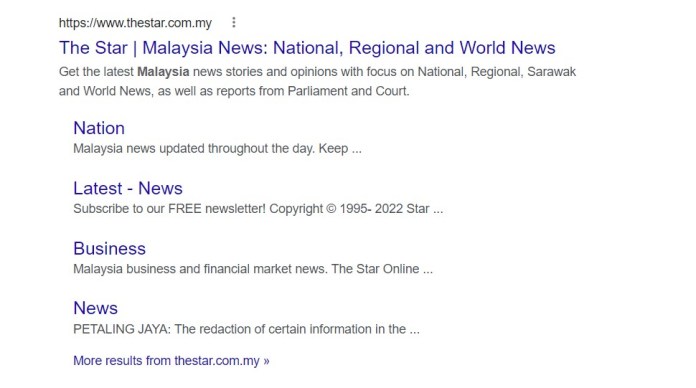
Some examples of website names that are popular are thestar.com.my, mudah.my, dailytv.my etc.
For anyone wanting to run an online business in Malaysia, it is best to have a website URL and a creative .my domain name which is available.
Whether you are starting a food delivery business, IT services, organic products or any other business, a creative domain name can change the outlook of the business, an ecommerce venture or an online store.
An attractive .my domain name creates awareness and draws people while establishing the business.
There are distinct types of domain name extension available for commercial and personal use – .net, .edu, .org, .gov etc.
5 Creative Domain Names You Never Expected
1. big-tum.my
This is a creative .my domain that could be a significant use for a food blog and website name. It immediately connects with food, hunger and tummy.
With Malaysians being foodies, big-tum.my can be a quirky website for a modern food blog which explores different food cuisines.
The website name with big-tum can articulate the thoughts of the food blog through its brand name in Malaysia.
2. fish.net.my
For an entrepreneur or a MSME selling fishing equipment or fish nets, this is the perfect domain name to be used in Malaysia.
The website URL formation could be funny and creative, it would also make visitors and the audience curious about the business itself.
3. superstea.my
A website which discovers super tea collection or organic sauna can use superstea.my in Malaysia.
The website URL enhances the quality of the product as ‘super’ in the website name.
Get this .my domain name from Exabytes at an affordable price and secure it.
4. crisscrosstea.my
A crisscross pattern that identifies your tea business or brand name could use this website name as an official .my domain name for the business.
In Malaysia, .my domain names receive far more attention and visits on Google.
Having a .my domain to enhance the popularity of the brand’s website URL increases your chance of visibility during Google search.
It also has a better chance of ranking very high and on the first page.
5. freshleaves.my
It is easy to be noticed and become popular with .my domain extensions in Malaysia.
For ab entrepreneur wanting to own an organic food business or plant business, this domain name is appropriate.
Creative website names ensures that the traffic increases with the interested customers. Make sure to use a domain extension that helps you form an attractive website URL.
What if Your .MY Domain Name is in Use?
The best way to ensure that you purchase your dream company name is to buy your domain name as soon as possible.
Creative website names are of high value and priced high due to their demand in the market.
In case your .my domain name is already in use; you can add combinations to your name to make it more creative.
There are a few cases where you can head to the original name and find a blank page with a few ads on them.
Domain parking is a purchased domain but not in use, so if you find a parked .my domain, you can reach out to purchase it at a higher price.
If you have reasons to own a .my domain name, which is already in use, MYNIC can help you get that by filing a dispute.
One can always create their own website URL in unique manner unless it is required to purchase from parked domain.
Many small entrepreneurs finalize a creative domain name to sell their products and services through their engaging website name.
Use a funny and tickling website name for your online business now. Malaysian people would perhaps connect easily with the funny Malaysia domain that produces a good website URL.
Step 2: Enter your preferred .my domain in the homepage and click ‘Check Domain’ to begin domain name search.
Step 3: If you enter crosscrosstea.my you will see the message ‘Congratulations, crisscrosstea.my is available. Click ‘continue’ to own as your website name.
Step 4: Review your domain configuration. The best deal available for you by Exabytes is RM79.80/year.
Step 5: Complete the payment and get your website URL with .my domain.
Exabytes offers more services with the .MY domain at as low as RM79.80/yr.
One of the most significant assets of an organization is its company brand name, which its website domain name can represent.
It makes it simple for customers, prospects, and business partners to locate the company’s website and operations.
A unique website name that ends with .my domain extensioncreates an identity for a business within the Malaysian markets.
It especially makes more sense for any business – be it a product website, eCommerce or an online store, to buy domain Malaysia for a company.
A .my domain helps make an instant connection with the Malaysian community and the local industry.
While the usage of Country Code Top-Level Domain (ccTLD) is recommended, it also comes with its own threats of disreputable people trying to malign the originality of the website by registering typos and other variants of the .my domain business name.
Once you’ve identified potential names for your website in the .my domain database, you should consult legal counsel to carry out a proper trademark availability search and uncover any rivals who are using names identical to those ending in .my domain.
It is extremely important to ensure the .my domain of your choice does not have any resemblance with another company brand or business name that has copyright protection.
There could be very severe legal complications and unwanted issues to deal with.
They could also be expensive litigations which drain financial resources.
One must explore trademarking any chosen .my domain name for safety and security.
In order to protect a company brand’s safety with .my domain, it is necessary to ensure proper precautions are taken, more so while registering a .my domain.
Precautions to Take When Registering a Domain Name
1. Purchase alternative extensions
Registering a single .my domain name does not guarantee exclusive rights to the company brand name.
If the website name is popular or generic, there are good reasons for someone else to register an identical second-level company domain in another extension.
The MYNIC registry has more than 1,000 extensions to choose for second-level company domain for example:
.MY Domain
Registration Requirements
.my
for Malaysian individuals and organizations
.com.my
for commercial organisation / activities
.net.my
for network-related organisatio/activities
.org.my
for organisation/activities which do now qualify for another categories
.edu.my
for Malaysian educational organisation only
.gov.my
for Malaysian government orgnisation only
.mil.my
for Malaysian military orgnisation only
.name.my
for Malaysian individual’s personal use only
.biz.my
for Micro, Small and Medium Enterprises
Without registration of second level domains, safeguarding brand identity becomes very challenging.
2. Online brand protection to protect your company brand
Your company’s brand and .my domain name are significant assets, therefore keeping them safe should be a primary concern.
It is easy and simple to work with reputed domain registrars like Exabytes who offer professional advise during the process of domain registration to help secure as many domain extensions as possible for a brand.
It is a small but important step to take in order to make sure that your company domain remains safe for years to come.
3. Consider purchasing typos along with the company brand
The purchase of typos of the company domain names should be considered by owners of developing and well-known websites.
The company brand domain is frequently mistyped by consumers, especially when using a mobile device.
Typical errors include
Reversing the letters
Cutting out letters
Misspelling challenging words
Spelling out a digit when it should be a number (such as two and four) or the opposite
Numerous combinations exist, and the budget probably won’t allow for them all.
However, .my domains from Exabytes are priced affordably which helps in registering a larger number of .my and second level domains.
4. Register company brands and product names
It is worthwhile to invest in registering company domains that have the brand name or is related to the product categories belonging to the business.
Doing so helps in ensuring competitors do not register domains which are similar in nature and exploit the efforts put in to create brand equity.
It is an effective safety net to protect company brand.
5. Make sure your company domain is secured
Check out Domain Vault, a solution that integrates numerous essential security features for domains, including registry lock, for the highest level of company domain ID protection.
In the event that modifications to important company domain settings are required, only authorized people would be able to request them after passing through a series of a machine and human verification steps.
How to Secure a .MY Domain Name?
Do’s
Don’ts
Integrate a locality based keywords into your .my domain name
In your .my domain name, avoid using dashes, abbreviations, or digits
Named ownership of .my domain name
Register multiple .my domain extensions
Timely renewal of .my domain name registration
Don’t buy a .my domain without researching its history
Do’s
Integrate a locality based keywords into your .my domain name
It results in the loss of all efforts put in to create brand awareness around that domain name.
To avoid loss of domain name, one must ensure that anytime you acquire a .my domain, purchase it for five to ten years or set up auto-renewal so you don’t lose track of it.
Don’ts
In your .my domain name, avoid using dashes, abbreviations, or digits
Avoid using dashes, abbreviations, or digits that can make it difficult to recall. Instead, create a memorable company brand name that accurately represents your organization and its line of business.
A smart domain name also works as a keyword for your company domain, which will help in achieving organic growth on SEO practices.
Register multiple .my domain extensions
When you register your .my domain name, you will be flooded with offers to buy other extensions such as .net and .co.
Most small firms do not require this, but if your company operates on a large scale, you should consider purchasing it from secure and leading domain registrar.
Don’t buy a .my domain without researching its history
Even accessible domains might be subject to legal action if the name is too close to the trademark of another company.
It is highly critical that you do a background check and a detailed verification before you buy domain Malaysia.
It is easy to find and know the history of a domain using .my domain history from registrars like Exabytes.
Your business expands from the moment you choose a .my domain name.
Exabytes offers over 400 different domain extensions, as well as comes with WHOIS domain protection.
Connect with an Exabytes website hosting and domain registration professional to learn more.